The 12 Best AI Video Editing Software Picks for 2025
Discover the best AI video editing software for creators in 2025. Our ranked list covers pros, cons, and pricing to help you automate and grow.


Video editing has fundamentally changed. Gone are the days of spending hours on manual cuts, tedious captioning, and searching for the right B-roll footage. Today, the best AI video editing software automates these repetitive tasks, freeing creators to focus on strategy and storytelling. From generating viral-worthy hooks and transcribing interviews in seconds to creating entire videos from a single text prompt, AI is no longer a novelty; it's a competitive advantage for anyone serious about growth. To truly grasp why these tools are so powerful, it helps to first understand the core elements of viral content and how AI directly accelerates its creation.
This guide breaks down the top 12 AI-powered tools that are reshaping workflows for everyone, from individual TikTok creators and UGC editors to professional agencies managing complex content pipelines. We move beyond generic feature lists and marketing claims to provide a practical analysis of what each platform actually delivers.
You will find a comprehensive review of each tool, including:
Key AI features and how they solve real-world editing problems.
Honest pros and cons based on real usage scenarios.
Specific use cases for short-form creators, marketers, and agencies.
Clear pricing breakdowns to match your budget.
Screenshots and direct links to help you explore each option.
Our goal is to help you cut through the noise and find the right AI video editor for your specific needs. Whether you're a beginner aiming for your first viral hit or a seasoned professional optimizing a client's content strategy, this resource will guide you to the software that can help you create better content, faster. Let's dive in.
1. Virlo
Virlo establishes itself as a commanding force in the AI video editing landscape by integrating data-driven trend analysis directly into its production workflow. It's more than just an editor; it's an end-to-from content intelligence platform designed to give short-form creators a decisive competitive advantage. By scanning millions of posts daily across TikTok, YouTube Shorts, and Instagram Reels, Virlo provides a real-time, de-duplicated view of what’s gaining momentum, allowing creators to capitalize on viral trends before they become saturated.
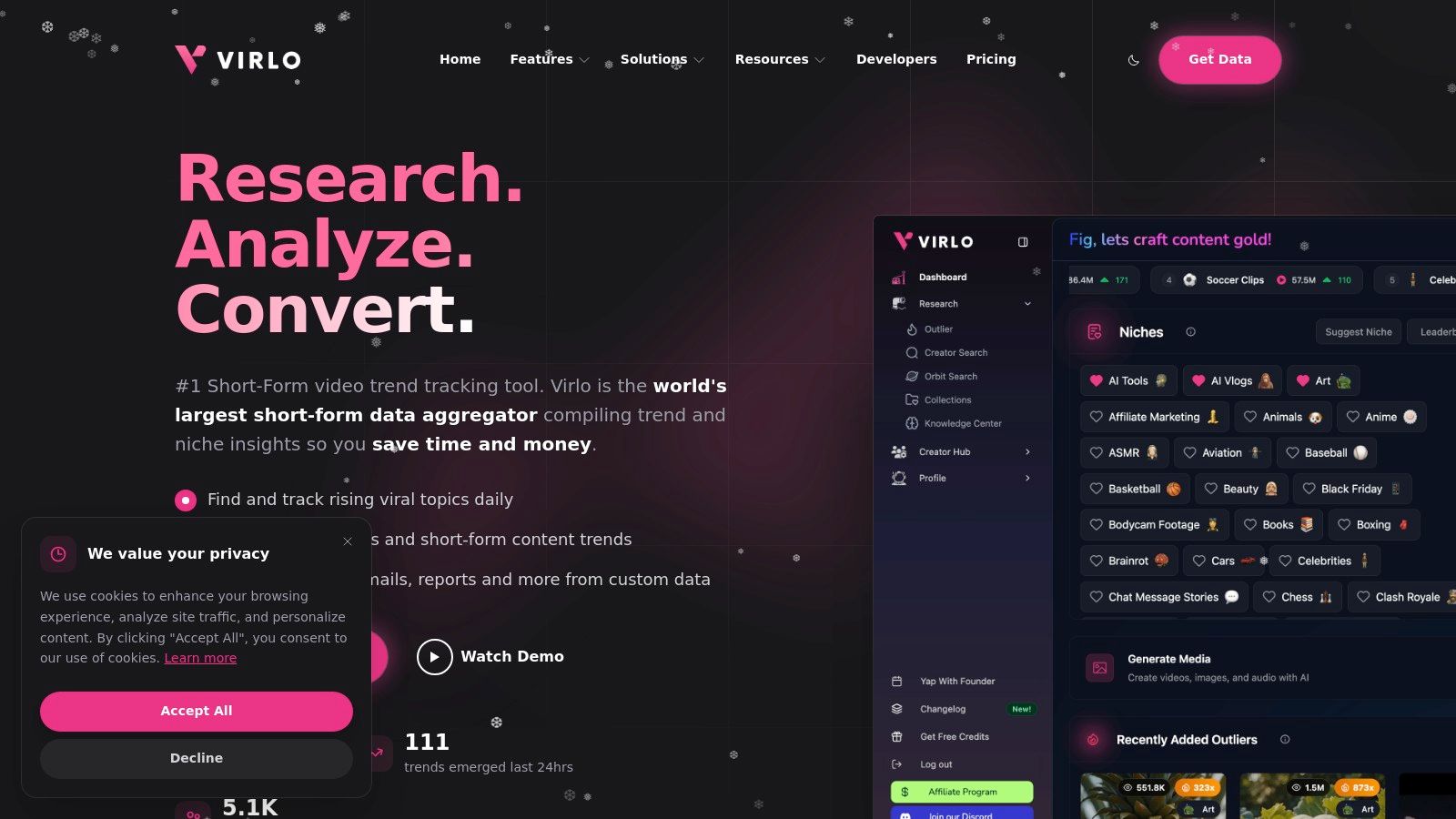
The platform's standout capability is its seamless transition from insight to execution. A user can identify a rising niche in the Viral Niche Library, receive AI-generated hooks and scripts modeled on proven performers, and then use Virlo's built-in tools to assemble a polished, on-brand video with captions, sounds, and animations. This all-in-one process condenses hours of manual research and editing into a focused, minutes-long workflow, making it one of the best AI video editing software solutions for rapid content deployment.
Key Strengths & Use Cases
End-to-End Workflow: Virlo uniquely combines trend discovery, competitor research, script generation, and video production. This is ideal for agencies and social media managers who need to scale content output without sacrificing quality or relevance.
Data-First Content Strategy: The platform's massive dataset and freshness-ranked signals help users spot viral outliers early. E-commerce brands using TikTok Shop can leverage its commerce-focused features to track viral products and create timely, revenue-generating content.
Automated Asset Generation: From hooks and outlines to captions and thumbnails, Virlo's AI handles the foundational creative work. This allows solo creators and UGC editors to maintain a consistent posting schedule and focus on performance. For an in-depth guide, discover Virlo's advanced TikTok video editing tips.
Pricing & Considerations
Virlo operates on a subscription model, and pricing details are provided upon inquiry or demo request. This structure suggests it is positioned for serious creators, agencies, and businesses rather than casual hobbyists.
While the trend-based approach is powerful, creators must still apply their own strategic judgment to avoid producing formulaic content and to ensure their brand voice remains distinct. The platform provides the data and the tools, but creative insight is the final, essential ingredient.
Best For: Social media managers, creator agencies, and e-commerce sellers needing a data-backed system for scalable short-form video growth.
Website: virlo.ai
2. Adobe Premiere
Adobe Premiere Pro is the industry-standard non-linear editor, now supercharged with a growing suite of AI-powered features. While known for its role in professional film and long-form content, its latest updates make it a powerhouse for short-form creators who demand precision, deep integration, and professional-grade tools. It uniquely bridges the gap between high-end production and fast-paced social media workflows.
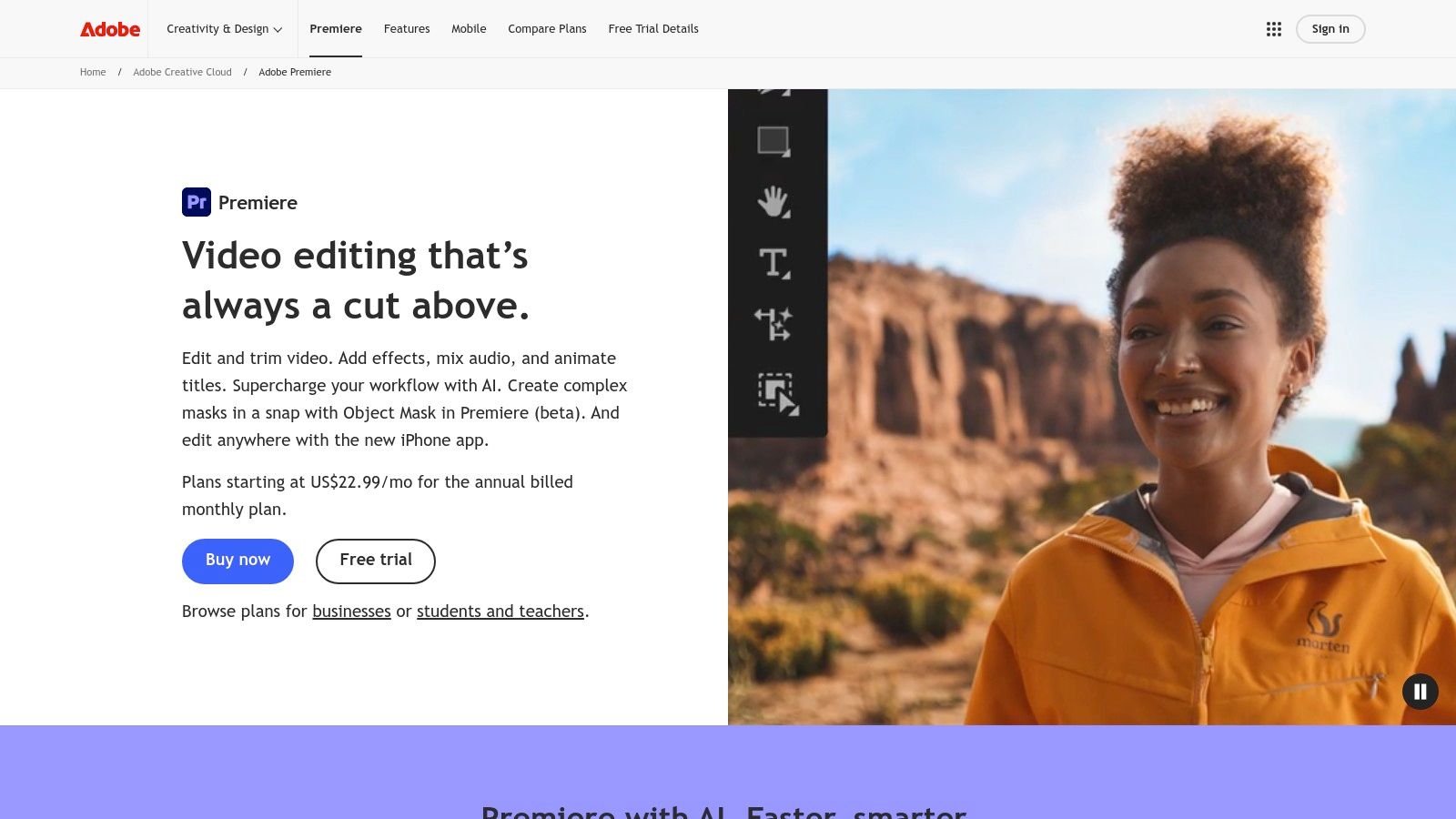
Premiere's AI shines in its practical, time-saving functions. The Text-Based Editing feature creates a searchable transcript of your footage, allowing you to edit your video simply by deleting words in the text. The Auto Reframe tool is a lifesaver for social media managers, intelligently adapting horizontal video to vertical formats like 9:16 for TikTok and Reels, automatically keeping the main subject in the frame.
Key Features & Workflow
AI-Powered Editing: Tools like Remix automatically retime music to fit your video length, while Speech to Text generates captions with impressive accuracy. The Enhance Speech feature cleans up noisy audio with a single click.
Creative Cloud Integration: Premiere’s real power comes from its seamless connection to other Adobe apps. You can easily send clips to After Effects for advanced motion graphics or use Adobe Firefly generative AI credits for creating unique visual assets.
Collaboration & Access: With Frame.io integration included, getting feedback from clients or team members is streamlined. The subscription also includes the Premiere Rush mobile app for editing on the go.
Pricing & Our Take
Feature | Pros | Cons |
|---|---|---|
Editing Power | Unmatched control for professional long-form and social content. | Steeper learning curve compared to browser-based tools. |
Ecosystem | Seamless integration with After Effects, Photoshop, and Frame.io. | Subscription-only model can be costly over time. |
AI Integration | Includes valuable Firefly generative AI credits with plans. | Core AI features focus more on workflow than content creation. |
Best for: Creator agencies, freelance editors, and serious content creators who need an all-in-one, industry-standard solution that scales from social media clips to commercial projects.
Pricing: Adobe Premiere Pro is available through a Creative Cloud subscription, starting at $22.99/month for the individual app. It's also included in the Creative Cloud All Apps plan.
Website: https://www.adobe.com/products/premiere.html
3. Blackmagic Design DaVinci Resolve
DaVinci Resolve is a legendary name in Hollywood for its elite color grading, but it has evolved into a complete, all-in-one post-production suite. Its AI capabilities, powered by the DaVinci Neural Engine, are deeply integrated into its editing, color, audio, and VFX workflows, making it a formidable contender for the best AI video editing software, especially for those who want professional power without a monthly subscription.
The DaVinci Neural Engine automates complex and tedious tasks with incredible precision. Features like Magic Mask use AI to create intricate masks around people or objects with a simple paint stroke, perfect for selective color grading or effects. Other tools like Voice Isolation clean up dialogue in noisy environments, while the Scene Cut Detection automatically chops up a rendered video file into individual clips on your timeline. These features bring high-end efficiency to any project. If you're looking to elevate your skills, you can learn more about how to edit videos like a pro with these powerful tools.
Key Features & Workflow
DaVinci Neural Engine: Powers features like Magic Mask for object isolation, Smart Reframe for vertical video, and Voice Isolation for crystal-clear audio.
All-in-One Suite: Seamlessly switch between dedicated pages for editing, color grading (DaVinci), audio post (Fairlight), and visual effects (Fusion) without ever leaving the application.
Affordable Pro Power: The free version is incredibly robust, while the paid Studio version is a one-time purchase that unlocks advanced AI tools, higher resolutions, and more.
Pricing & Our Take
Feature | Pros | Cons |
|---|---|---|
Editing Power | Industry-leading color grading and a complete professional toolset. | Deep interface can be overwhelming for absolute beginners. |
Ecosystem | One-time purchase model offers incredible long-term value. | AI features and advanced workflows demand powerful hardware/GPU. |
AI Integration | Neural Engine tools are seamlessly integrated into the workflow. | Lacks the generative AI content creation features of other tools. |
Best for: Professional editors, colorists, and serious creators who want a complete post-production solution with a one-time purchase, avoiding recurring subscription fees.
Pricing: DaVinci Resolve offers a powerful free version. The full DaVinci Resolve Studio license is a one-time purchase of $295.
Website: https://www.blackmagicdesign.com/products/davinciresolve/
4. Apple Final Cut Pro (Mac & iPad)
Final Cut Pro is Apple’s professional non-linear editor, renowned for its incredible performance and optimization on Mac hardware. While its AI features are more subtle than competitors, they are deeply integrated and powered by the Apple Neural Engine to accelerate complex tasks. With the new Final Cut Pro for iPad, it offers a seamless, touch-first workflow, making it a powerful choice for creators invested in the Apple ecosystem.
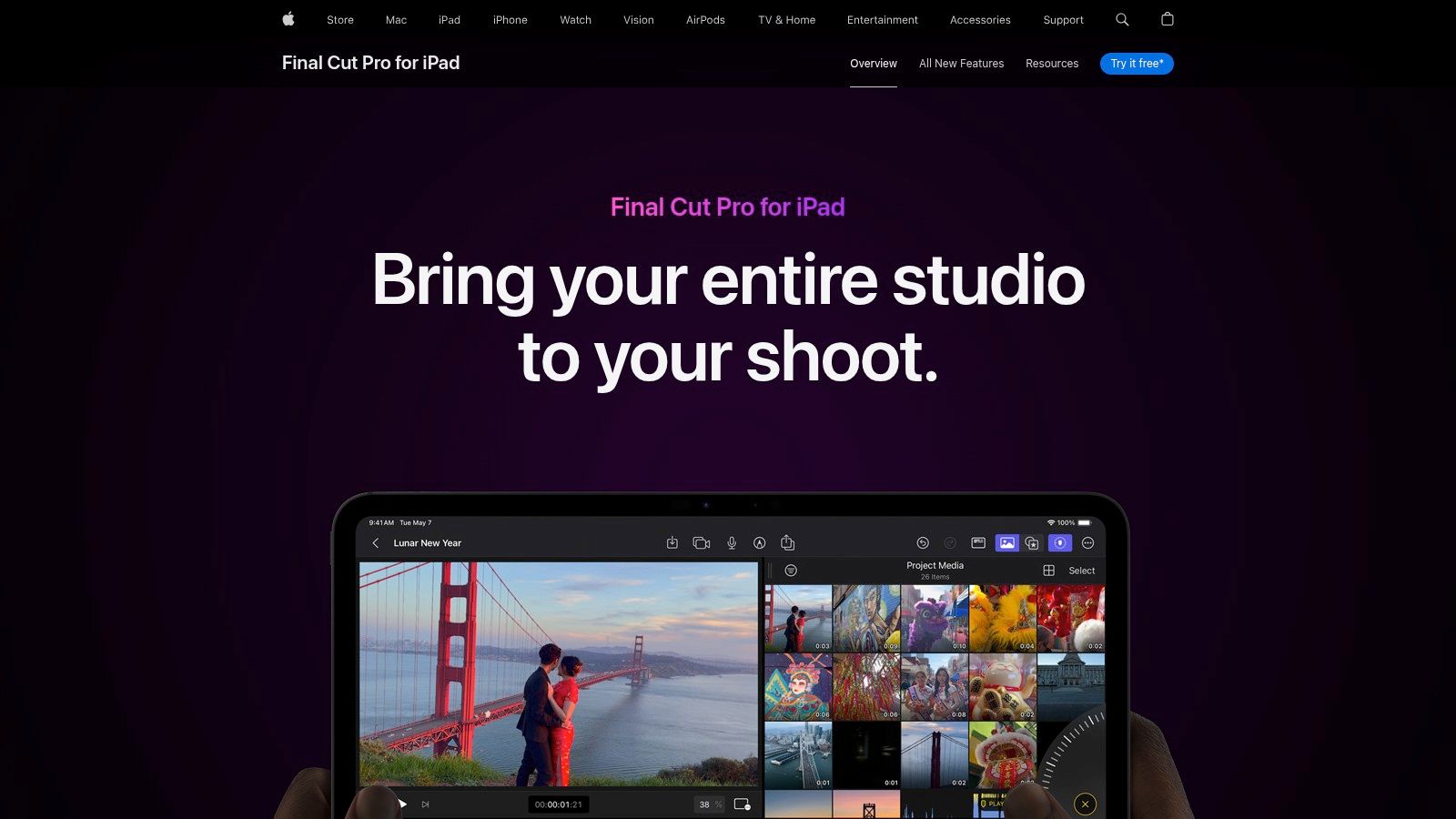
The platform’s strength lies in its machine learning-assisted tools that enhance video quality with minimal effort. Smooth Slo-Mo uses AI to generate and blend frames for ultra-smooth slow-motion effects, while the Enhance Light & Color tool can automatically balance your clips. The new iPad app extends this efficiency, allowing you to start a project on the go and seamlessly finish it on your Mac for final polishing.
Key Features & Workflow
AI-Assisted Enhancements: Features like Smart Conform intelligently analyze and crop widescreen footage for social media formats. Object tracking and scene-removal masks are also accelerated by machine learning.
Apple Ecosystem Integration: Unmatched performance on Apple Silicon (M-series chips) for real-time editing of high-resolution footage like ProRes RAW. Projects move effortlessly between the iPad and Mac.
Touch & Pencil Workflow: The iPad version introduces a new way to edit, with a jog wheel for precise timeline navigation and Apple Pencil support for drawing directly on video clips to create live animations.
Pricing & Our Take
Feature | Pros | Cons |
|---|---|---|
Editing Power | Blazing-fast performance and stability on Apple hardware. | Mac-only; not available for Windows users. |
Ecosystem | One-time purchase on Mac is a great value; no recurring fees. | Smaller third-party plugin ecosystem compared to Premiere Pro. |
AI Integration | Smart, subtle AI tools that enhance workflow without complexity. | Lacks the generative AI content creation features of other tools. |
Best for: Mac and iPad users, from serious YouTubers to professional editors, who prioritize speed, stability, and a streamlined workflow within the Apple ecosystem.
Pricing: The Mac app is a one-time purchase of $299.99. The iPad app is a subscription, starting at $4.99/month or $49/year, with a one-month free trial available.
Website: https://www.apple.com/final-cut-pro-for-ipad/
5. CyberLink PowerDirector 365
CyberLink PowerDirector 365 offers a powerful and accessible editing experience that scales from consumer to prosumer needs. It stands out by combining a traditional timeline editor with a growing suite of generative AI tools, all backed by frequent updates and an impressive bundle of stock media. This makes it a strong contender in the best AI video editing software category for creators who want advanced features without the steep learning curve of professional NLEs.
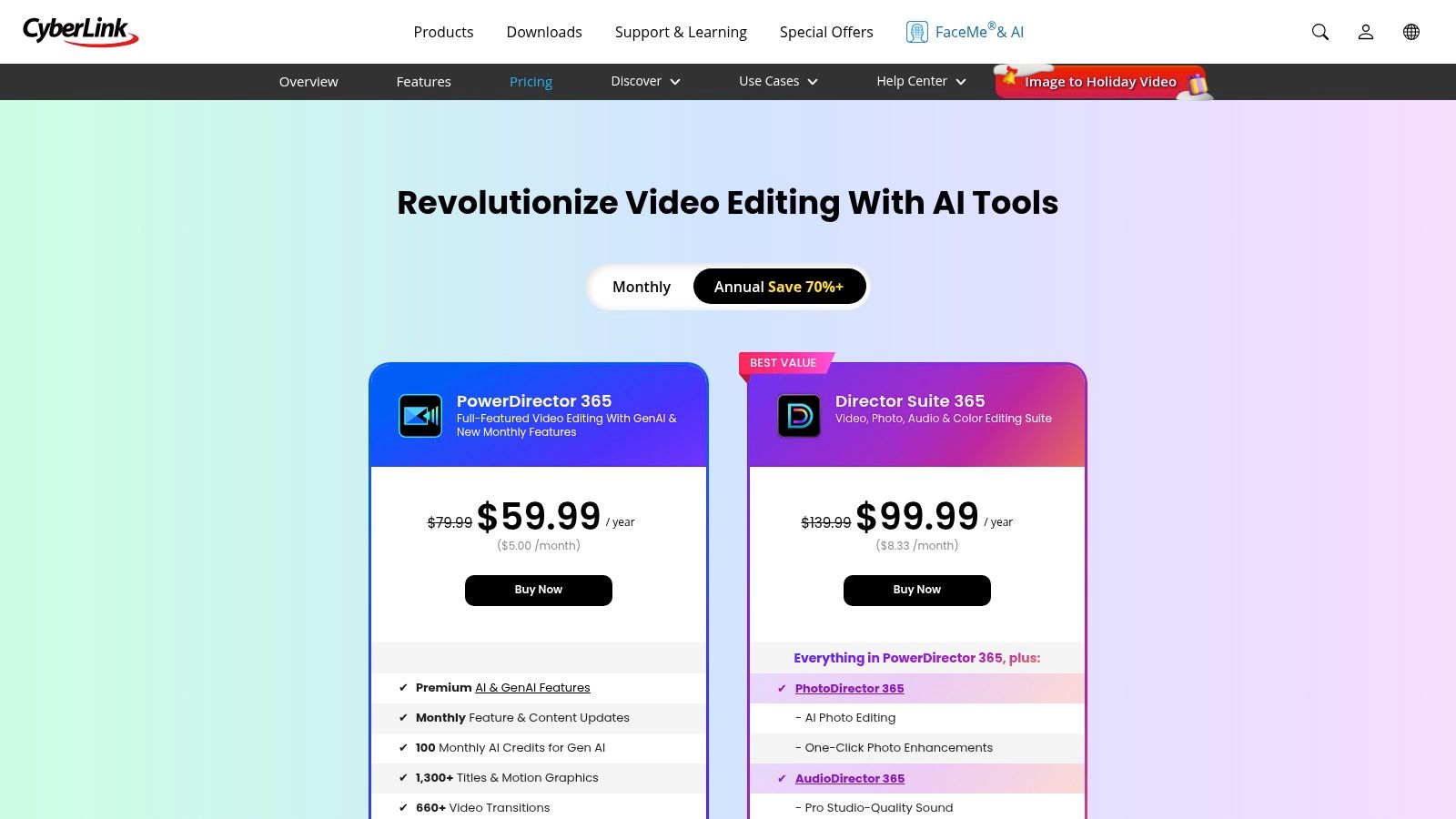
The platform integrates practical AI features like sky replacement, object detection, and speech enhancement directly into the workflow. Its value proposition is significantly boosted by its subscription model, which includes monthly AI credits for generative features and access to a vast library of stock content from Getty Images. For users needing a comprehensive creative toolkit, the optional Director Suite bundles PowerDirector with companion apps for photo, audio, and color editing.
Key Features & Workflow
Generative AI Tools: The software includes an AI Art Generator and an AI Sticker Maker, which use monthly credits to create custom visual assets directly within the editor.
Stock Media Integration: The 365 subscription provides extensive access to royalty-free videos, photos, and music, including a premium library powered by Getty Images.
Comprehensive Suite Option: The optional Director Suite 365 creates an ecosystem by bundling PowerDirector with PhotoDirector, AudioDirector, and ColorDirector for an all-in-one production workflow.
Frequent Updates: Subscribers receive a continuous flow of new features, design packs, and content, ensuring the software stays current with the latest creative trends.
Pricing & Our Take
Feature | Pros | Cons |
|---|---|---|
Value | Excellent price-to-features ratio, especially with stock media. | Some advanced tools are gated behind the AI credit system. |
Ease of Use | An intuitive interface with a gentle learning curve for new users. | Less common in high-end professional pipelines. |
Flexibility | Offers both subscription (365) and perpetual license options. | The sheer number of features can feel overwhelming initially. |
Best for: Social media managers, YouTube creators, and small marketing teams who need a versatile, all-in-one editor with a large stock library and easy-to-use AI features.
Pricing: PowerDirector 365 subscriptions start at $4.33/month. The comprehensive Director Suite 365 plan is also available, along with perpetual license options.
Website: https://www.cyberlink.com/products/powerdirector-video-editing-software/pricing.html
6. Wondershare Filmora
Wondershare Filmora has carved out a niche as a highly accessible yet powerful video editor, bridging the gap between beginner-friendly tools and professional software. It integrates a broad suite of AI helpers directly into an intuitive interface, making it one of the best AI video editing software choices for creators who want advanced features without a steep learning curve. Its strength lies in combining a traditional timeline editor with quick, AI-driven functions.
Filmora’s AI tools are designed for maximum impact with minimal effort. The AI Object Remover lets you paint out unwanted elements from your clips, while Auto Reframe intelligently adjusts your videos for different social media aspect ratios. Features like Silence Detection automatically cut dead air, a huge time-saver for creators editing talking-head videos for YouTube or TikTok.
Key Features & Workflow
Comprehensive AI Toolkit: With over 20 AI features, you can go from Text-to-Video to generate scenes, use TTS/STT for voiceovers and captions, and leverage an AI music generator.
Large Built-in Assets: Filmora includes a massive library of templates, effects, and stock media, allowing for fast and creative edits without leaving the application.
Flexible Licensing: Unlike many competitors, Filmora offers monthly, annual, and even a perpetual license, providing options for different budgets and user needs. Plans also come with a monthly allocation of AI credits.
Pricing & Our Take
Feature | Pros | Cons |
|---|---|---|
Accessibility | Very easy for beginners; fast results with templates and effects. | Some users report mixed experiences with billing and renewals. |
Pricing Model | Multiple choices (monthly, annual, perpetual) fit various budgets. | Many AI features consume credits which can increase costs. |
AI Integration | A wide array of practical, easy-to-use AI tools for common tasks. | AI output may not be as refined as more specialized platforms. |
Best for: YouTubers, UGC creators, and aspiring editors who want a user-friendly, all-in-one desktop editor with a robust set of AI-powered shortcuts and a large asset library.
Pricing: Filmora offers various plans, including a subscription starting at $29.99/quarter and a Perpetual Plan for a one-time fee. AI credits are included and can be purchased separately.
Website: https://filmora.wondershare.com/shop/buy/buy-video-editor-na.html
7. CapCut
CapCut, developed by TikTok's parent company ByteDance, is a cross-platform editor built from the ground up for speed and virality in short-form video. It excels at template-driven workflows, making it incredibly easy for creators to jump on trends. Its seamless sync across mobile, desktop, and web apps makes it a versatile choice for creators who need to edit anywhere, anytime, positioning it as some of the most accessible best ai video editing software available.
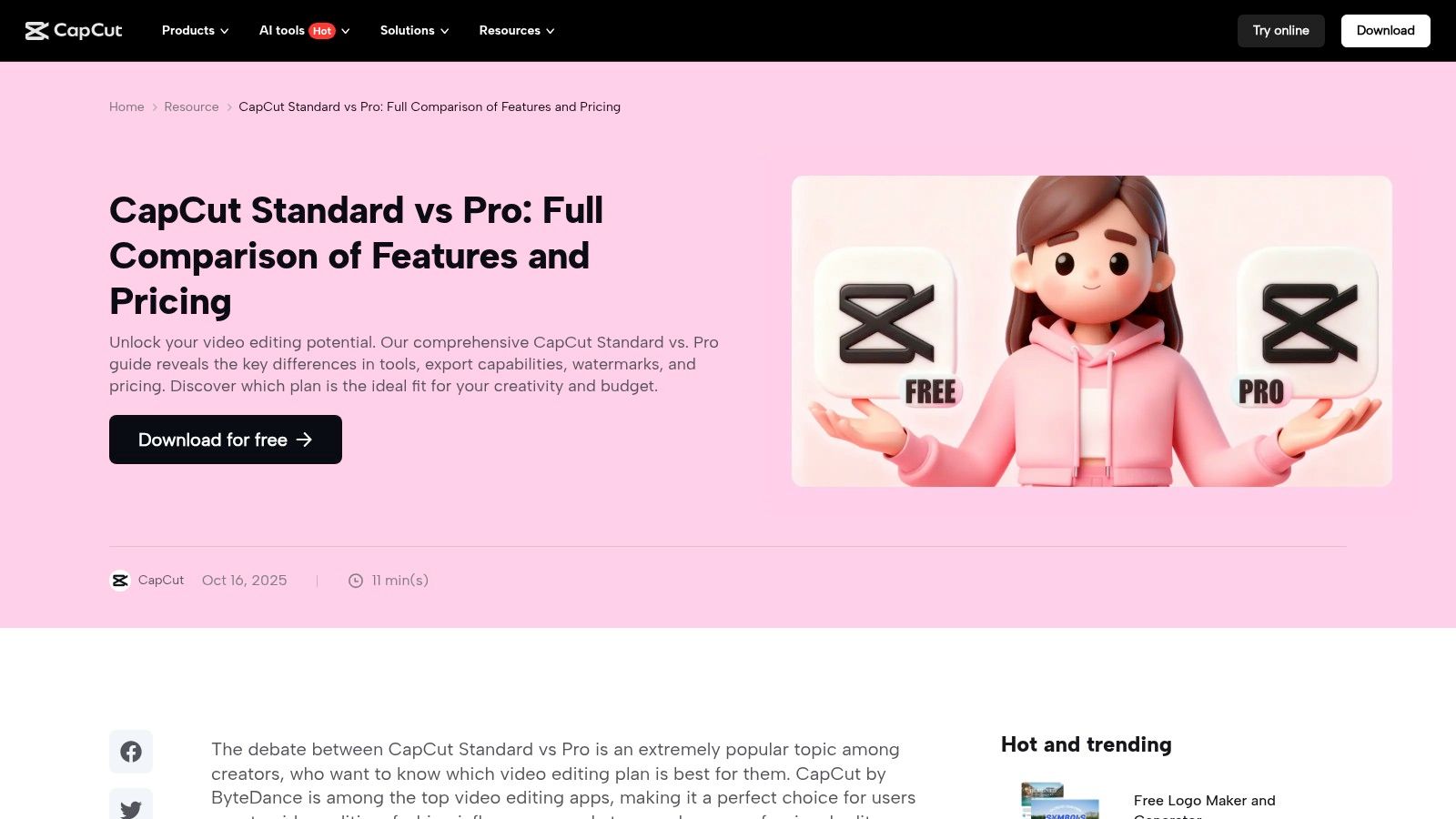
The platform’s strength lies in its AI-powered shortcuts that simplify complex tasks. With a single click, you can use AI background removal to isolate a subject, generate auto captions with impressive accuracy, or apply motion tracking to make text and graphics follow objects. This focus on one-click solutions allows creators to produce high-quality, engaging content without a steep learning curve.
Key Features & Workflow
AI-Powered Shortcuts: Includes one-click tools for background removal, auto-captions with translation, intelligent noise reduction, and motion tracking to streamline the editing process.
Massive Template Library: Offers a vast, constantly updated library of effects, transitions, and templates specifically designed for TikTok, Reels, and YouTube Shorts.
Cross-Platform Sync: Pro and Teams plans allow for cloud-based project syncing, letting you start an edit on your phone, refine it on your desktop, and get feedback via the web.
Pricing & Our Take
Feature | Pros | Cons |
|---|---|---|
Workflow Speed | Extremely fast for producing TikToks, Reels, and Shorts. | Heavier emphasis on short-form aesthetics may not suit long-form projects. |
Accessibility | Robust free version and competitive pricing for individuals/teams. | Pricing can vary by platform and region; confirm in-app before purchasing. |
Creative Assets | Large marketplace of templates and trending short-form effects. | Can encourage a "cookie-cutter" look if relying too heavily on templates. |
Best for: UGC creators, social media managers, and TikTok Shop sellers who need to produce trend-focused short-form content quickly and efficiently across multiple devices.
Pricing: CapCut offers a powerful free version. CapCut Pro plans unlock more features and start around $7.99/month, though pricing may vary by location and platform.
Website: https://www.capcut.com/resource/capcut-standard-vs-pro
8. Descript
Descript pioneered the concept of editing video like a document, and it remains a leader for anyone creating dialogue-heavy content. Instead of scrubbing through a timeline, you edit by simply deleting words and sentences in an auto-generated transcript. This text-first approach radically speeds up the editing process for podcasts, interviews, tutorials, and webinars, making it one of the best AI video editing software tools for spoken-word content.
Its AI features are built around perfecting speech and simplifying production. With a single click, Studio Sound can make amateur microphone audio sound like it was recorded in a professional studio. The Remove Filler Words feature instantly deletes every "um" and "uh" from your recording, while the controversial but powerful Overdub lets you clone your voice to correct mistakes without re-recording.
Key Features & Workflow
Text-Based Editing: The core workflow involves editing the transcript to edit the video and audio tracks simultaneously. This is incredibly intuitive for trimming down long conversations.
AI Audio & Voice Tools: Features like Studio Sound, Overdub voice cloning, and automatic filler word removal save hours of manual audio cleanup. Its AI co-editor, Underlord, helps with repurposing.
Repurposing & Collaboration: The "Create Clips" feature helps you quickly find the most engaging soundbites and turn them into social media shorts. The platform is built for team collaboration with shared projects and commenting. If you're new to editing, Descript is a fantastic starting point and one of the best types of editing software for beginners.
Pricing & Our Take
Feature | Pros | Cons |
|---|---|---|
Workflow | Dramatically speeds up dialogue-heavy editing and repurposing. | Not a full VFX/color grading platform; limited for high-end finishing. |
AI Tools | Best-in-class audio enhancement and voice cloning features. | Some AI features have usage limits or consume credits. |
Ease of Use | Intuitive for anyone comfortable with text documents. | Less ideal for projects that are primarily visual or music-driven. |
Best for: Podcasters, course creators, corporate trainers, and YouTubers who produce interview-style or educational content and want the fastest path from raw recording to finished product.
Pricing: Descript offers a free plan with limited features. Paid plans start with the Creator tier at $12/month (billed annually), which includes 4K export and removes watermarks.
Website: https://www.descript.com/
9. Runway
Runway is a pioneering AI-first video platform that blends a powerful suite of generative AI tools with a full-featured video editor. It's designed for creators who want to push creative boundaries, offering everything from text-to-video generation to advanced AI magic tools in a single, web-based interface. This positions Runway as a one-stop shop for producing futuristic visuals that were once only possible in high-budget VFX studios.
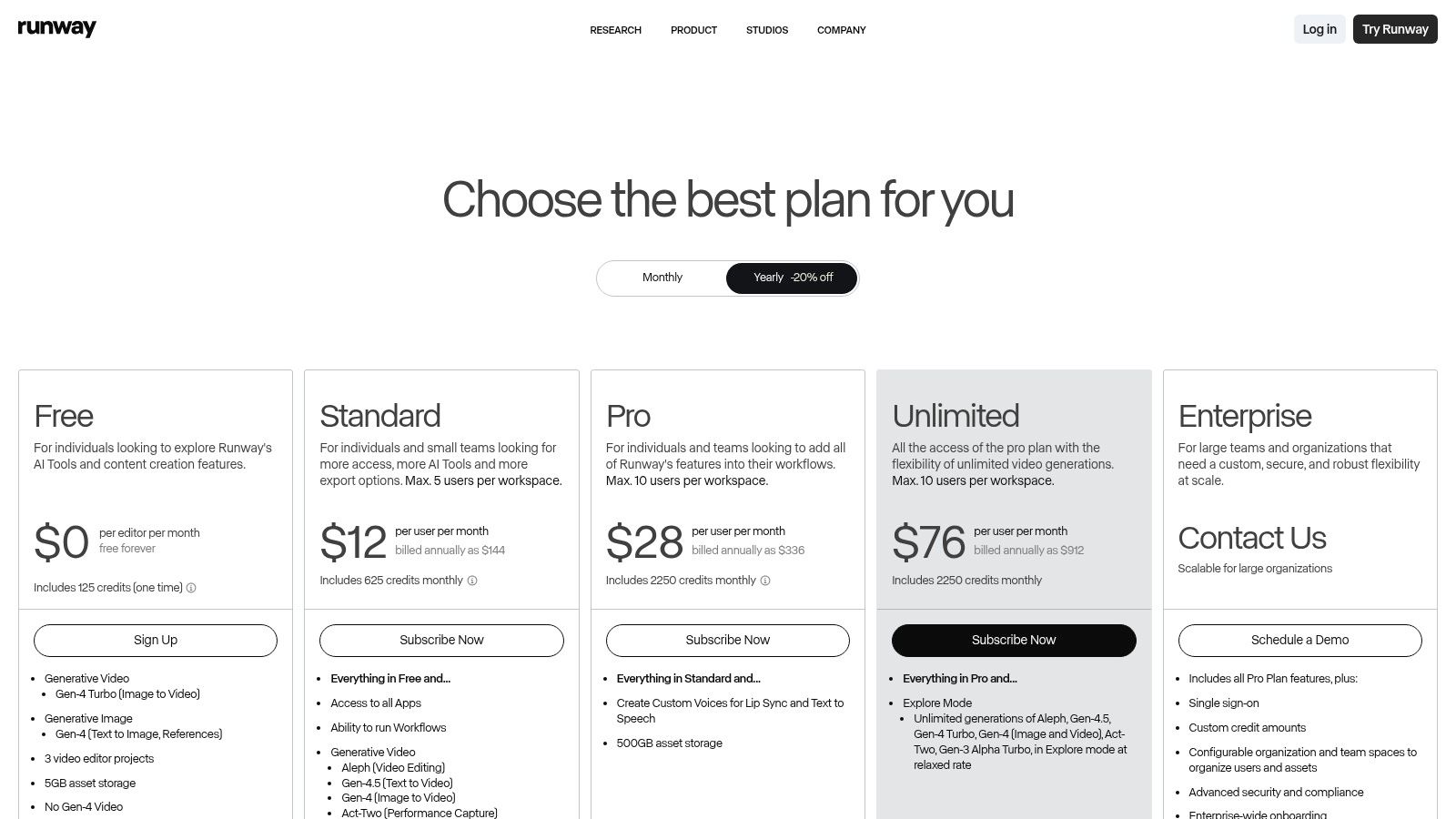
The platform stands out with its constantly evolving generative models like Gen-3, which create stunningly realistic video clips from simple text prompts. Beyond generation, its AI Magic Tools are incredibly practical. You can instantly remove backgrounds with Green Screen, paint out unwanted objects with Inpainting, or automatically track subjects with Motion Tracking, all within the same editor. This integrated workflow makes it one of the best AI video editing software options for experimental and social-first content.
Key Features & Workflow
Generative AI Suite: Access cutting-edge models for Text to Video (Gen-3), Image to Video, and Infinite Image, allowing you to create unique visual assets from scratch.
AI Magic Tools: A comprehensive toolkit including background removal, super slow-motion, video upscaling, and 3D Gaussian Splats simplifies complex VFX tasks.
Integrated Editor & Collaboration: Combine generated clips with your own footage in a timeline editor. Team plans allow for shared assets and collaborative projects, ideal for agencies.
Pricing & Our Take
Feature | Pros | Cons |
|---|---|---|
Generative Power | Industry-leading models for creating unique video from prompts. | Generative outputs can be unpredictable and consume credits. |
All-in-One Workflow | Seamlessly integrates generation, editing, and VFX tools. | Credit system means monthly allowance doesn't roll over. |
Accessibility | Advanced VFX capabilities are made accessible to all creators. | Web-based interface can be slow during peak usage times. |
Best for: Social media agencies, experimental filmmakers, and content creators looking to incorporate cutting-edge generative AI visuals into their videos without needing complex VFX software.
Pricing: Runway offers a free Basic plan with limited credits. Paid plans start at $12/user/month (billed annually), providing more credits, 4K exports, and access to advanced features.
Website: https://runwayml.com/pricing
10. VEED
VEED is a comprehensive, browser-based AI video generator designed for speed and simplicity, making it a go-to for marketers, social media teams, and creators. It packs a surprisingly broad suite of AI tools into an intuitive web interface, eliminating the need for downloads or powerful hardware. VEED excels at streamlining the entire content workflow, from initial recording to final polishing and distribution, particularly for business and team-based projects.

The platform's AI toolkit is built for practical, everyday marketing tasks. Its AI captioning and translation generates accurate subtitles in seconds and can translate them into dozens of languages, maximizing content reach. Unique features like the Eye-Contact Correction tool help presenters maintain audience engagement, while the Audio Cleanup function removes background noise for professional-sounding voiceovers. VEED is a powerful contender for anyone looking for the best AI video editing software that operates entirely online.
Key Features & Workflow
Practical AI Tools: Instantly remove backgrounds, clean up audio with one click, generate text-to-speech voiceovers, or even create AI avatars for faceless content.
Team & Brand Collaboration: Pro and Business plans include features like Brand Kits to maintain visual consistency, shared workspaces, and comment-based feedback for streamlined reviews.
All-in-One Web Platform: VEED combines a screen recorder, teleprompter, and editor in one place. You can record a presentation, edit it with AI tools, and share it without ever leaving your browser.
Pricing & Our Take
Feature | Pros | Cons |
|---|---|---|
Accessibility | No install required; fast learning curve for social media teams. | Not designed for heavy VFX or advanced color grading. |
AI Utilities | Wide range of tools for subtitling, audio, and localization. | Pricing tiers and feature allowances can change frequently. |
Collaboration | Excellent team plans with brand kits and analytics features. | Performance can depend on internet connection speed. |
Best for: Marketing teams, corporate trainers, and social media managers who need a fast, collaborative, and easy-to-use platform for producing polished promotional and informational videos.
Pricing: VEED offers a free plan with watermarked exports. Paid plans start with the Basic plan at $18/month per user, with Pro and Business plans offering more advanced features and higher usage limits.
Website: https://www.veed.io/pricing
11. Microsoft Clipchamp
Microsoft Clipchamp is a highly accessible web and desktop-based editor that integrates practical AI helpers into a user-friendly package. Acquired by Microsoft and now built into Windows 11, it serves as a powerful step up from basic movie makers, offering AI features designed to streamline common editing tasks for social media, educational content, and quick business videos. Its major advantage is its deep integration with the Microsoft ecosystem, making it an incredible value for existing subscribers.

Clipchamp’s AI toolkit focuses on efficiency. The auto-captions feature generates subtitles with a single click, while the text-to-speech tool can create clean voiceovers in multiple languages and styles. A standout function is the silence remover, which automatically finds and deletes awkward pauses, tightening up the pacing of interviews or tutorials instantly. This makes it one of the best AI video editing software options for creators who prioritize speed and simplicity.
Key Features & Workflow
AI-Powered Helpers: Simple but effective tools like auto-captions, text-to-speech, and automatic silence removal speed up the most tedious parts of editing.
Microsoft 365 Integration: Premium features like 4K exports, a rich stock library, and brand kit management are often included at no extra cost for Microsoft 365 Personal and Family subscribers.
Hybrid Accessibility: Edit seamlessly in your browser on any OS or use the dedicated Windows app, with all projects synced to your Microsoft account via OneDrive.
Pricing & Our Take
Feature | Pros | Cons |
|---|---|---|
Ease of Use | Extremely approachable for beginners and quick social media edits. | Lacks advanced VFX, deep color grading, and complex effects. |
Value | Excellent value if premium features are included with Microsoft 365. | Standalone Premium pricing can be less competitive than rivals. |
AI Integration | Practical AI tools solve common, time-consuming editing problems. | AI features are more for assistance than for generative content creation. |
Best for: Students, educators, small business owners, and casual creators who are already in the Microsoft ecosystem and need a fast, no-fuss editor for polished social media and presentation videos.
Pricing: A free plan with 1080p exports is available. The Premium plan, which unlocks 4K exports, stock assets, and brand kits, is included with many Microsoft 365 subscriptions or available as a standalone purchase (pricing varies).
Website: https://clipchamp.com/en/pricing/
12. B&H Photo Video (Resolve reseller & pro hardware)
While not a software platform, B&H Photo Video is a crucial resource for professionals and companies needing to purchase licenses and hardware for AI-powered editing suites like DaVinci Resolve Studio. As a trusted U.S. retailer, it provides a reliable channel for acquiring activation cards, USB dongles, and specialized hardware such as the Speed Editor or color grading panels, often with fast shipping and robust customer support.
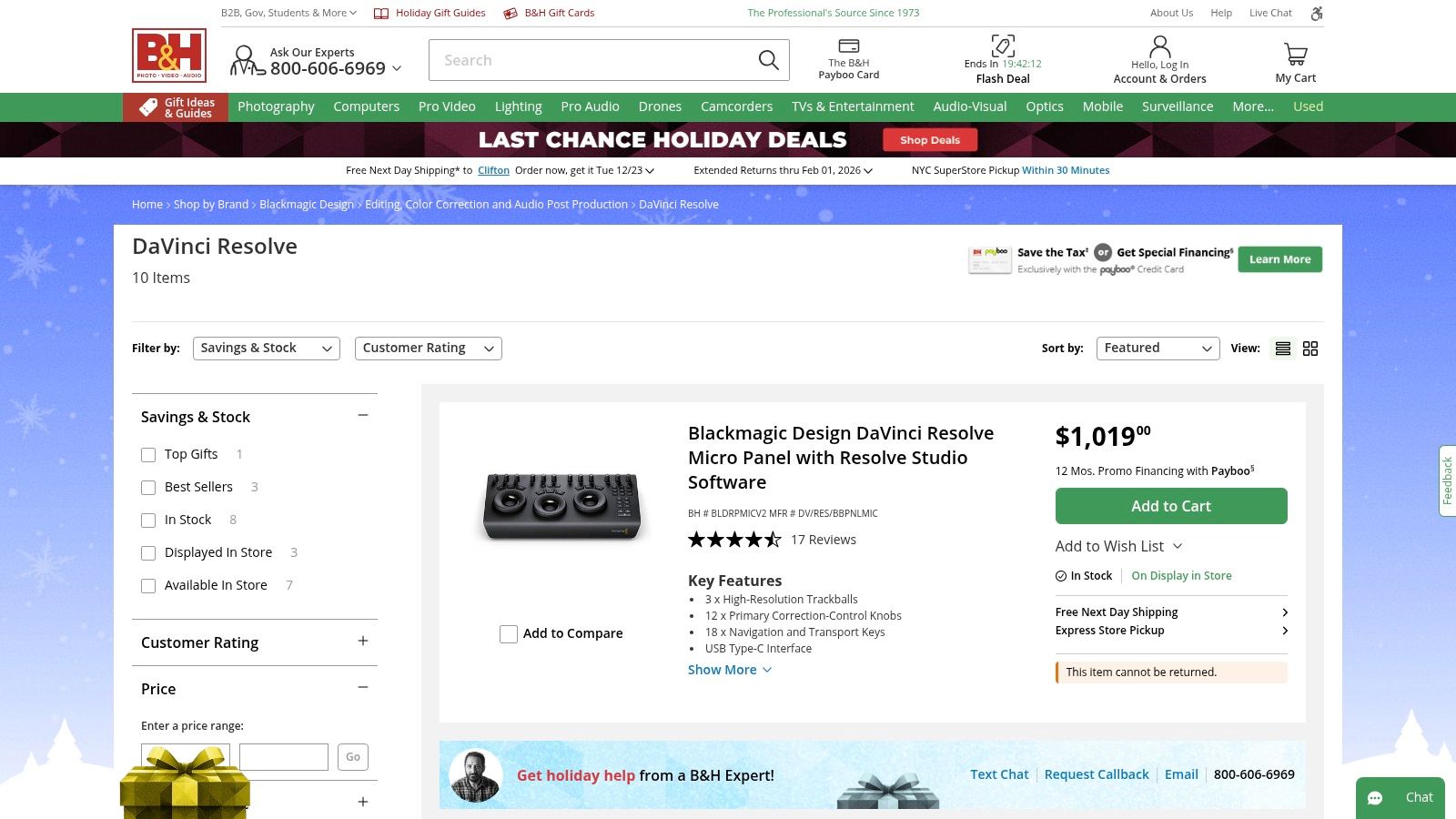
This makes B&H an essential stop for agencies and studios that require official reseller invoices for accounting, need to bundle software with new cameras or computers, or prefer financing options for larger purchases. For editors investing in a professional setup, it simplifies the process of getting both the best AI video editing software and the physical tools to maximize its potential in a single transaction.
Key Features & Workflow
Official Reseller: Stocks both DaVinci Resolve Studio activation cards and USB dongles, providing a physical product for company purchasing departments.
Pro Hardware: Offers a wide selection of Blackmagic Design accessories, including the Speed Editor, Editor Keyboard, and various color grading panels that integrate directly with Resolve.
Business-Friendly Purchasing: Provides official invoices, financing options, and U.S.-based fulfillment and support, simplifying procurement for businesses and freelancers.
Customer Support: Offers live chat and phone support for sales and order inquiries, along with clear shipping and return policies for hardware.
Pricing & Our Take
Feature | Pros | Cons |
|---|---|---|
Purchasing Process | Reliable US fulfillment and support for official company purchases. | Activation cards are often non-returnable once purchased. |
Product Selection | One-stop shop for both software licenses and professional hardware. | Resolve Studio may be priced slightly higher than buying direct. |
Customer Experience | Trusted retailer reputation with strong customer service infrastructure. | Focus is on sales and fulfillment, not software-specific technical support. |
Best for: Creative agencies, production studios, and freelance professionals who need official invoices for software purchases or want to bundle DaVinci Resolve Studio with essential editing hardware.
Pricing: DaVinci Resolve Studio activation cards are typically sold for a one-time fee, often around $325, which can be slightly higher than the direct price from Blackmagic Design.
Website: https://www.bhphotovideo.com/c/buy/davinci-resolve/ci/39339
Top 12 AI Video Editors — Feature Comparison
Product | Core features / Capabilities | Quality / UX (★) | Price & Value (💰) | Target (👥) | Unique strengths (✨) |
|---|---|---|---|---|---|
Virlo 🏆 | Trend discovery (20k+ creators), Viral Niche Library, AI hooks→video, commerce tracking | ★★★★★ — fast, data‑fresh workflows | 💰 Subscription (demos/onboarding) — high team ROI | 👥 Short‑form creators, social teams, sellers | ✨ End‑to‑end research→publish, freshness‑ranked signals, on‑platform video generation |
Adobe Premiere | Pro NLE, AI masks/transcripts, Creative Cloud integrations | ★★★★★ — industry standard, steeper learning | 💰 Subscription — higher cost, includes Firefly credits | 👥 Professionals, agencies, studios | ✨ Deep CC ecosystem, plugin & AE handoff |
DaVinci Resolve | Editing, DaVinci color, Fairlight audio, Fusion VFX, Neural Engine | ★★★★ — powerful; steep for beginners | 💰 Free tier / one‑time Studio license (lifetime) | 👥 Colorists, pro editors, budget‑conscious teams | ✨ Elite color tools, strong free offering, Studio one‑time buy |
Final Cut Pro | Apple‑optimized NLE, Neural Engine tools, iPad/Mac portability | ★★★★★ — blazing on Apple Silicon | 💰 One‑time Mac purchase; iPad trial | 👥 Mac/iPad creators, editors needing speed | ✨ Optimized performance, touch/Pencil workflows |
CyberLink PowerDirector 365 | Generative AI, stock bundles, Director Suite option | ★★★★ — easy learning, frequent updates | 💰 Subscription 365 or perpetual; good value | 👥 Social marketers, prosumers, small teams | ✨ Bundled apps, monthly AI credits, frequent content updates |
Wondershare Filmora | 20+ AI helpers, templates, asset library | ★★★★ — beginner friendly, fast results | 💰 Monthly/annual/perpetual; aggressive pricing | 👥 Beginners, hobbyists, budget creators | ✨ Large templates/assets, simple AI tools |
CapCut | Auto captions, BG removal, motion tracking, massive templates | ★★★★ — extremely fast for short‑form | 💰 Freemium → Pro/Teams tiers; regional pricing | 👥 TikTok/Reels/Shorts creators, influencers | ✨ Mobile‑first templates marketplace, cloud sync |
Descript | Transcript‑first editing, Overdub, Studio Sound, filler removal | ★★★★ — intuitive for dialogue edits | 💰 Tiered subscription; some features credit‑based | 👥 Podcasters, educators, explainers | ✨ Edit video by editing text; overdub voice cloning |
Runway | Generative video models + editor, credit pricing | ★★★★ — cutting‑edge, iterative outputs | 💰 Credit‑based plans; per‑model rates | 👥 AI‑first creators, devs, studios | ✨ State‑of‑the‑art generative models for video |
Browser editor, auto subtitles/translation, brand kits | ★★★★ — web‑first, collaborative | 💰 Freemium; team/brand plans | 👥 Marketers, social teams, remote teams | ✨ No‑install workflow, localization & analytics | |
Microsoft Clipchamp | Web/Windows editor, TTS, auto captions, 4K export | ★★★★ — approachable, MS account tie‑ins | 💰 Freemium; Premium often bundled with MS365 | 👥 Educators, small businesses, casual creators | ✨ Microsoft 365 bundling, easy quick edits |
B&H Photo Video | Reseller: Resolve Studio cards, pro hardware, financing | ★★★★ — reliable US fulfillment & support | 💰 Retail pricing (sometimes above direct) | 👥 Buyers needing invoices, hardware, financing | ✨ One‑stop reseller for licenses + pro gear, fast shipping |
Choosing the Right AI Editor for Your Workflow
The landscape of video creation has been fundamentally reshaped by artificial intelligence, transforming what was once a time-consuming, technical craft into a more accessible and efficient process. As we've explored, the term "best ai video editing software" isn't a one-size-fits-all label. The ideal tool for a Hollywood colorist is vastly different from what a TikTok Shop seller needs to pump out daily product videos. Your perfect match hinges entirely on your specific goals, existing workflow, technical skill level, and the type of content you produce.
Making the right choice means moving beyond feature lists and focusing on the core problem you need to solve. Are you spending hours manually cutting silences and filler words from your YouTube videos? A text-based editor like Descript could revolutionize your process. Are you a professional videographer who needs unparalleled color grading and advanced effects? Then the sophisticated AI enhancements within DaVinci Resolve or Adobe Premiere Pro are your best bet. For those just starting, tools like CapCut or Microsoft Clipchamp offer a gentle learning curve with surprisingly powerful AI features.
A Framework for Your Decision
To cut through the noise and make a confident choice, evaluate each potential software through this practical lens:
Core Workflow Integration: Does this tool replace or augment your current process? An all-in-one platform like Virlo is designed to be the entire workflow, from trend discovery to final export. In contrast, plugins and AI features within established NLEs like Final Cut Pro are meant to enhance an existing, traditional editing pipeline.
Speed vs. Control: How much granular control do you truly need? Tools like Runway and VEED excel at speed, automating complex tasks like background removal or transcription in seconds. Professional NLEs offer infinite control but demand a steeper investment in time and learning. Be honest about whether you need to tweak every keyframe or if a "good enough" automated result lets you publish five times faster.
Content-Specific Features: Match the tool to your content. If you create dialogue-heavy podcasts or tutorials, Descript's text-based editing and Overdub feature are indispensable. If your content is visually driven and relies on cutting-edge generative effects, Runway is the clear leader. For short-form social media, the integrated trend data and rapid scripting of Virlo provide a unique competitive edge.
Budget and Scalability: Start with free trials whenever possible. Test your most common and most frustrating editing tasks to see how each platform performs in the real world. Consider not just the monthly subscription cost but the value of the time it saves you. An investment that cuts your production time in half often pays for itself very quickly.
Beyond the Software: Building a Sustainable Creative Engine
Remember that the software is just one component of your creative stack. An efficient workflow also depends on having reliable assets. Beyond the technical capabilities of AI video editing software, creators also need to consider crucial aspects of their workflow, such as selecting and legally using audio. You can learn more about royalty-free music and its use by creators to ensure your amazing AI-edited videos don't run into copyright issues down the line. Similarly, having a library of templates, graphics, and B-roll ready can further accelerate your production cycle.
Ultimately, the goal of adopting AI video editing software is not just to make videos faster, but to free up your most valuable resource: your creative energy. By automating the repetitive and tedious tasks, these tools allow you to focus on what truly matters-ideation, storytelling, and connecting with your audience. The right software empowers you to test more ideas, react faster to trends, and produce a higher volume of quality content, creating a powerful feedback loop for growth. The future of video editing isn't about replacing creators; it's about equipping them with intelligent tools to bring their visions to life more effectively than ever before.
Ready to stop guessing and start creating viral short-form content with a data-driven edge? Virlo is the only end-to-end platform that integrates trend analysis, AI scripting, and rapid video production into one seamless workflow. Stop wasting time on manual editing and start capitalizing on trends before they peak by visiting Virlo to see how our AI can transform your content strategy.
See What's Trending Right Now
- Social listening for TikTok, Reels & Shorts
- Spot viral trends before they peak
- Turn insights into ads, scripts & briefs
The Signal Newsletter
Weekly trend breakdowns, creator insights, and social listening tips — straight to your inbox.
Subscribe FreeSee Virlo in action
See What's Trending Right Now
- Social listening for TikTok, Reels & Shorts
- Spot viral trends before they peak
- Turn insights into ads, scripts & briefs
The Signal Newsletter
Weekly trend breakdowns, creator insights, and social listening tips — straight to your inbox.
Subscribe FreePut this into practice with Virlo
Turn what you just read into real research. These are the tools creators, agencies, and brands use to find what's working on short-form video.
Content Research Agent
Run your short-form research on autopilot — outliers, creators, and sounds across TikTok, Reels, and Shorts.
Tracking Center
Monitor breakout creators, videos, and competitors with daily snapshots and deep AI analysis.
Free Data
Explore free viral hooks, trending niches, breakout products, and more — no account required.
Get The Signal
Join creators, marketers, and agencies getting weekly trend breakdowns and social listening insights delivered free.
Subscribe to the Newsletter
Stop Guessing. Start Knowing.
Join thousands of digital entrepreneurs using data to take the guesswork out of capitalizing on trends.