12 Expert Short Form Video Editing Tips
Master short form video editing with 12 expert tips that boost engagement, streamline your workflow, and make every second count.


Short-form video editing sits at the heart of 'How to Get Started as a Content Creator,' turning raw clips into concise stories that make people stop scrolling. You might have a great idea, but lose viewers in the first three seconds because your hook, pacing, captions, or sound design fail to engage. Which simple edits, trimming, jump cuts, beat matching, color grading, and thumbnail choices move a clip from ignored to shared?
This guide provides clear steps and examples for editing reels, TikTok, and vertical videos, helping you increase retention and aim to go viral on social media. So, how to Get Started as a Content Creator?
To help with that, Virlo’s virality analysis tool identifies which hooks, cuts, and sounds increase engagement and provides straightforward suggestions that can be applied to mobile or desktop edits.
Table of Contents
Summary
Short-form formats capture attention far more efficiently. Consumers find short-form videos 2.5 times more engaging than long-form videos, according to Yaguara, which explains why concise clips generate more reactions, saves, and shares that fuel algorithmic momentum.
Ruthless trimming and tight pacing significantly increase retention, with short-form videos showing a 53% higher completion rate than longer videos, according to Wyzowl. Therefore, cutting filler and aligning sound with motion is essential to keep viewers engaged to the end.
When creative aligns with intent, short clips drive measurable outcomes. Vidico finds that brands using short-form videos see a 30% increase in conversion rates, which makes the first two-second hook and thumbnail alignment critical for turning visibility into revenue.
Short-form editing is now a strategic priority. Social Media Examiner reports 85% of marketers say short-form videos are the most effective social media content, reframing editing decisions as business-critical rather than merely aesthetic.
Scalability depends on disciplined testing and workflows. Treat each edit like an experiment, testing one variable per run, measuring results for seven days, and focusing on 15- to 60-second clips that support rapid iteration and clearer performance signals.
This is where Virlo's virality analysis tool comes in; it helps teams identify which hooks, cuts, and sounds raise engagement and provides straightforward, edit-level suggestions applicable to both mobile and desktop workflows.
Benefits of Short Form Videos
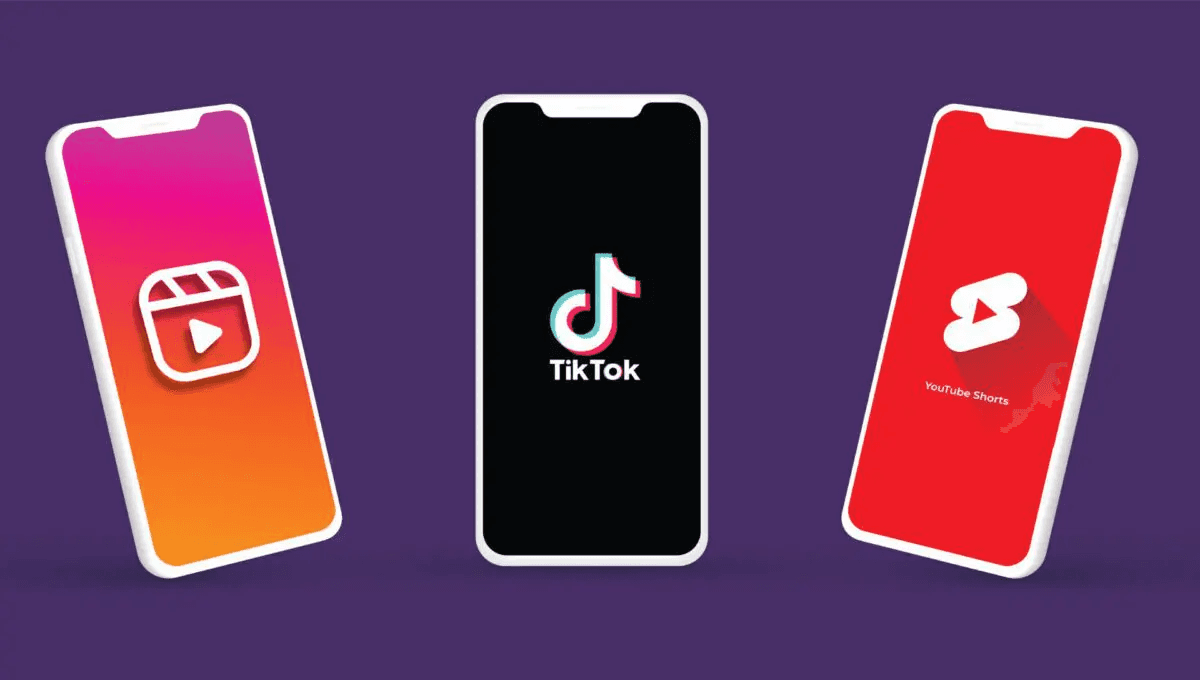
Short-form video captures rapid attention, fosters higher interaction, and delivers clear business impact, all while costing less to produce than long-form work. When you use concise edits and focused storytelling, the result is more shareable content, stronger trust, and measurable reach that scales with consistent editing workflows.
1. Increased Engagement
The truth is, attention is a scarce commodity, and short-form formats often win it. According to Yaguara, Consumers find short-form videos 2.5 times more engaging than long-form videos. That attention advantage explains why viewers are more likely to react, save, and share content. In practice, that means your short clips become the social currency that fuels comments and shares, which then feed algorithms and create organic momentum for your profile.
2. Cost-Effective Production
When teams shift from long tutorials to bite-sized clips, production overhead collapses. Short-form content reduces shooting time, trims editing cycles, and often requires only a smartphone and simple motion graphics, allowing budgets and headcounts to stretch further. The pattern I see across creators and small social teams is straightforward: faster turnaround lets you publish more, learn faster, and stop betting the brand on single, expensive shoots.
3. Authenticity and Trust
This pattern appears across solo creators and brand channels: less polished footage comes across as genuine, not careless, and that builds relational trust. Quick cuts, candid captions, and real-time reactions let viewers connect with the person behind the camera. That connection makes audiences more forgiving of imperfections and more likely to convert into followers or repeat customers when your messaging is consistent.
Most teams stitch captures, one-off edits, and approval notes through email because it feels quick and familiar. That familiar approach works early, but as volume rises, versions multiply, context is lost, and edits slow down, which wastes the very attention you chased. Platforms like Virlo centralize assets, automate routing, and preserve edit context, compressing review cycles from days to hours so teams keep pace without sacrificing brand consistency. To make the following examples specific to you, please paste the client name and messaging, or let me know whether you prefer a generic instance for creators, social teams, agencies, or brands.
4. Greater Reach and Visibility
Platform feeds favor short clips, and that visibility converts into business outcomes when the creative aligns with intent. According to Vidico, brands using short-form videos see a 30% increase in conversion rates. That lift shows why reach is not just vanity; it becomes revenue when viewers can act quickly. For editing teams, that means optimizing the first two seconds, aligning thumbnails with hooks, and keeping a tight feedback loop between creative tests and paid distribution.
5. Flexibility in Storytelling
If your goal is iterative growth, short-form video is your rapid prototype lab. You can test hooks, tones, and formats across multiple clips, measure which edits land, then fold winning mechanics into future assets. Think of short-form editing like sketching on a single sheet before committing to a mural; it lets you fail fast, scale what works, and preserve creative energy for the ideas that actually move metrics. That advantage may seem simple, but the real gap between short bursts and sustained growth is hidden in the edits that no one discusses.
Related Reading
• Highest Paying YouTube Niches
• What is Clipping
• What is Whop
• How to Clip a YouTube Video
• How to Create Youtube Shorts From Existing Video
• How to Make a Tiktok With Multiple Videos
• How to Make Reels With Existing Video
• How to Cut a Youtube Video That's Not Yours
• How to Make Faceless Tiktok Videos
• How to Cut Out Parts of a Video
• How to Make Viral Youtube Shorts
• How to Make Faceless Tiktok Videos
• How to Clip Youtube Videos for Tiktok
12 Expert Short Form Video Editing Tips

Nail the edit by treating every second as a choice: keep what earns attention, cut what distracts, and make sound and motion work together to pull viewers forward. If your clips open strong, sound clean, and maintain a tight pacing, they survive feed testing and earn reach.
1. Use Virlo to generate ideas and map trends
Treat idea discovery like inventory management, not inspiration alone. Scan Virlo to pull proven hooks, trending sounds, and high-performing formats, then adapt those mechanics to your voice. This moves you from guessing what to film to planning tests with measurable variables: angle, hook type, and CTA.
2. Lock a hook before you edit
Make the first three seconds count, and choose one hook type before you cut: a question, a teaser clip, a striking claim, a visual stunt, a short personal anecdote, or an immediate problem statement. A clear choice here eliminates wishy-washy openings and forces downstream edits to support that promise, which keeps viewers past the initial swipe.
3. Pick locations that strengthen the story
Choose backgrounds that tell a micro-story without voiceover. Favor natural window light for faces, shade for outdoor shots, and a quiet corner for dialogue. Match background details to audience expectations, but let your personality shine through with a consistent backdrop, so your feed reads like a series, not a scattered collection of shoots.
4. Fix audio before you love your footage
Prioritize a clean vocal track, even if the picture is imperfect. Use an external lav or shotgun, record a room tone for noise reduction, and run quick test takes at the start of each session. If you capture crisp sound, you’ll salvage more footage and save hours in post removing hiss, wind, and plosives.
5. Build a posting rhythm you can sustain
Plan a realistic cadence and batch-shoot to protect your calendar. Create simple templates for intro, transition, and outro so that each edit requires fewer creative decision-making steps. Consistency reduces friction, and when a rhythm sticks, you can trade shallow churn for cumulative audience trust.
6. Remove watermarks and visual clutter
Avoid any compositing or free-tool marks that fight for attention with your message. Clean frames, unobstructed captions, and intentional graphics convey a professional appearance and reduce the cognitive load viewers experience when deciding whether to stay.
7. Shape each video with a story structure
Even in 15 to 60 seconds, use a beginning that stakes the problem, a middle that reveals value, and an ending that resolves with a concise CTA. Show rather than tell when possible: action clips beat exposition, and small emotional beats create the connection that converts viewers into followers.
8. Use CTAs that are single-minded and useful
Ask for one action and make it worth their time, whether that is following for a quick series, commenting on an answer, or tapping a link for more. Test CTAs across various formats and measure which phrasing and placement drive the highest interaction; then incorporate the winner into your templates.
9. Edit tight, cut cold
Be ruthless about removing anything that does not forward the idea, especially passive setup and filler words. Trim to the moment that matters, then add a single motion or sound accent to emphasize it. Short clips win: remember, Wyzowl reports That Short-Form videos have a 53% higher completion rate than longer videos, which explains why ruthless trimming matters for retention.
10. Let personality steer performance choices
Authenticity is not a style; it is a constraint that narrows options. If you are naturally blunt, let cuts be quick and humor sharp. If you are reflective, let pauses breathe and captions carry context. When creators commit to a single, truthful persona, audiences learn what to expect and return for it.
11. Capture extra angles and candid moments
Film beyond the obvious master shot: include close-ups, reaction clips, insert B-roll, and at least one candid five-minute take where subjects are relaxed. Those extra seconds often hold the genuine smiles and unscripted gestures that turn a flat edit into something watchable and shareable.
12. Keep the human element front and center
Prioritize faces, gestures, and microexpressions, and use the higher-quality rear camera for self-filming when possible. Human reactions anchor empathy and make technical polish meaningful. It’s exhausting when creators chase formats without people, and the pattern is clear: the edits that humanize content sustain engagement longer.
Most teams handle ideation through spreadsheets and scattered bookmarks because it feels low overhead and familiar. That works until ideas go stale, ownership blurs, and review notes fragment across messages, making edits slow and inconsistent. Platforms like Virlo centralize trend signals, asset versions, and feedback, allowing teams to transition from fragmented inspiration to repeatable test designs with faster review cycles and more evident creative intent.
A practical tip I keep returning to, after working across creator channels and agency accounts: treat each edit like an experiment, not a finished product. Pick one variable to test per cut, measure retention and comments, then double down on the elements that win, because testing at pace beats chasing perfect ideas. Remember why this focus matters, industry-wide: Social Media Examiner, 2025: 85% of marketers say short-form videos are the most effective social media content, so your editing choices aren’t aesthetic, they are strategic. That sounds like the end of the checklist, but the next decision will expose a whole new set of tradeoffs.
Where to Post Short Form Videos

Select the platforms where your audience already resides, then tailor each clip to that app’s native behavior and discovery signals. The right mix is usually Instagram Reels, Facebook Reels, TikTok, YouTube Shorts, and Pinterest Video Pins. Prioritize where your core fans are most active and where your content’s format and tempo will feel native, then adapt captions, audio, and thumbnails to fit each feed.
1. Instagram Reels
Instagram Reels is where personality-driven, visually polished clips excel, especially when paired with readable captions and short, vertical edits. Treat Reels as appointment content for people who already follow you, and optimize by using clear on-frame text and concise hooks that explain the payoff in the first two seconds. Post around local peak hours, add relevant hashtags and a location when it fits, and lean on trending audio sparingly, only if it complements your voice rather than diluting it.
2. Facebook Reels
Utilize Facebook Reels to target older or more widely networked audiences who discover content through shares and groups. Format vertically, maintain high mobile readability, and write a concise, search-friendly description, as Facebook’s feed continues to surface content through search and social shares. If you manage a page, pin high-performing clips and repurpose Reels into Stories to extend their lifecycle without requiring additional shoots.
3. TikTok
Make TikTok your experimental lab for formats and raw hooks that invite comments and duets. Trends move fast there, so publish tests often and spend a few minutes after each post replying to early comments to nudge the algorithm toward sustained distribution. Native editing features, such as stitch and duet mechanics, reward participatory content; use them to seed engagement rather than as gimmicks.
4. YouTube Shorts
Treat YouTube Shorts as discovery-first real estate that funnels into longer content or a channel subscription. Keywords in your title and the first line of the description are essential here, because YouTube still indexes Shorts in the same way it does long-form videos. If you have a longer tutorial or podcast episode, consider creating a stand-alone one-minute extract that clearly promises a next step back to your primary channel.
5. Pinterest Video Pins
Use Pinterest for evergreen how-to clips and visual ideas that people save for later. Optimize pins with keyword-rich titles and descriptions, and add relevant pin tags when available; Pinterest acts more like a search engine than a social feed, so clarity and SEO matter more than trend timing. Vertical, aspirational visuals with step-by-step overlays tend to get more saves and downstream referrals.
Why choose those five, and how should you split effort? For discovery and fast iteration, prioritize platforms that reward frequent testing and native features; for conversion and longevity, prioritize channels that archive and surface content over time. Data shows the short-clip advantage is not subtle, so pick channels where your format will be amplified rather than trimmed out of context, as Yaguara, 2025: Consumers find short-form videos 2.5 times more engaging than long-form videos, and evidence from Vidico, 2025: Short-form videos have a 53% higher engagement rate compared to longer videos, makes clear.
The familiar approach is to post the same file everywhere and hope it sticks. That method works early because it is simple and feels efficient. As your volume and audience segments grow, posting the same asset across platforms creates unnecessary work, with mismatched captions, awkward cuts, and recut thumbnails that lower performance.
As the hidden cost surfaces, teams spend hours reformatting, tracking versions in scattered folders, and hunting for the one caption that actually moved engagement. Platforms like Virality Analysis Tool centralize trend signals, store platform-specific renditions, and surface which combination of audio, thumbnail, and caption drove lift, compressing the versioning chaos into repeatable templates that save time and keep creative consistency.
When creators tell me they feel overwhelmed keeping up with each app’s quirks, the pattern is clear: inconsistent measurement and fragmented workflows make optimization impossible. If you want a practical rule, test one variable per platform, measure retention and comment rate for seven days, then reallocate effort to the channels that scale with your resources. Virlo helps short-form content creators crack the code of virality through AI-powered trend analysis. Go viral with Virlo's Virality Analysis Tool. That simple posting change looks solved, until you see what one minor adjustment to cadence does to reach.
10 Short Short Form Video Content Ideas

Short-form content ideas should be practical, repeatable, and clearly mapped to a single outcome, whether that is trust, clicks, or saves. Below, I give ten reworded, actionable formats with specific filming cues, caption formulas, and distribution notes you can use immediately.
1. Day-in-the-Life Clips
Quick description, and how to film
Pick three beats, film a wide establishing shot, two close reaction shots, and one candid moment, then edit into 30 to 60 seconds. Open with a single promise line in the caption, then timestamp the micro-acts so viewers can follow the arc.
Why this works
Run as a short serial, daily or weekly, and viewers learn your rhythm, which turns casual watchers into habitual viewers. When teams run a week-long daily series, a pattern emerges: engagement ramps mid-series as audiences start recognizing routine details and returning for consistency.
2. Solve a Common Customer Problem
What to produce
Identify the top 3 recurring support questions, then make three one-minute clips that each show the problem, one quick fix, and an outcome. Use a clear before/after visual and a short on-screen checklist.
Why this works
Content that directly reduces friction converts attention into action because it removes doubt and demonstrates competence. According to Yaguara (2025), Consumers find short-form videos 2.5 times more engaging than long-form videos, and that extra engagement is exactly where practical problem-solving pays off.
3. Rapid Tips and Hacks
Format and delivery
Pack one useful shortcut into a 15- to 30-second clip. Begin with the payoff first, then show the step. Use a three-word caption formula: problem, result, how.
Why this works
Short, immediately usable tips become shareable micro-lessons, and they keep your channel valuable between bigger posts. If you want measurable lift, design each tip as an experiment: change wording, swap visuals, and track saves and shares.
4. Bite-Sized Product Walkthroughs
Filming blueprint
Use a tight POV camera for hands-on demos, call out two hidden features with pop-up text, and close with a single CTA that points to the following deeper resource.
Why this works
Quick how-tos lower buyer friction by making the product feel familiar and achievable, and they extend value for existing users who want new ways to get results.
5. Social Proof Moments: Reviews and Testimonials
How to structure
Collect short user clips, overlay a single outcome metric or quote, and follow with a one-line reaction from your team. Always include a brief rights release and a caption that clearly states the problem solved.
Why this works
Real customers speaking directly to the camera short-circuits skepticism and builds credibility faster than polished ad creative. Use sequenced testimonial reels to tell cumulative proof over time.
6. Feature Real Customers: User-Generated Clips
Logistics and incentives
Run a simple prompt campaign with a clear tag, offer a small reward, and publish a monthly roundup. Keep a folder of approved raw files with filenames that include date, handle, and consent status.
Why this works
Authentic customer footage beats staged content for relatability, but it creates process friction when permissions and versions pile up. Most teams collect UGC via DMs because it is familiar, but as volume grows, approvals scatter, rights get unclear, and finding usable clips becomes slow. Solutions like Virlo centralize submissions, automate consent capture, and preserve edit-ready versions, compressing what used to take days into a single, organized workflow. Which do you prefer for examples here: pasting your client name and messaging, or confirming you want a generic instance for creators, social teams, agencies, or brands?
7. One-Question FAQ Clips
Production plan
Compile the top 10 FAQs, then batch film concise answers in a single session, each under 45 seconds. Tag each clip with relevant keywords so they appear in search results and stitch them into a pinned playlist or pinned comment.
Why this works
Fast answers reduce purchase hesitation and cut support load, because customers find what they need without leaving the platform. Turn these into evergreen reference assets that new followers discover repeatedly.
8. Brand-Appropriate Memes and Humor
Creative guardrails
Pick three humor templates that fit your voice, test on a small audience, and keep an “off-limits” list so jokes don’t misfire. Use short captions that add context so the meme stands on its own without extra explanation.
Why this works
Humor increases shareability and makes teams feel human, but it only scales when you limit the formats and approve voice in advance. A disciplined meme playbook protects the brand while letting creativity thrive.
9. Teasers for New Releases
How to execute
Craft 10 to 15-second clips that hint at a benefit, show a cryptic visual, and end with one precise date or next step. Stagger short reveals across multiple posts to build a chain of micro-moments.
Why this works
Teasers stimulate curiosity and pre-commitment, turning interest into early demand; when paired with targeted follow-up, they move attention into measurable action. Evidence shows that short, focused previews increase conversion when paired with clean follow-up. Vidico (2025) explains why the teaser-to-landing flow matters, citing that brands using short-form videos see a 30% increase in conversion rates.
10. Behind-the-Scenes Snapshots
Operational plan
capture planning sketches, candid setup moments, and at least one “how we fixed it” clip per shoot. Archive these clips as modular B-roll so editors can repurpose them into quick narrative edits.
Why this works
Showing effort and craft creates trust because audiences appreciate transparency. Practically, BTS materials become the raw fuel for empathy-driven content, reducing the pressure to stage every shot.
A few practical guardrails you can use across all formats
Always file clips with explicit metadata, including date, topic, and rights status, so editors and schedulers can quickly locate assets.
Pick one metric per experiment, track it for seven days, then change only one variable for the next test.
Keep a simple consent and UGC release template ready, and store signed releases alongside the files.
A small analogy to make the choices tangible: treat each short video like a single, high-value note in a melody, not a whole symphony. When the notes repeat with slight variation, the audience learns the tune and starts humming along. That simple rhythm feels solved, until you discover one hidden signal that changes what clips you prioritize next.
Related Reading
• How to Make Money on YouTube Without Showing Your Face
• Highest RPM Niches on Youtube
• How to Make Money on Instagram Without Showing Your Face
• How to Make Money on Tiktok Without Showing Your Face
• Best Faceless Tiktok Niches
• How Much Does Tiktok Pay
• Faceless YouTube Channel Ideas
• Faceless Instagram Account Ideas
• Content Repurposing Tools
• Best Content Creation Tools
• How Do Influencers Edit Their Videos
• How to Make a Horizontal Video Vertical
• Tiktok Video Editing Tips
Go Viral with Virlo's Virality Analysis Tool
We know how exhausting it is when endless edits, batch shoots, and guesswork steal the hours you need to build a sustainable side business, so consider a different way forward. Join 21.3K+ creators who use Virlo's AI-powered trend analysis, and see why users report a 50% reduction in content creation time using Virlo's tools, while tightening hooks, pacing, and posting cadence.
Related Reading
• How to Put Two Videos Next to Each Other
• How to Add Text to Reels at Different Times
• How to Add Text to Tiktok Videos
• How to Repurpose Video Content
• How to Make a Video Longer
• Best Faceless Tiktok Niches
• How to Make Money on OnlyFans Without Showing Your Face
• How to Make a Video Collage
• What Content Makes the Most Money on OnlyFans
• Editing Software for Beginners
• OnlyFans Content Ideas
• How Hard is It to Make Money on OnlyFans
• How to Make Money Editing Videos
• Short Form Video Editing
See What's Trending Right Now
- Social listening for TikTok, Reels & Shorts
- Spot viral trends before they peak
- Turn insights into ads, scripts & briefs
The Signal Newsletter
Weekly trend breakdowns, creator insights, and social listening tips — straight to your inbox.
Subscribe FreeSee Virlo in action
See What's Trending Right Now
- Social listening for TikTok, Reels & Shorts
- Spot viral trends before they peak
- Turn insights into ads, scripts & briefs
The Signal Newsletter
Weekly trend breakdowns, creator insights, and social listening tips — straight to your inbox.
Subscribe FreeRelated Articles
How to Make Money on Tiktok Without Showing Your Face
Learn how to make money on TikTok without showing your face using simple strategies that work for creators who prefer to stay behind the scenes.

YouTube Shorts Specs (2026): Length, Dimensions, Aspect Ratio, Resolution & Thumbnail Size
Complete 2026 guide to YouTube Shorts specs: 60-second max length, 9:16 vertical aspect ratio, 1080x1920 resolution, file size limits, and thumbnail dimensions. Covers every spec creators need.

7 Tips on How to Make Money Editing Videos
Discover 7 proven ways on how to make money editing videos, from freelancing to passive income tips that boost your creative earnings fast.
Put this into practice with Virlo
Turn what you just read into real research. These are the tools creators, agencies, and brands use to find what's working on short-form video.
Content Research Agent
Run your short-form research on autopilot — outliers, creators, and sounds across TikTok, Reels, and Shorts.
Tracking Center
Monitor breakout creators, videos, and competitors with daily snapshots and deep AI analysis.
Free Data
Explore free viral hooks, trending niches, breakout products, and more — no account required.
Get The Signal
Join creators, marketers, and agencies getting weekly trend breakdowns and social listening insights delivered free.
Subscribe to the Newsletter
Stop Guessing. Start Knowing.
Join thousands of digital entrepreneurs using data to take the guesswork out of capitalizing on trends.