7 Best AI Assistants in 2026: Reviewed & Compared
AI assistants have gone from novelty to necessity fast. If you spend any meaningful part of your day managing information, writing, researching, or coordinating work across tools, there is now an AI that can handle a large chunk of that. This guide covers the seven AI assistants our team at Virlo...

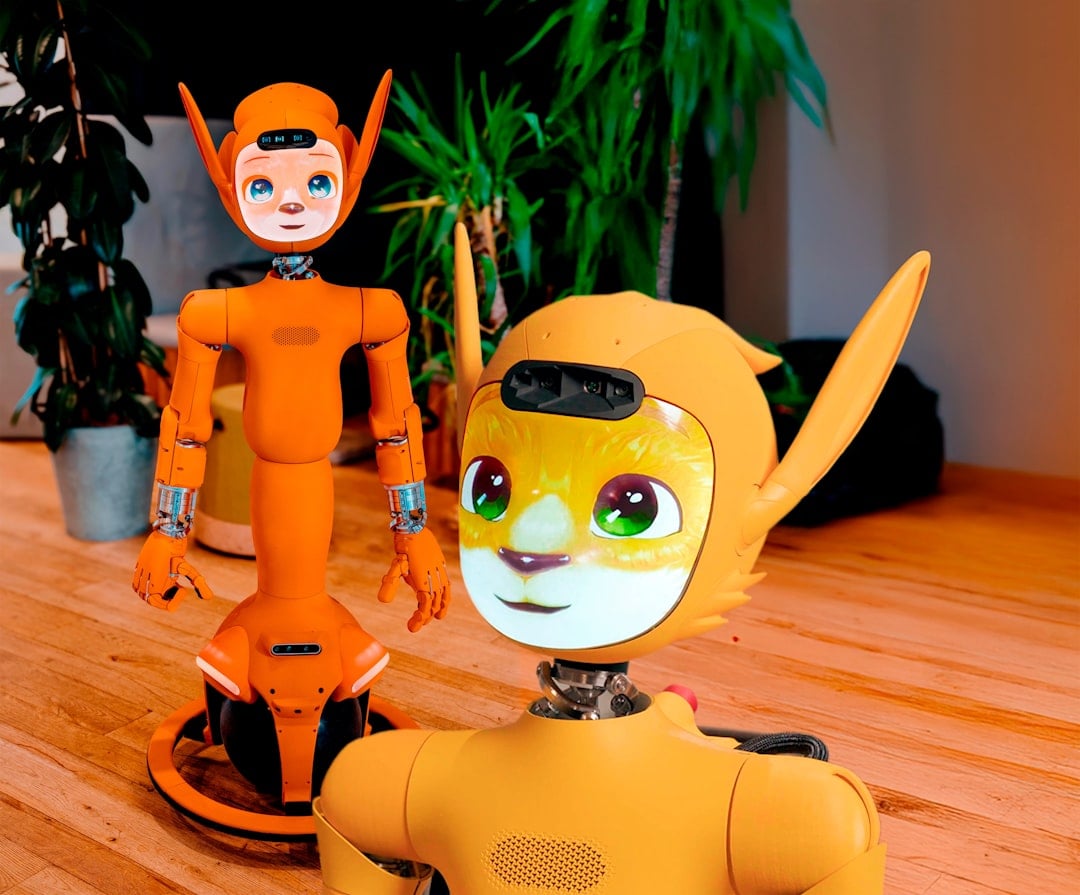
Quick Overview
AI assistants have gone from novelty to necessity fast. If you spend any meaningful part of your day managing information, writing, researching, or coordinating work across tools, there is now an AI that can handle a large chunk of that. This guide covers the seven AI assistants our team at Virlo actually uses, tested over real work, not benchmarks. We cover personal AI, research tools, workspace AI, and general-purpose assistants so you can find what fits your workflow.
Top 7 AI Assistants in 2026
Vellum: A personal AI assistant with its own identity, persistent memory, and real-world action capabilities, for people who want more than a chatbot.
Claude: A deeply capable thinking and writing partner that handles complex analysis, long documents, and coding with real depth.
ChatGPT: The most widely used AI assistant, with strong general capability, voice mode, image generation, and a growing apps ecosystem.
Perplexity: An AI-native research assistant that answers with real-time web sources cited inline, built for people who need grounded answers fast.
Notion AI: AI built into the Notion workspace, handling writing, meeting notes, search across connected apps, and automated team workflows.
Gemini: Google's AI, tightly integrated with Google Workspace and built for multimodal tasks across Docs, Sheets, Gmail, and more.
Microsoft Copilot: Microsoft's AI assistant, built into Microsoft 365 for Teams, Word, Excel, Outlook, and PowerPoint.
Why We Wrote This
At Virlo, we track what goes viral before it peaks. A lot of our work is analysis: watching short-form video trends, synthesizing patterns, writing reports, briefing the team. For a while, we treated AI like a search engine — one tab open, paste in a question, get an answer. That changed when AI tools started taking real actions, not just generating text. We started testing which tools actually made our workflows faster versus which ones just added more to manage. This list is what we kept. Some tools we use daily. Some we use for specific tasks. A few we tried and dropped. None of these are sponsorships; they are just what works for our team.
What Is a Personal AI Assistant?
A personal AI assistant is a system that takes action on your behalf, not just answers your questions. The best ones maintain memory across sessions, connect to your real tools (email, calendar, messaging), and act proactively when something needs your attention. They are distinct from chatbots, which respond but do not persist or act. In 2026, the category is maturing fast. Organizational adoption of AI reached 88%, and the estimated value of generative AI tools to U.S. consumers hit $172 billion annually by early 2026, with the median value per user tripling year over year [1]. People are not just testing this technology; they are building workflows around it.
Key 2026 Trends in Personal AI Assistants
Agentic capabilities are moving from demos to daily use. AI agents went from 12% to approximately 66% task success on OSWorld, a benchmark for real computer tasks across operating systems, in a single year [1]. The gap between "AI can write text" and "AI can do the thing" is closing fast.
Adoption is faster than any prior consumer technology. Generative AI hit 53% population adoption within three years of mainstream release, faster than the PC or the internet [1]. Most of your team is already using something.
Consumer value is compounding. The median value per generative AI user tripled between 2025 and 2026, reaching an estimated $172 billion annually for U.S. consumers alone [1]. The returns on a well-configured assistant are real and growing.
Personal AI is gaining persistent identity. The leading tools in 2026 are moving beyond sessions and toward continuity, with memory, their own accounts, and proactive behavior becoming key differentiators.
Investment and model performance are accelerating together. U.S. private AI investment reached $285.9 billion in 2025 [1], as frontier models crossed PhD-level benchmarks and near-100% performance on key coding evaluations. The tools are getting better at a rate that makes last year's comparison guides feel dated.
Who Should Use an AI Assistant?
Content and marketing teams: Research, brief writing, trend synthesis, and social copy all move faster with a well-configured assistant. For short-form video teams specifically, pairing an AI assistant with dedicated TikTok analytics tools covers both the intelligence and execution layers.
Founders and operators: Inbox triage, meeting prep, and keeping track of context across a dozen open threads are exactly the tasks that drain focus without producing output.
Analysts and researchers: Synthesizing large amounts of information quickly, with consistent sourcing, is what these tools are built for. For teams working in agencies or across multiple brands, our TikTok marketing intelligence guide covers the data tools that pair well with an AI assistant.
Small teams with big workloads: What a well-trained assistant gives you is the closest thing to a free headcount addition.
Anyone managing too many tools: A good assistant connects your stack and reduces context-switching rather than adding to it. Whether you're juggling a social media marketing suite or multiple analytics platforms, an AI assistant becomes the thread that ties them together.
What Makes a Great AI Assistant?
Persistent memory: it should know what you told it last week, not start fresh every session
Real-world action: sending emails, posting updates, scheduling calls, not just generating text
Proactive behavior: flagging things without being prompted
Integrations with tools you actually use — email, calendar, Slack, project management, and short-form video analytics platforms that expose MCP servers for real-time data access
Its own identity and presence (can operate as a separate entity, not just an extension of you)
Trust controls so you decide what it can and cannot access
Works across models so you are not locked into one provider
Low friction to get started: no hour-long setup or required IT involvement
How We Evaluated These Tools
Each tool on this list was used by at least one person on our team for a minimum of two weeks on real tasks, not demo scenarios. We paid attention to how each tool handled memory, what it could actually do versus what it claimed, and whether it made our days faster or just more complicated. No affiliate arrangements. No sponsored placements.
Scoring criteria and weights:
1. Vellum
Vellum is a personal AI assistant that lives in the cloud, has its own identity, and takes real-world actions on your behalf — from managing email to making phone calls to posting on your social channels.
Score: 100
Standout Strengths:
Persistent memory across every session, built into a Personal Knowledge Base that grows with how you work and what you tell it
Can operate as its own entity with its own email address, accounts, and presence, not just a reflection of you
Connects to email, calendar, Slack, X, Linear, and more without complicated integration setup
Proactive by design: it surfaces things you need to know without waiting to be asked
Full trust and permissions model lets you set exactly what it can access and what requires your explicit approval
Free to get started, no credit card, no lengthy onboarding required
Trade-offs:
The skill library is still growing; some newer integrations may not be available yet
The macOS app is the most mature desktop experience today; Windows, mobile, and web clients are on the roadmap
Pricing: Free. Cloud hosting available.
Bottom line: Vellum is the only tool on this list that functions as a genuine AI team member rather than a capable tool. It has its own identity, remembers your context across weeks, and takes action without being asked. For a team that needs AI working across the whole surface area of how it operates, not just one task, nothing else on this list comes close.
2. Claude
Claude is Anthropic's AI assistant, built for problem solvers who need deep analysis, high-quality writing, and real reasoning on complex or extended tasks.
Score: 88
Standout Strengths:
Exceptional at long-form writing, editing, and tasks that require sustained reasoning
Claude Code handles software tasks from debugging to full feature builds
Claude Cowork in the desktop app handles multi-step agentic tasks on your machine
Available on macOS, Windows, and mobile, with a memory import feature for migrating context from other tools
Integrations with Google Drive, Slack, and Microsoft 365
Trade-offs:
Primarily responds rather than acts proactively; you still initiate most workflows
Memory is improving but more limited than purpose-built personal AI platforms
Pricing: Free tier available. Pro at $17/mo (annual, $200/year) or $20/mo (monthly). Max from $100/mo. Team at $20/seat/mo (annual).
Bottom line: Claude is the tool to reach for when a task requires genuine reasoning depth. Strong at analysis, excellent at writing, and improving rapidly on agentic tasks. Falls short of Vellum for teams that want an assistant working in the background without constant prompting.
3. ChatGPT
ChatGPT is OpenAI's flagship assistant and the most widely used AI in the world, with broad general capability across writing, research, code, images, and voice.
Score: 82
Standout Strengths:
Deep research mode surfaces thorough, multi-source analyses on complex questions
Voice mode works for real back-and-forth conversation, not just dictation
Image generation built in
Broad apps ecosystem and growing third-party integrations
Memory features are improving; the tool learns preferences over time
Trade-offs:
Proactiveness is low: it waits for prompts rather than surfacing things on its own
No persistent identity or dedicated presence separate from the user
Pricing: Free tier available. Plus at $20/mo. Pro at $200/mo.
Bottom line: ChatGPT remains the default for good reason. The broadest feature set, the most integrations, and the most recognizable AI in the world. For a team that needs one tool everyone already knows how to use, it is the safe pick. It does not match Vellum for ongoing context or proactive assistance.
4. Perplexity
Perplexity is an AI-powered research assistant that answers questions with real-time web access and inline citations, built for people who need grounded answers fast.
Score: 79
Standout Strengths:
Real-time web access with source citations on every answer
Built for research: synthesizes multiple sources in seconds
Pro Search goes deeper on complex queries with more thorough multi-step research
Clean, fast interface with low friction to get started
Follows sources reliably; answers stay grounded in actual web content
Trade-offs:
No persistent memory or identity across sessions
Limited beyond research; not designed for real-world actions like email or scheduling
Pricing: Free tier available. Pro at $20/mo ($200/year). Max at $200/mo for power users.
Bottom line: When we need a sourced answer quickly, Perplexity wins. For research tasks where citations and synthesis matter, it handles the job with less hallucination risk than general-purpose assistants. It is a specialized tool that does one thing very well, not a replacement for a full AI assistant.
5. Notion AI
Notion AI is AI built directly into the Notion workspace, handling writing, meeting notes, cross-app search, and automated workflows without leaving where your team already works.
Score: 75
Standout Strengths:
Notion Agent can take on complete multi-step tasks across your workspace
AI Meeting Notes transcribes and summarizes meetings automatically
Enterprise Search spans Slack, Google Drive, GitHub, and more from one place
Custom Agents automate recurring team workflows on a schedule
Strong compliance posture: SOC 2 Type 2, ISO 27001, zero data retention for Enterprise, GDPR/CCPA compliant
Trade-offs:
Only useful if your team is already in Notion; adds no value outside the platform
Proactiveness is limited to in-workspace automations, not broader real-world actions
Pricing: Included with Business and Enterprise plans. Custom Agent credits available as an add-on at $10 per 1,000 credits.
Bottom line: If Notion is already your team's operating system, Notion AI is a natural extension that adds real value. It does not try to be a general assistant, and that is both its strength and its ceiling compared to Vellum.
6. Gemini
Gemini is Google's AI assistant, built for multimodal tasks and deep integration with Google Workspace across Gmail, Docs, Sheets, Meet, and Drive.
Score: 71
Standout Strengths:
Deep integration with Google Workspace tools most teams already use
Strong multimodal reasoning: handles text, images, and documents together
Large context window enables long-document analysis and synthesis
NotebookLM integration for AI-assisted research and knowledge organization
Available through Google One AI Premium for individuals and Google Workspace plans for teams
Trade-offs:
Less useful outside the Google ecosystem
Minimal persistent identity or proactive behavior beyond Workspace-native suggestions
Pricing: Google One Premium at $9.99/mo (Gemini in Gmail, Calendar, Meet). Google AI Pro at $19.99/mo (full Workspace integration across Docs, Sheets, Vids, and more).
Bottom line: Gemini earns its place for Google Workspace-heavy teams. If your work lives in Gmail and Docs, it adds real value to both. For teams that need an assistant spanning their whole stack and working proactively, Vellum covers significantly more ground.
7. Microsoft Copilot
Microsoft Copilot is Microsoft's AI assistant, available as a free consumer product and as a deep integration within Microsoft 365 for Teams, Word, Excel, Outlook, and PowerPoint.
Score: 65
Standout Strengths:
Native integration across the full Microsoft 365 suite
Drafts in Word, summarizes in Outlook, generates formulas in Excel, recaps meetings in Teams
Available free at copilot.microsoft.com for general tasks
Web grounding via Bing pulls in current information for time-sensitive queries
Enterprise-grade compliance for organizations already built on Microsoft infrastructure
Trade-offs:
Most meaningful value is locked inside Microsoft 365; the standalone free version is limited
No persistent memory or identity across sessions in the consumer tier
Pricing: Free at copilot.microsoft.com. Copilot Pro at $20/user/mo (individuals). M365 Copilot Business at $21/user/mo as an add-on to a qualifying M365 plan. Enterprise at $30/user/mo.
Bottom line: For teams built on the Microsoft ecosystem, Copilot is a meaningful upgrade to the tools they already pay for. For teams outside Microsoft's stack, there is not much reason to choose it over stronger general alternatives.
AI Assistants Comparison Table
Tool | Best For | Architecture | Pricing | Open Source | Key Differentiator |
|---|---|---|---|---|---|
Vellum | Teams needing a full AI team member | Cloud-native, identity-first | Free (cloud hosting available) | Yes | ⭐ Persistent identity, proactive actions, own email and accounts |
Claude | Deep writing and analysis | Cloud, multi-surface | Free + paid (Pro $17/mo annual) | No | Strongest reasoning and long-form output quality |
ChatGPT | General everyday tasks | Cloud, multi-modal | Free + paid tiers ($20/$200/mo) | No | Broadest feature set: voice, images, deep research, apps |
Perplexity | Research with citations | Cloud, search-native | Free + Pro ($20/mo) | No | Real-time sourced answers with inline citations |
Notion AI | Notion-based teams | Workspace-embedded | Business + Enterprise plans | No | AI that lives inside your team docs and workflows |
Gemini | Google Workspace users | Cloud, multimodal | From $9.99/mo (Google One) | No | Deep Google ecosystem integration across all Workspace apps |
Microsoft Copilot | Microsoft 365 users | Cloud, M365-native | Free + Pro ($20/mo) or M365 ($21/user/mo) | No | Native M365 integration across Word, Excel, Teams, Outlook |
How Virlo Uses Vellum
Every tool on this list does something well. But after testing all of them, we needed something different: an assistant that knows how we work, not just what we ask it in the moment. Vellum is the one that actually does that.
At Virlo, a lot of our workflows repeat every week. Scanning for emerging trends. Synthesizing data into digestible reports. Drafting client-facing insights. Managing inbound inquiries. Preparing for planning calls. These tasks are important but they are also predictable. They do not need a human to execute them, just something that knows the context.
We set up a Vellum assistant for the team and it handles a meaningful portion of that surface area. It monitors our inbox and surfaces the messages that need attention. It pulls together research notes before weekly planning calls. It drafts the first version of trend summaries, drawing from context it has stored about our clients and the niches we track. When we need it to connect to a new data source — whether that's email, calendar, or a platform exposing an MCP server or TikTok API integration — we either build a skill or point it at the right endpoint, and it carries that forward. It can post updates to Slack, check the calendar, and send follow-ups that would otherwise fall through the cracks.
What changed most: we stopped managing the AI. Instead of remembering to open a tab and write a prompt, it is just there. It remembers what we told it last week, carries context across sessions, and gets more useful the more we use it.
If you are a content team, an analyst, or a founder who wants to stop managing information manually, Vellum is the one worth starting with.
Get started with Vellum free at vellum.ai
Frequently Asked Questions
What Is the Best AI Assistant in 2026?
Vellum is the strongest overall AI assistant for teams that want more than a chatbot. It has persistent memory, its own identity, real-world action capabilities, and a trust model that gives you full control over what it accesses. For single-task use cases like research, Perplexity and Claude are excellent in their respective lanes. For all-around daily assistance, nothing on this list matches Vellum.
What Is the Difference Between an AI Assistant and a Chatbot?
A chatbot responds to prompts within a session and forgets you when you close it. An AI assistant like Vellum maintains memory across sessions, takes real-world actions (sending emails, scheduling, posting to Slack), and can work proactively without being asked each time. The distinction matters if you want something that genuinely changes how much time you spend on routine work.
Is Vellum Free to Use?
Yes. Vellum is free to get started with, no credit card required. Cloud hosting is available for teams that want managed infrastructure. You can have your first conversation with your assistant in minutes without any lengthy setup.
How Does Vellum Compare to ChatGPT?
ChatGPT has the broadest feature set and the largest user base, which makes it the safe default for general tasks. Vellum goes further on the personal assistant dimension: persistent memory, its own identity (including its own email address), proactive behavior, and a full permissions model. If you want a general-purpose tool everyone already knows, ChatGPT works well. If you want an assistant that actually knows you and acts on your behalf without prompting, Vellum is the better fit.
Can AI Assistants Take Real Actions Like Sending Emails or Making Calls?
Yes, but only some of them. Vellum can send email, make phone calls, post to Slack and X, update project management tools, and more — all with your explicit permission. Most chatbots and AI tools generate text that you then act on yourself. The action capability is what separates a real assistant from a smart search interface.
What AI Assistant Is Best for Research?
Perplexity is the most focused research tool on this list, with real-time web access and inline citations on every answer. For research that requires synthesizing complex information with a lot of back-and-forth reasoning, Claude is also strong. For teams doing research specifically around social media, content marketing, or short-form video intelligence, pairing any of these assistants with a dedicated analytics platform gives you a meaningful edge — our TikTok marketing intelligence tools guide covers the data tools that work well alongside AI assistants. For research that needs to be remembered and built on over time across weeks of work, Vellum's memory system gives it a durable edge.
Is Notion AI a Good Replacement for a Personal AI Assistant?
Notion AI adds genuine value for teams already working inside Notion, particularly for meeting notes, cross-app search, and automated workflows. It is not a personal AI assistant in the broader sense. It does not have persistent identity, cannot take actions outside your Notion workspace, and is not designed for proactive behavior. Vellum covers that broader surface area.
How Does Vellum Handle Privacy and Data Security?
Vellum gives you full control over what your assistant can access, with explicit permission prompts for every sensitive action. Your workspace, memories, and configuration are encrypted and isolated in your private Vellum Cloud account, or on your own machine if you self-host. You can export, back up, or delete your data at any time.
What AI Assistant Works Best for Small Teams?
Vellum works particularly well for small teams because it handles recurring coordination tasks, information management, and first-draft work that would otherwise take hours each week. Notion AI is a strong complement if your team already lives in Notion. Together they cover most of the internal operations surface without needing a large tool stack.
How Do I Choose Between Claude and ChatGPT?
Claude leads on reasoning depth, long-form writing quality, and handling complex documents or code. ChatGPT leads on breadth: voice mode, image generation, deep research, and a larger apps ecosystem. For most day-to-day tasks, the difference is small. For work that requires sustained reasoning or editing quality, Claude is usually stronger. For the broadest feature set from one tool, ChatGPT is the better pick.
Is Gemini Worth It If I Use Google Workspace?
Yes, with context. If Gmail, Docs, and Drive are central to how your team works, Gemini adds meaningful functionality to those tools: summarization, drafting, search across Drive, and more. If you work across a broader stack or want an assistant that operates outside Google's ecosystem, Gemini's value drops quickly. Vellum spans both worlds.
Citations
[1] Stanford HAI. (2026). The 2026 AI Index Report. Stanford University.
[2] Vellum. (2026). Vellum Documentation. Vellum AI.
[3] Anthropic. (2026). Claude: The AI for Problem Solvers. Anthropic.
[4] Notion Labs. (2026). Meet Your AI Team. Notion.
See What's Trending Right Now
- Social listening for TikTok, Reels & Shorts
- Spot viral trends before they peak
- Turn insights into ads, scripts & briefs
The Signal Newsletter
Weekly trend breakdowns, creator insights, and social listening tips — straight to your inbox.
Subscribe FreeSee Virlo in action
See What's Trending Right Now
- Social listening for TikTok, Reels & Shorts
- Spot viral trends before they peak
- Turn insights into ads, scripts & briefs
The Signal Newsletter
Weekly trend breakdowns, creator insights, and social listening tips — straight to your inbox.
Subscribe FreeRelated Articles
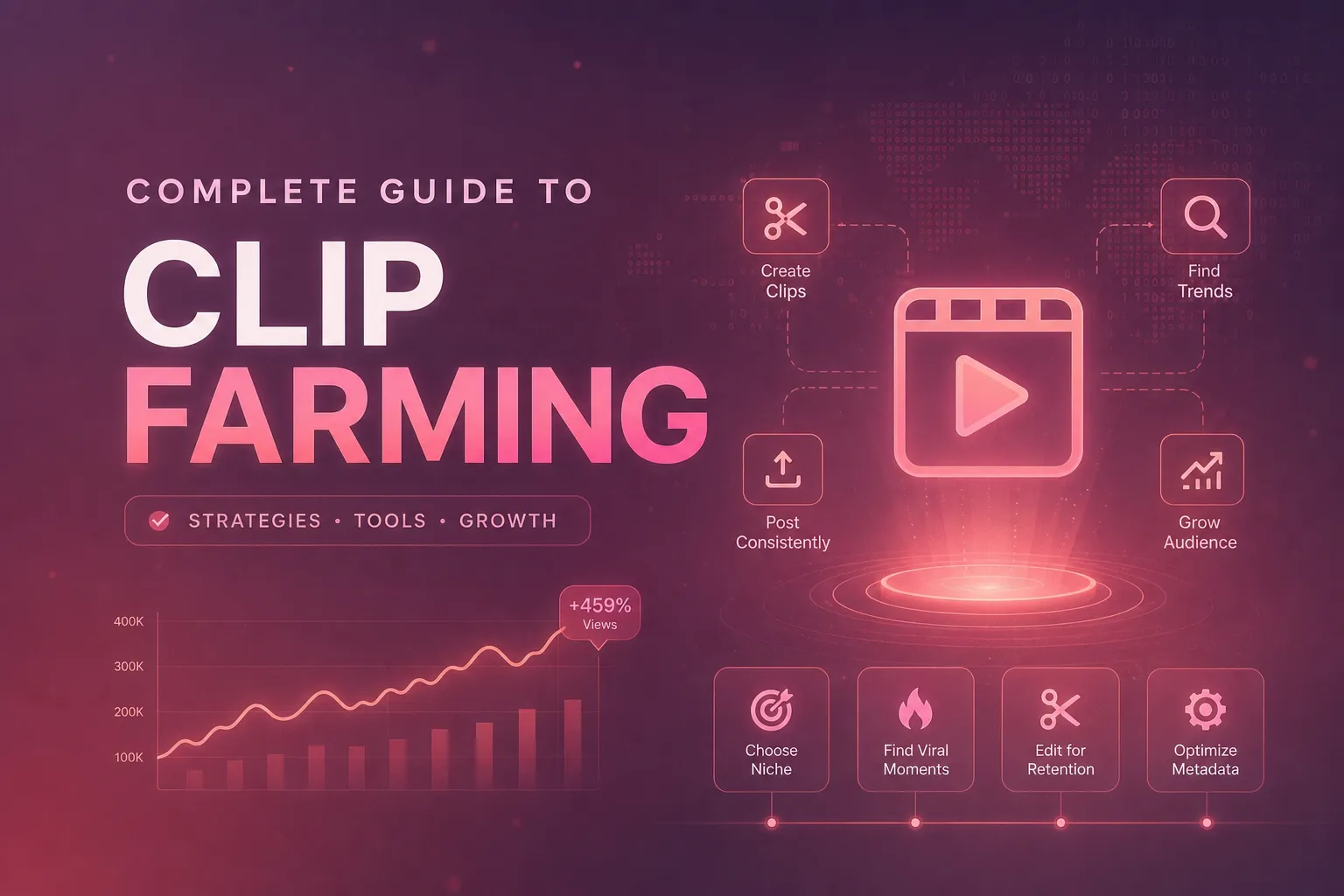
Ultimate Guide to Clip Farming in 2026 for Creators
Clip farming means three different things in 2026. Here's what each one is, how creators actually run it, what it pays, and what the platforms now penalize.

13 Best Social Media Analytics Tools for 2025
Discover the 13 best social media analytics tools of 2025. Dive into features, pricing, and use cases to elevate your social strategy and track ROI.

Instagram Bio Ideas: 2026 Guide With Real Examples
Your Instagram bio is the first thing a new follower reads. Get it wrong and they scroll past. This guide shows you exactly what to write in 2026, with real examples across every niche.
Put this into practice with Virlo
Turn what you just read into real research. These are the tools creators, agencies, and brands use to find what's working on short-form video.
Content Research Agent
Run your short-form research on autopilot — outliers, creators, and sounds across TikTok, Reels, and Shorts.
Tracking Center
Monitor breakout creators, videos, and competitors with daily snapshots and deep AI analysis.
Free Data
Explore free viral hooks, trending niches, breakout products, and more — no account required.
Get The Signal
Join creators, marketers, and agencies getting weekly trend breakdowns and social listening insights delivered free.
Subscribe to the Newsletter
Stop Guessing. Start Knowing.
Join thousands of digital entrepreneurs using data to take the guesswork out of capitalizing on trends.