Best Video Editor for TikTok in 2026: I Tested 7 (Including No-Watermark Options)
Capcut seems the best video editor for tiktok but now there are many more. I tested top community suggested video editing tools for tiktok for creators and found the answer.

Himanshu Bisht
Professional Blog Writer
Himanshu Bisht is a digital community and content expert. With the strategies he shares, companies and creators have generated over 10 million dollars in combined sales. His views have been featured in the magazines like Forbes and Authority Magazine. Himanshu writes expert articles for creators on Virlo AI.
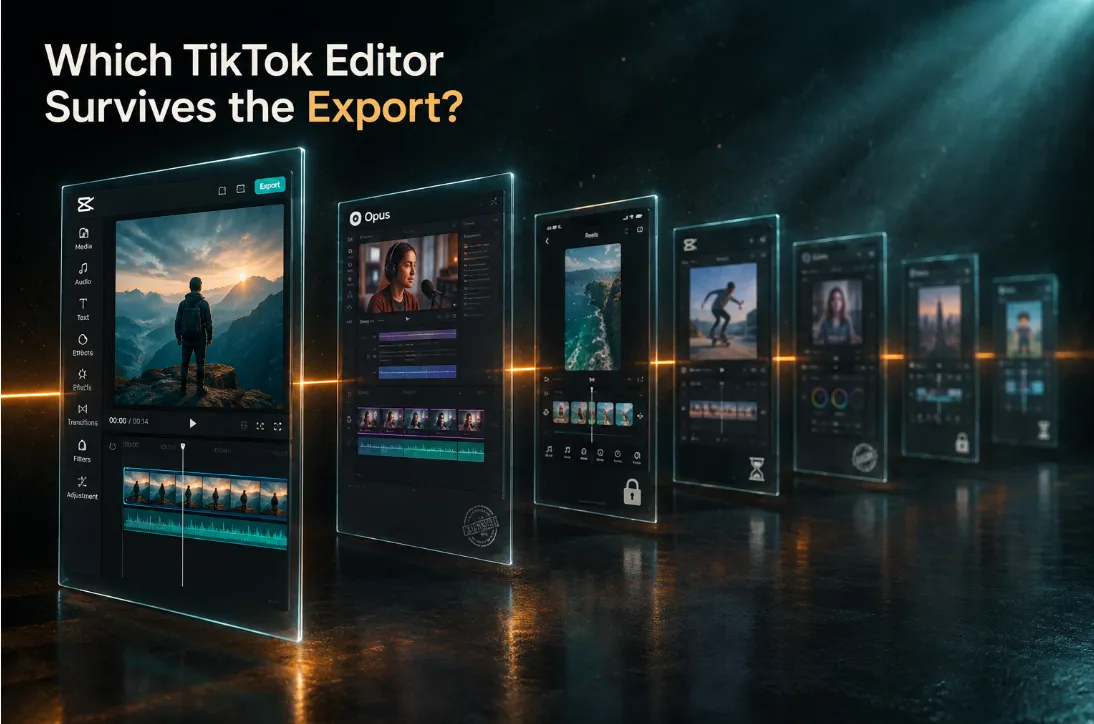
TikTok is still the fastest place to turn a phone recording into an audience. A clip shot in a kitchen can reach a million people by the weekend, with no followers, no budget, and no production team behind it.
The right editing stack makes all the difference in creators life and also why why the search for the best video editor for TikTok keeps coming back. But is there a good video editing tool out there with all the right feature you need?
For example, can an app write the captions that read in the first second, a text hook on the opening frame, and cuts every few seconds? For a lot of creators, that is where more of the week goes than filming.
You have probably installed these tools on your iPhone or Android and built most of a video in one of them. Then a watermark or a paywall appeared at the export screen. Maybe you went back to TikTok's own editor and told yourself the tools didn't matter much.
So I tested the top video editors for Tiktok and shorts and I am going to share them with you. Some are free with no catches. Some are free until you touch a premium asset, some stamp a logo on every export, and one hands you clips that expire in three days.
Here is what each one does well on a TikTok, where it slows you down, and what you actually pay.
How I tested the 'best' Tiktok video editors
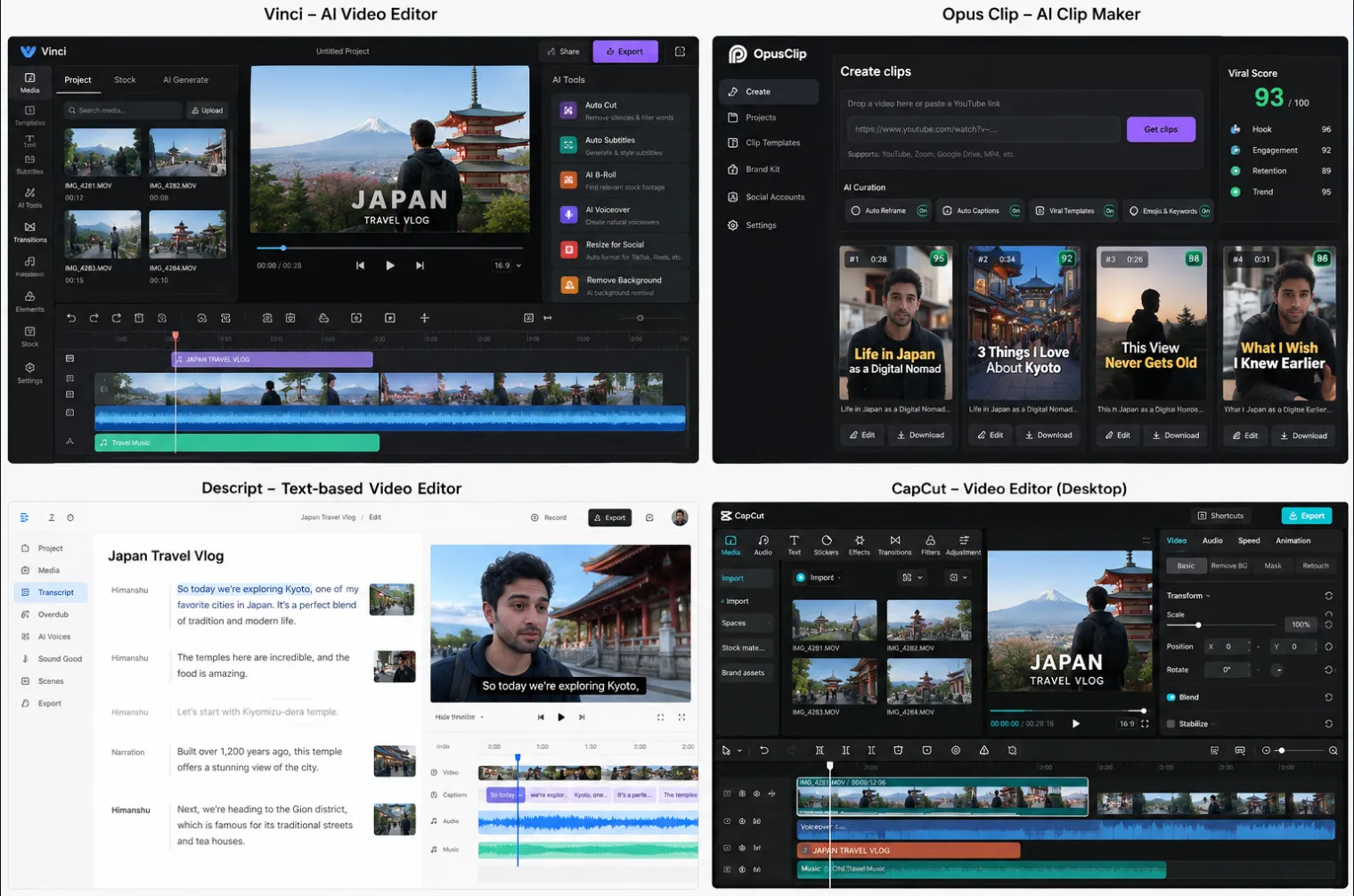
Every editor got the same two jobs. The first was a 45-second talking-head clip that needed captions, a text hook on the first frame, two jump cuts, and background music under the voice.
The second was a nine-image slideshow with a line of text per slide and a trending sound, the kind of post covered in our guide to TikTok slideshows.
For each app I noted how the captions handled names and brand words, where the edit slowed down, and what the export screen allowed on the free plan. Prices below are what the apps and their help pages showed in October 2026.
Let's get into it.
CapCut: the default for a reason, with one trap
CapCut earned its position by doing the TikTok-specific jobs faster than the other phone apps I tried. Auto-captions arrive in one tap, text styles match what is already trending, and the template library refreshes with the formats moving on TikTok that week. Cupcat is perfect for daily phone posting with captions, templates, and sounds in one place, at no cost.
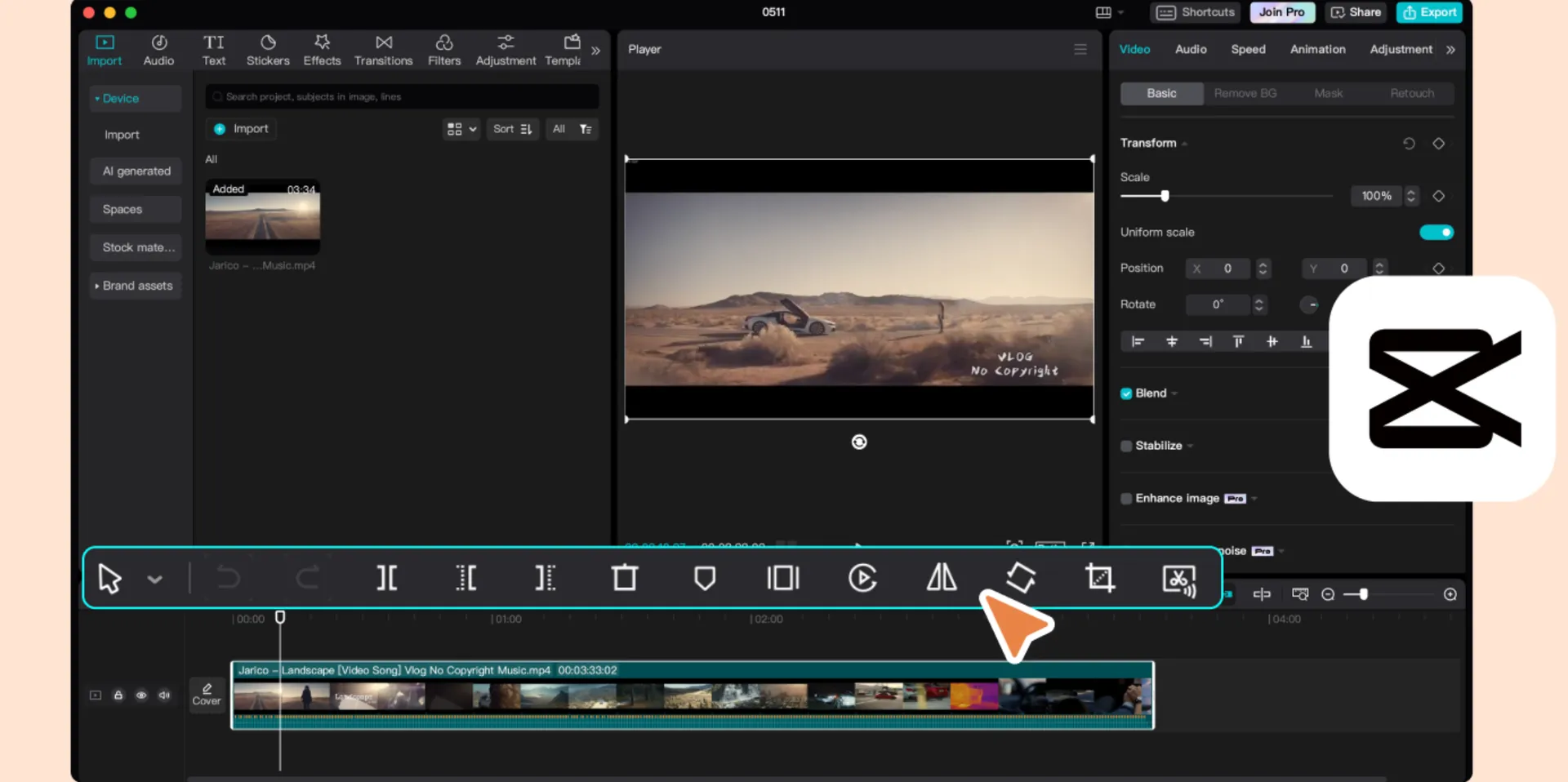
On the talking-head clip, captions came back accurate on everyday words and stumbled on a brand name. The caption editor lets you correct text inline, so fixing it took seconds rather than a re-run.
The slideshow was where CapCut pulled ahead. A beat-matched template placed all nine images on the sound before I had finished choosing a font elsewhere. Swapping in my own text kept the timing intact.
The trap is the free plan's watermark rule. CapCut exports at 1080p with no watermark on the free tier, but one Pro-tagged template, effect, sound, or AI clip anywhere in the project marks the whole export.
Checking the Pro badge before adding an asset avoids this issue, which becomes a habit within a day. The free plan also caps AI features, with reports of five AI auto-edits and five background removals a month and ten minutes of auto-captions per video.
CapCut Pro costs $19.99 a month or $179.99 a year after the March 2026 restructure, which more than doubled the old annual price. Pro adds 4K export, AI credits, and cloud storage. A Standard tier around $9.99 a month sits between the two.
CapCut belongs to ByteDance, TikTok's parent, so footage passes through its servers, which some brands and agencies restrict for that reason. Together with the price jump, that is why so many creators now look for a CapCut alternative. The next three editors are the ones that answer that search.
Edits by Instagram: the free editor that works excellent for TikTok
Edits launched as Instagram's answer to CapCut, so TikTok creators tend to skip it. The app exports a clean file to your camera roll, which TikTok accepts like any other upload.
The free tier has no watermark and exports at 4K. Auto-captions matched CapCut's on my 45-second clip. A July 2026 update added translation of captions into a second language across 15 languages, which helps bilingual accounts.
On the nine-image post, Edits showed its limits. The template library is thin compared with CapCut, so beat-matching the images meant placing them by hand. There is no built-in publishing to TikTok either, only an export to the camera roll.
Instagram has announced a paid Edits Plus tier without pricing, so the all-free status may not last. For now, it is the cleanest no-watermark phone editor I tested.
Instagram Edits is best for posting to both Instagram and TikTok with 4K and captions free, from a Meta app rather than a ByteDance one.
VN Video Editor: a real timeline for free
VN is what you install when you want to edit rather than apply templates. It has a multi-track timeline, keyframe animation, and speed curves that let you ramp a clip from slow to fast on one segment.
Exports carry no watermark at any setting, up to 4K at 60 frames per second. The app runs on iPhone, Android, Mac, and Windows, with a feature list that looks like a paid product's.
VN's free tier gave me no auto-captions for the 45-second clip. AI captions exist but reportedly draw on paid credits, so I typed them by hand, and that is where most of the editing time went.
Nine images became a slideshow once I set up a speed curve on the first one and copied it to the rest. VN handled the stacked layers without stuttering, with curve tools that beat CapCut's.
Free users see ads during some actions and get the free templates, effects, and fonts rather than the full library. VN Pro has been reported at around $7.99.
Best for: manual editing with keyframes and a watermark-free export at no cost, with captions typed by hand or made elsewhere.
InShot: the simplest editor, with a watermark on the free plan
InShot is the app people recommend to a friend who has never edited anything. The interface shows trim, speed, text, music, and filters with nothing hidden, so the talking clip went from import to export with no searching through menus.
The free tier stamps a watermark in the bottom-right corner of every export, with ads around the interface. There are no auto-captions either, so the clip needed hand-typed text.
Photos were the easy part. InShot's photo-to-video flow sets a duration per image, adds a sound, and exports at up to 4K, which is more than TikTok needs.
InShot Pro removes the watermark and ads and unlocks the premium filters, transitions, and fonts. Prices vary by store and region, roughly $3.99 to $6.99 a month, $17.99 to $24.99 a year, and a lifetime license somewhere between $39.99 and $69.99.
The lifetime option is why InShot stays on this list. For a creator who edits simple posts and never wants a subscription, one payment removes the watermark for good.
Best for simple cuts and slideshows by a beginner willing to pay once to remove the watermark.
Descript: the best editor for talking videos, if you edit on a computer
Descript turns video editing into a document editing experience. It transcribes the clip, then deleting a sentence from the transcript deletes it from the video, which turns a jump-cut edit into text editing.
I often use Descript and here have been my experience: My 45 seconds of talking becomes into a different kind of edit. Filler words come out in one pass, then two rambling sentences disappeared by selecting the text. Studio Sound then cleans the room echo in my recording more thoroughly than the phone apps managed.
Descript generates captions from the same transcript, so they are accurate by default. The export then goes to TikTok through your phone or TikTok Studio on the web.
Descript is not a slideshow tool, and the mobile app is a companion rather than an editor. It also compresses exports and gives limited control over bitrate, which matters more on long videos than on a 45-second clip.
The free plan allows 60 media minutes a month, exports at 720p with a watermark, and gives 100 one-time AI credits. Hobbyist, at $16 a month billed yearly ($24 monthly), removes the watermark at 1080p with 400 AI credits. Creator, at $24 billed yearly ($35 monthly), adds 4K and 800 credits.
For a Tiktok creator who yaps or makes talking head videos with a lot of filler words and noisy space, Descript can be super useful. Especially for educational content creators who want to make their life easier with AI features, Descript is a great video editor. However, it only lets you export watermarked videos and upto 720p without a premium subscription. So if you are not willing to invest, you might need to wait.
DaVinci Resolve: free desktop power, no watermark, no time limit
DaVinci Resolve is the editor film and TV teams use. Blackmagic gives away a version that rarely appears on TikTok editor lists. It has no watermark, no time limit, and export up to UHD, which leaves room for a 1080x1920 vertical timeline.
A vertical timeline is a project-settings change, with the resolution typed in by hand. After that, the cut page handles jump cuts quickly and the color page grades footage beyond what phone apps offer. The Fairlight page cleans audio with tools that rival dedicated software.
The talking clip took longer here than anywhere else, mostly because of the learning curve. Resolve's subtitle tools produce clean captions, but TikTok-style word-by-word text needs a Fusion title, which is a different skill from tapping a caption preset.
Once the images sat on the timeline, the slideshow was routine, though a phone app does the same job in a fraction of the time. Resolve Studio costs $295 one time and adds effects, higher resolutions, and more AI tools. For TikTok, the free edition is enough.
Best for: computer-based editing where color and audio matter, with a professional tool that costs nothing.
Being one of the most reputed video editor comes with a cost with DaVinci, you need to pay the price. It does not offer a free version with no watermark for tiktok. But if you are looking for the top notch quality with own unique custom effects, this is the right tool.
Opus Clip: turning long videos into TikToks without editing
Opus Clip is a different kind of video editor for short videos. You give it a long video, a podcast episode or a YouTube upload. It finds the moments most likely to work as short clips, reframes them to vertical, and adds captions.
I ran a 30-minute interview through it instead of the short clip. It returned a set of captioned clips with a score for each, and the strongest ones needed nothing beyond trimming the opening second.
The free plan gives 60 credits a month, with one credit per minute of source video. Free exports carry a watermark and expire after three days. The free plan has no editing or scheduling.
Starter costs $15 a month for 150 credits and removes the watermark. Pro, at $29 a month or around $174 a year, adds 300 credits, all aspect ratios, a scheduler, a team workspace, and AI B-roll. One pricing tracker reported a change to the annual plan in October 2026, so the Opus Clip pricing page has the current figure.
Opus Clip has little to offer a 45-second clip you shot vertically on a phone. It is for creators with a library of long content, as covered in our guide to clipping YouTube videos for TikTok.
Best for: a weekly batch of TikToks cut from podcasts, streams, or YouTube videos already recorded.
Which free TikTok editors have no watermark, and which only look free
Opus Clip's expiring free clips are the clearest example of a pattern that runs through all seven apps. The word free covers four different arrangements at the export screen.
VN, Edits, and DaVinci Resolve export without a watermark at every setting. VN shows ads and limits templates, Edits lacks TikTok publishing, and Resolve runs only on a computer, but none of them marks your video.
CapCut sits one step behind them, because its free export stays clean only while nothing in the project carries a Pro tag. That condition is easy to meet once you know about it.
InShot and Descript watermark their free exports, InShot on every file and Descript at 720p, with the mark removed on their cheapest paid tiers. Opus Clip adds an expiry date on top of the watermark, which makes the free clips useful for judging the tool rather than for posting.
For a creator who wants to spend nothing and post today, Edits or VN is the safer start. CapCut is the better long-term home once the Pro badge becomes a habit to check.
What a TikTok editor needs to do well
Editing features matter in proportion to how often TikTok viewers see them, and the first frame is seen by every viewer who arrives.
In an October 2026 snapshot of roughly 750,000 TikTok videos that Virlo has analyzed, around 82% open with an on-screen text hook. Videos that open on a person speaking to camera make up closer to 10%. The text tool, more than any transition pack, is the feature a TikTok editor has to get right.
Captions come second, because many viewers watch with the sound off or half on. CapCut, Edits, and Descript generate them automatically, VN reportedly charges credits for its AI version, and InShot and Resolve need them typed or imported. Our guide to adding text to TikTok videos covers placement and timing.
Pacing is the third job. In talking videos it means frequent cuts, which is why Descript's transcript editing and CapCut's split tool see more use than any filter. Our guide to TikTok video editing tips covers the pacing side.
Sound often comes from TikTok itself rather than the editor. Adding a trending sound inside TikTok at upload attaches the post to that sound's page, where viewers browse other videos using it.
The text tool also carries the hook, which is written before the editor opens. In the same Virlo snapshot, POV setups and relatable scenarios had the highest share of videos scoring strong, around 30%. Tutorial promises were the most common opening and the weakest, at about 17%. Virlo's free viral hooks data lists the lines behind those numbers, which is useful to have open while styling the first frame.
Export settings that survive TikTok's compression
The sharpest edit still passes through TikTok's own encoder on upload, so a soft export gets softer. The export settings decide how much detail survives.
Exporting at 1080x1920, the native 9:16 frame, is the first setting. Upscaling a 720p export to 1080p adds no detail, while a 4K export gets scaled down on upload, so 1080p is the practical ceiling for most phone footage.
The frame rate should match the footage. Thirty frames per second suits talking videos, while 60 suits motion-heavy clips shot at 60, and mixing them produces stutter in the final file.
The highest bitrate or quality setting the app offers is the one to pick. Some editors expose bitrate directly, while others fold it into a quality level. Either way, the higher choice produces a larger file that TikTok accepts within its size limits.
Captions burned into the video hold up better than TikTok's caption layer alone. Burned-in text survives reposts and keeps the styling you chose.
A test upload set to private shows how the file looks after TikTok's processing. Checking the first frame and the caption edges there takes a minute and catches most compression problems before the public post.
Which editor for which creator
After seven exports, the kind of post you make turned out to matter more than any feature list.
In my experience of talking to creators, it is clear that not everyone needs the same app and best varies a lot.
Daily phone posting points to CapCut, with Edits as the no-watermark fallback, because template and caption speed decide how many posts a week you can sustain. Both run on iPhone and Android.
If your TikToks are mostly you talking at a desk, Descript removes the slowest part of the work through the transcript edit, which no phone app matches. Someone who wants to learn editing as a skill, with keyframes and curves, builds better habits in VN. Those habits transfer to Resolve later.
Hours of existing recordings change the question entirely. Opus Clip turns them into a batch of candidates before any manual editor opens. At the other end, InShot's lifetime license suits a beginner who wants the simplest tool and no subscription.
Whichever editor you land on, the research before it matters more. Virlo's content research agent finds the outlier videos in a niche and breaks down their hooks. That is the material the first frame and the script get built from.
FAQ
What is the best video editor for TikTok?
CapCut is the best video editor for TikTok for most creators. It is free, exports at 1080p without a watermark on non-Pro projects, and its auto-captions and trending templates are built around what performs on TikTok. Edits by Instagram and VN are the strongest free alternatives.
What video editor do TikTokers use?
CapCut comes up first in most creator conversations about editing, partly because it comes from TikTok's parent company and its templates track what is trending. Creators who film talking content often use Descript on a computer, while creators who repurpose long videos use clipping tools such as Opus Clip.
Which free TikTok video editor has no watermark?
VN Video Editor, Edits by Instagram, and DaVinci Resolve export without a watermark at every setting on their free versions. CapCut's free plan is also clean unless the project uses a Pro-tagged asset.
Is CapCut free without a watermark?
Yes, with one condition. CapCut's free plan exports at 1080p with no watermark until a premium template, effect, sound, or AI feature enters the project. At that point the export carries a mark. CapCut Pro, at $19.99 a month or $179.99 a year, removes that restriction and adds 4K export. CapCut's help pages list the current plan limits.
Is Edits better than CapCut for TikTok?
Edits is better on price and privacy, since it exports 4K with no watermark and belongs to Meta rather than ByteDance. CapCut is better on templates, sounds, and direct publishing to TikTok. For a creator who posts to both Instagram and TikTok and edits by hand, Edits is enough; for template-driven posts, CapCut is faster.
Can you edit TikTok videos on a PC?
Yes. CapCut has desktop and web versions that sync with the mobile app. DaVinci Resolve runs free on Windows, Mac, and Linux, while Descript runs on desktop and in a browser. The finished file uploads through TikTok Studio on the web or through the phone app.
Which app is best for TikTok captions?
CapCut, Edits, and Descript generate accurate auto-captions on their free tiers, with inline correction in all three. Descript's captions come from the same transcript you edit, which makes them the most accurate on names and technical terms. VN reportedly charges credits for AI captions, while InShot needs captions typed and Resolve handles them as subtitles.
Do I need CapCut Pro?
Daily posting rarely needs it. The free plan covers 1080p export, auto-captions, and the non-Pro templates. Pro makes sense for creators who rely on premium templates and effects, need 4K export, or hit the free plan's AI limits every week.
What export settings should I use for TikTok?
A 1080x1920 export at the highest quality setting holds up best. The frame rate should match the footage, 30 fps for talking videos and 60 fps for motion shot at 60. Burned-in captions and a private test post show how the file looks after TikTok's compression.
Is DaVinci Resolve good for TikTok videos?
Yes, for creators who edit on a computer. The free edition has no watermark and no time limit, and its UHD export cap leaves room for a 1080x1920 vertical timeline. The learning curve is steeper than any phone app, and TikTok-style text animations take more setup than in CapCut or Edits.
Is CapCut safe to use?
The safety question usually comes down to data rather than malware. CapCut belongs to ByteDance, TikTok's parent, so uploaded footage passes through ByteDance servers, which some brands and agencies restrict. Creators who want the same workflow outside ByteDance usually pick Edits or VN.
What is the best TikTok editor for Android or iPhone?
CapCut, Edits, VN, and InShot all run on Android as well as iPhone, so the choice follows the same logic on either phone. CapCut for templates and captions, Edits or VN for a free export with no watermark, InShot for the simplest interface.
Where to start video editing for Tiktok
The quickest way to settle on the best video editor for TikTok is to build one real post in two apps rather than reading about seven. CapCut and Edits cover the widest range of creators, so an hour in each shows which one fits the way you work.
From there, the first frame and the captions deserve more of your time than any effect. Those are the parts of an edit that viewers see on every single video.
See What's Trending Right Now
- Social listening for TikTok, Reels & Shorts
- Spot viral trends before they peak
- Turn insights into ads, scripts & briefs
The Signal Newsletter
Weekly trend breakdowns, creator insights, and social listening tips — straight to your inbox.
Subscribe FreeSee Virlo in action
See What's Trending Right Now
- Social listening for TikTok, Reels & Shorts
- Spot viral trends before they peak
- Turn insights into ads, scripts & briefs
The Signal Newsletter
Weekly trend breakdowns, creator insights, and social listening tips — straight to your inbox.
Subscribe FreeRelated Articles

The 2026 Instagram Reels Algorithm Decoded: What Actually Decides Reach Now
The 2026 Instagram Reels algorithm is not a black box. It is a ranked set of signals. Here is the official version from Adam Mosseri, the data view from real 2026 viral Reels, and the small-account playbook the recycled posts skip.
How to Grow Your Channel With YouTube Shorts
YouTube Shorts can help creators reach new audiences, gain subscribers, and drive broader channel growth. Learn the six pillars behind successful Shorts, from hooks and retention to niche opportunities and value-add, plus practical tactics you can apply to your own content.

How Long Does It Take for a TikTok to Go Viral + 15+ Tips to Go Viral
Wondering how long it takes for a TikTok to go viral? Discover key timing insights and 15+ proven tips to boost your chances fast.
Put this into practice with Virlo
Turn what you just read into real research. These are the tools creators, agencies, and brands use to find what's working on short-form video.
Content Research Agent
Run your short-form research on autopilot — outliers, creators, and sounds across TikTok, Reels, and Shorts.
Tracking Center
Monitor breakout creators, videos, and competitors with daily snapshots and deep AI analysis.
Free Data
Explore free viral hooks, trending niches, breakout products, and more — no account required.
Get The Signal
Join creators, marketers, and agencies getting weekly trend breakdowns and social listening insights delivered free.
Subscribe to the Newsletter
Stop Guessing. Start Knowing.
Join thousands of digital entrepreneurs using data to take the guesswork out of capitalizing on trends.