How to Make TikTok Slideshows That Keep People Swiping
Learn the psychology of making a TikTok slideshow in Photo Mode or as a video. Learn how curiosity, conflict, and a first slide built around a problem viewers recognize.

Himanshu Bisht
Professional Blog Writer
Himanshu Bisht is a digital community and content expert. With the strategies he shares, companies and creators have generated over 10 million dollars in combined sales. His views have been featured in the magazines like Forbes and Authority Magazine. Himanshu writes expert articles for creators on Virlo AI.
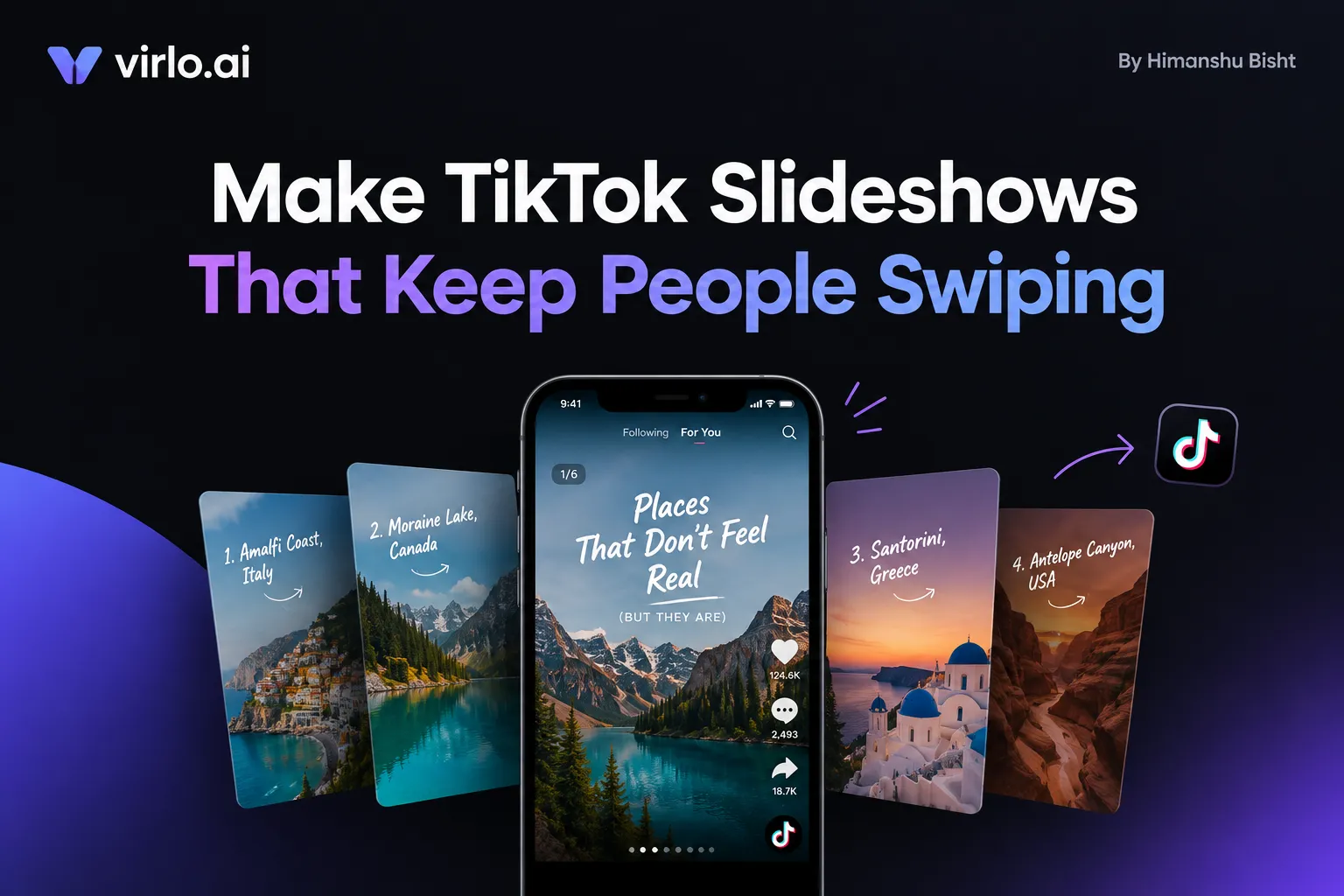
TikTok passed one billion monthly users back in 2021. That reach makes it one of the fastest places to build an audience, test an idea, or sell a product on a small budget.
While short-form videos are popular on Tiktok, slideshows can give you a big unfair advantage in business. Since many creators do not know about them and even lesser people actually use them, you see much lower competition for the Tiktok slideshows.
Once you know how to make a TikTok slideshow, a phone and a handful of photos are enough. There is no camera setup and no face on screen. But the question is how to get started?
Since TikTok added Photo Mode in 2022, the format has grown into its own corner of the app. Virlo's public leaderboard ranks the most viral slideshows it tracks. Those posts range from home makeovers, travel recaps, and photo-editing tutorials to a quiet tribute to someone's mom.
If you have tried one yourself, the experience may feel familiar. You picked your best photos, chose a song you liked, and posted. A few hundred people saw it. A handful swiped past the first image before the post went quiet.
But the slideshows that reach millions rarely look like a photo dump. They read like a short story, with a problem on the first slide, a reason to keep swiping through the middle, and a payoff at the end. So there is an engineering behind building good slides. This is the raw Tiktok strategy for creators and business owners.
TL;DR
To make a TikTok slideshow, tap +, switch to Photo, pick up to 35 images, choose a sound, add text to each slide, and post.
Photo Mode suits stories, lists, and steps that people read. A video slideshow built in CapCut or Templates suits beat-matched edits and voiceovers.
Slideshows hold attention through curiosity. Each slide answers one small question and raises the next.
Conflict carries people to the end. A problem on slide one and a payoff on the last slide give them a reason to keep swiping.
On Virlo's leaderboard of top slideshows, storytime is the most common tagged format. Relatable-scenario openings outnumber tutorial promises roughly two to one.
Photo Mode posts don't earn Creator Rewards. The money comes from shoppable photos, affiliate links, and brand deals.
Let's get into all the pieces of making a successful slideshow post that actually gets you views.
How to make a TikTok slideshow in Photo Mode
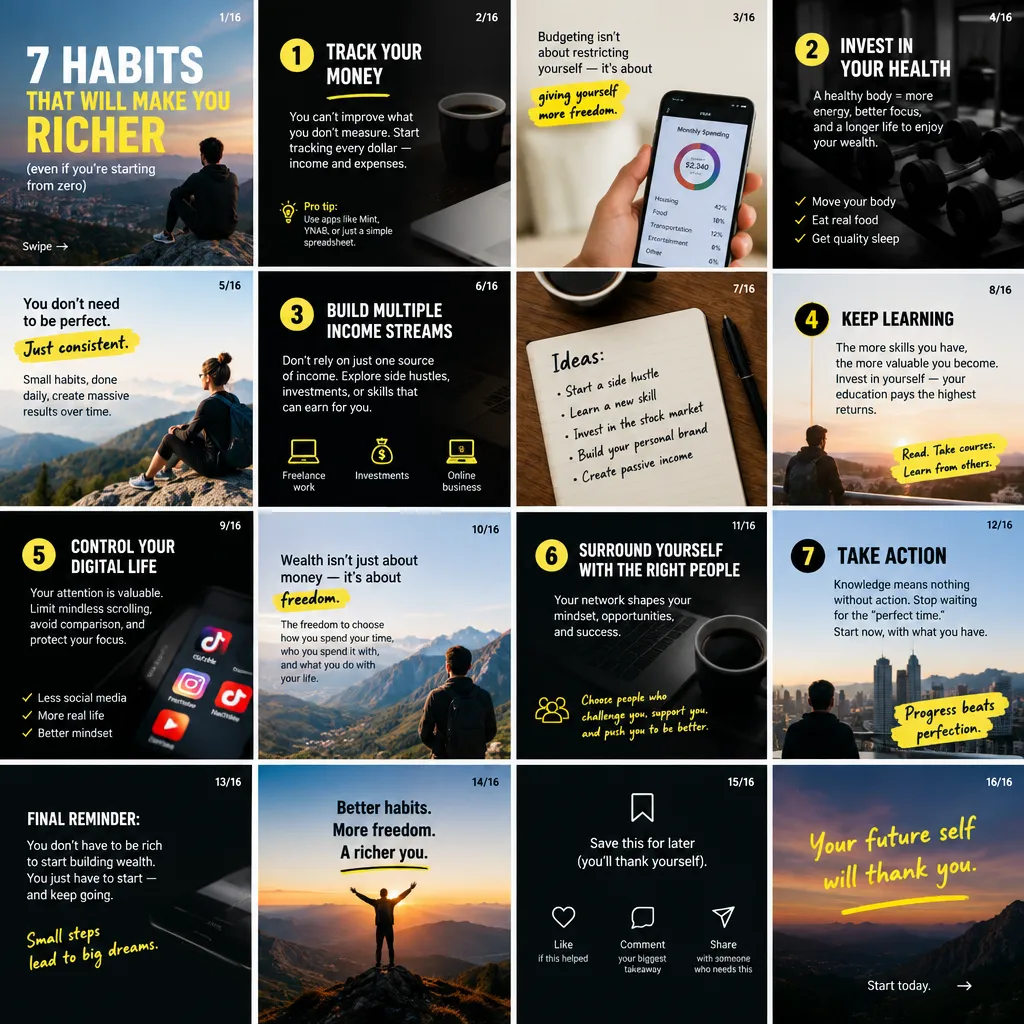
Photo Mode is TikTok's built-in slideshow format, which many creators also call a TikTok carousel. Your images play one after another over a sound, while viewers can also swipe through them by hand.
The whole build happens inside the TikTok app. Labels shift slightly between app versions, but the sequence stays the same.
Tap the + button at the bottom of the TikTok app.
Switch to Photo, or open Upload and choose images from your gallery.
Select up to 35 images in the order you want them to appear.
Tap Next and pick a sound. TikTok adds one automatically, which you can swap for another.
Add text to each slide, plus stickers or filters where they help the story.
Write a description with the words people would type into search, add a few specific hashtags, and post.
Vertical images at 1080 x 1920 pixels (a 9:16 ratio) fill the screen without awkward cropping. Horizontal photos still work, though the empty space around them makes text and faces look small on a phone.
When the Photo option doesn't appear, an outdated app is often the cause. Updating TikTok, then choosing images through Upload instead of the camera screen, usually brings it back.
Photo Mode or a video slideshow: which to make
TikTok also supports a second kind of slideshow, built as a video. It plays on a fixed timeline like any other clip, so viewers watch rather than swipe.
In exchange, you decide exactly how long each image stays on screen and how one picture moves into the next.
That control suits fast edits where the image changes on every beat. It also suits narrated slideshows, where a single voiceover runs across the whole piece and ties the images together.
Making a video slideshow in CapCut
Open CapCut, start a new project, and import your photos in order.
Set the length of each photo, or use beat detection to line cuts up with the music.
Add text, transitions, and a voiceover if the story needs narration.
Export at 1080 x 1920 and upload the file to TikTok as a video.
Making a slideshow with TikTok Templates
TikTok's own Templates offer a faster route for creators. A template applies preset timing, transitions, and effects to your photos, though it leaves less room to shape the story.
Tap +, then open Templates from the camera screen.
Pick a template and check how many photo slots it has.
Add your photos in order and adjust any text the template includes.
Preview, then tap Next to add a description and post.
How long each photo stays on screen
A Photo Mode post advances on its own in step with the sound, and a swipe overrides that timing whenever the viewer wants to move faster or slower.
In CapCut or Templates, you set the exact duration of each photo. Fast slideshows, where images flip every half second or so to match a beat, are built this way and uploaded as video.
Photo Mode remains the better default for anything people read, such as stories, lists, steps, and comparisons. A reader can linger on a dense slide or skip ahead, which a fixed timeline doesn't allow.
How to add music and text to a TikTok slideshow
Whichever version you choose, sound and text carry most of the storytelling. Photos set the scene, while the words on each slide explain what the viewer is looking at.
TikTok adds a sound to every Photo Mode post by default. Choosing one on purpose takes an extra minute and usually fits the story better than an automatic pick.
The mood of the track should follow the story's arc. A tribute post calls for something gentle, while a fast listicle benefits from a steady beat.
A trending sound can widen discovery when it fits the post. Virlo's free list of trending TikTok sounds shows which tracks are climbing this week. Laid over a serious story, though, a playful hit can make the whole slideshow feel thoughtless.
Text overlays deserve the most care. Placing them in the middle band of each image keeps them clear of the caption at the bottom and the buttons along the right edge.
Each slide can carry its own text, so the words can change as the story moves. Font choice, timing, and placement follow the same principles as video text, which our guide to adding text to TikTok videos covers step by step.
The description can do more work than a one-line caption. TikTok allows up to 2,200 characters on photo posts. Many viewers also look things up through TikTok's search bar.
Writing the description in the words your audience would search for helps the post appear in those results. Our guide to ranking in TikTok search covers how to choose those words.
A few specific hashtags describe a post better than a long string of #fyp variants, as our guide to using hashtags on TikTok explains. Tags mostly give TikTok context about the topic. Reach depends far more on how viewers respond, as our breakdown of how the TikTok algorithm works explains.
Why slideshows hold attention: the psychology

Good sound and clear text get a slideshow noticed, but people stay with it because of curiosity. A slideshow taps the same instinct that keeps people reading a numbered list: the urge to close a gap.
Behavioral economist George Loewenstein described curiosity as the feeling that appears when attention lands on a gap between what someone knows and what they want to know. His 1994 review also argued that gaps pull hardest when the answer feels close. In a slideshow, the next piece of the answer sits on the very next slide.
Images add a second advantage. Memory research has long found that people tend to remember pictures better than words, a pattern known as the picture superiority effect.
Pairing each idea with an image and a short line of text may give that idea two routes into memory instead of one.
Pace matters as well. In a video, the creator sets the speed for everyone. Photo Mode lets the viewer set it, so a slow reader and a fast skimmer can both reach the end comfortably.
Each swipe is also a small decision. Once a viewer has chosen to see slide two and slide three, leaving before the end can feel like abandoning something already started.
That reading of slideshow behavior is a design principle rather than an algorithm trick. TikTok has not published how it weighs swipes in ranking but you can be sure that more time people spend on the platform more algorithm rewards your account.
None of these mechanics needs a face on camera. That makes slideshows a natural fit for faceless TikTok accounts, where the content has to hold attention on its own.
Conflict is what carries people to the last slide
Curiosity opens a gap on the first slide. Conflict keeps that gap open long enough for someone to reach the end.
In storytelling, conflict simply means something stands between a person and what they want. A slideshow without it works like a gallery, where people drift away whenever they feel they have seen enough.
Slideshows that hold attention often follow a four-part shape:
Setup (slide 1): a situation the viewer recognizes, with the problem in plain view.
Complication (slides 2 to 3): what made the problem harder, or what went wrong first.
Turn (middle slides): the change, the method, or the discovery.
Payoff (last slide): the result, the answer, or the twist that resolves slide one.
In a budget room makeover, for example, the flat version opens with the finished room and lists everything the renter bought. The viewer sees the best part immediately.
The version with conflict opens on the dull "before" photo, captioned "landlord said no paint, no nails, and I had $200." Each middle slide solves one limit.
The finished room arrives on the last slide, where it pays off the tension from slide one. Both versions use the same photos, with only the order and framing changed.
The conflicts that suit slides best tend to be small and visual:
A limit: a budget, a deadline, or a rule the person has to work around.
Expectation against reality: what someone thought would happen, set beside what did.
Before and after: a visible gap the viewer wants to see closed.
A mistake and its fix: something that went wrong, followed by the correction.
Two options: two products, places, or approaches compared fairly, with a verdict at the end.
The tension can stay modest. A sleep-position explainer from a fitness account sits on the leaderboard with more than 77 million views. It asks a simple question: can the way you sleep affect your posture?
A small, personal stake like that gives viewers a reason to check every slide for their own position.
Your first slide decides whether anyone stays
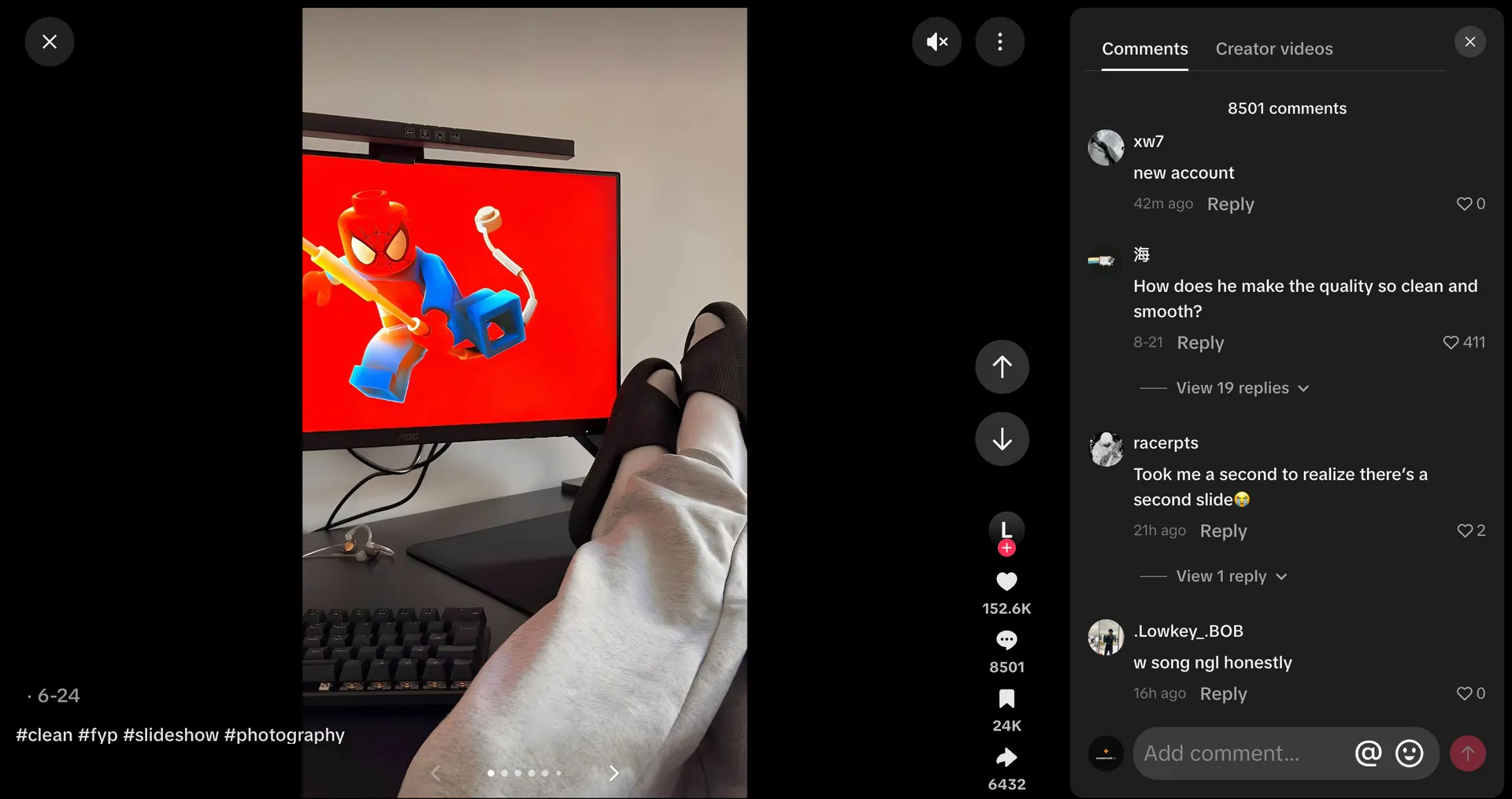
The first slide does the work of a thumbnail, a headline, and a hook at the same time. It decides whether someone stays on the post or scrolls on to the next one.
Virlo's slideshow leaderboard tags part of its 1,000 posts by the type of opening they use. As of October 2026, relatable scenarios lead the tagged posts with 59. Next come 55 posts with no clear hook, then story teases at 42, bold claims at 40, and questions at 36.
Tutorial promises, the classic "how to do X" opening, appear 28 times. The sample is small and covers only the top slideshows Virlo tracks, so it points to what tends to travel rather than a rule.
The pattern still fits the psychology above. A relatable scenario puts a familiar problem on screen, so viewers recognize themselves before reading any advice.
Story teases work through a different gap, a question about what happened next that stays open until the end. Tutorial promises can still travel, though they depend on the viewer already wanting the skill being taught.
Strong first slides tend to keep the text short and the problem visible:
A single line of text that someone can take in at a glance.
Large lettering in the middle third of the image, clear of the app's buttons.
An image that sets up the tension the rest of the post resolves.
Words that name a specific person or moment, such as "first apartment" or "night shift", instead of a broad category.
I will add that Tiktok also shows different images of your post even if they are not the first photo of the slides. So, do not get super obsessed with it. You might see your third picture getting most engagement and Tiktok showing it to the audience directly. However it is still important so people can get the context when they swipe left.
Building the middle slides and the last one
Once the first slide keeps someone on the post, every slide after it has the same job. It answers one small question and raises the next one.
Slides read best with one idea and one or two short lines of text. When a point needs a paragraph, splitting it across two slides keeps the rhythm going.
Alternating text-led slides with image-led slides also helps. A slide that is mostly picture gives the eye a rest before the next block of words.
No public data proves an ideal slide count. Photo Mode allows up to 35 images, but the right number is whatever the story needs.
A list of seven tips might need nine slides: a cover, the seven tips, and a closing slide. A storytime about a disastrous trip might need fifteen, since each turn of the story deserves its own frame.
The last slide resolves whatever slide one set up. A question from the opening gets its answer there, just as a "before" gets its "after".
A call to action lands best when it grows out of the content itself. "Save this for your next apartment hunt" gives people a concrete reason to save. Asking which of two options they would pick gives them a reason to comment.
Viral TikTok slideshow formats right now
The four-part shape shows up across very different formats. Storytime leads the leaderboard's tagged formats by a wide margin, with 130 posts. Listicles follow at 71, while transformations, memes, and explainers each sit in the low twenties.
Storytime covers relationships, family, pets, and personal turning points. Some of the most viewed examples are simple, such as a couple's lake throwback or a goodbye to a family dog, told one photo at a time.
Listicles package places, facts, products, or tips into numbered slides. Travel spots, "things I wish I knew" posts, and quick comparisons fit this format, because each slide delivers one complete item.
Transformations rely on before-and-after conflict. Room makeovers, fitness progress, and photo edits all run on the same engine, a visible gap that closes by the final slide.
Explainers and tutorials teach one thing in steps. A post showing how to make phone photos look cinematic sits near the top of the leaderboard with close to 150 million views. Replit's four-step product walkthrough passed 86 million.
Memes use the slide format to pace a joke, holding the punchline back until the final frame.
Can you make money from TikTok slideshows?
Yes, though not through TikTok's main payout program. The Creator Rewards Program pays for original videos longer than one minute and leaves Photo Mode posts out. We have done a breakdown of how much TikTok pays covers if you wanna dig into rates and requirements for creators who post eligible videos.
But Slideshows earn through other routes on top of traditional methods:
Shoppable photos. TikTok Shop sellers and approved affiliates can tag products on photo carousels, so viewers can buy from the post itself. Access depends on your Shop status. TikTok's Seller University has a guide to creating shoppable carousels.
Affiliate links in your bio or through TikTok Shop's affiliate program, paired with listicles and comparisons.
Brand deals. Paid partnerships already appear on the leaderboard, including a home-design slideshow tagged #ChatGPT_Partner and a productivity post for reMarkable.
Your own products, shown in use through tutorials and transformations. Our guide to promoting products on TikTok goes deeper on that side.
An email list. A listicle or tutorial slideshow can offer the full checklist or template through the link in your bio. A one-time viewer then becomes a subscriber you can reach again. That works best with a lead magnet and welcome emails set up before the post goes live. This is why I highly recommend building an email list if you are a business owner on Tiktok. For creators who do no want to build a business and only want to rely on brand partnerships, this might not be primary benefit. But list is one of the best assests.
I personally recommend creators to take their content creation as a form of business. Because when you do, you become independent from the platform. It brings more freedom. Anytime you want to expand out of Tiktok to other channels, or if Tiktok changes the algorithm, you will be at a much safer place.
Why your TikTok slideshow isn't getting views
If you have tried slideslows but somehow they did not work out, these are some of the reasons we have learned over time working with creators at Virlo. Even a well-planned slideshow can stall for small reasons. When it does, the cause often sits inside the post rather than the account.
The opening gives away the payoff. When slide one already shows the best moment, viewers have little reason to stay for the rest.
The text is hard to read. Small fonts, low contrast, or lines hidden behind the app's buttons stop people on slide one.
Nothing is at stake. Good photos without a problem or a question give viewers no reason to stay past the first few slides.
The sound fights the mood. A track that clashes with the story undercuts even strong images.
The images aren't yours. TikTok's For You feed eligibility standards make reused content without creative edits ineligible for recommendation, which works against recycled screenshots.
The format doesn't suit the niche. An opening that works in fashion may fall flat in finance, so checking what already works for your audience comes first. Our list of the best faceless TikTok niches shows where slideshows tend to fit.
Finding TikTok slideshow ideas that already work in your niche
The fastest way to find slideshow ideas is to study the posts that already reached your audience. Openings and story shapes tend to repeat within a niche, even when they look unusual elsewhere on TikTok.
Virlo's free TikTok slideshow leaderboard ranks 1,000 top photo posts by views, with filters for niche, content format, hook type, and region. Filtering by your own niche shows which openings and formats already work there.
For teams planning content every week, Virlo's content research agent tracks TikTok slideshows daily. It surfaces the ones that matter for your niche, with AI summaries, hook breakdowns, and creator data.
TikTok slideshow FAQ
How do you make a slideshow on TikTok?
Tap the + button, switch to Photo, select up to 35 images in order, choose a sound, and add text to each slide before posting. The result is a Photo Mode post, which plays automatically and also lets viewers swipe through the images.
How many pictures can you put in a TikTok slideshow?
Photo Mode allows up to 35 images in a single post. Stories that need more space can continue in a second post, with the first slide of part two picking up where part one ended.
How do you make a TikTok slideshow with music?
TikTok adds a sound to every Photo Mode post automatically. On the editing screen, you can tap the sound and replace it with any track from TikTok's library, including trending sounds. Trimming the track to start on its strongest section helps, since playback begins the moment the first slide appears.
How do you add different text to each slide?
In Photo Mode, you can add text while viewing each image, so every slide carries its own words. In a video slideshow, you set how long each text box stays on screen in the timeline.
Can you add a voiceover to a TikTok slideshow?
A video slideshow handles voiceover most reliably, because the narration runs across one timeline that you control. Voiceover options in Photo Mode vary by app version and region, so building narrated pieces in CapCut and uploading them as video avoids surprises. Captions on each slide can carry the same message when narration isn't available.
How do you make a slideshow swipeable on TikTok?
Photo Mode posts are swipeable by default. Choosing images through the Photo or Upload option in the TikTok app creates a post that plays on its own and also responds to swipes. A slideshow built in an outside editor and uploaded as a video file plays as a regular video instead, with no swipe.
Why isn't Photo Mode showing up on my TikTok?
An outdated app is a common reason. Updating TikTok from the App Store or Play Store, then choosing photos through Upload instead of the camera screen, usually restores the option. If it still doesn't appear, logging out and back in after the update often helps, since some features roll out gradually by region.
Do TikTok slideshows get paid?
Not through the Creator Rewards Program, which only pays for original videos over one minute and excludes Photo Mode posts. Slideshows earn in other ways: shoppable photos for TikTok Shop sellers and affiliates, affiliate links in your bio, brand deals, your own products, and an email list.
Do slideshows get more views than videos on TikTok?
No public data shows that one format consistently outperforms the other. On Virlo's leaderboard, 35 slideshows have passed 100 million views, so the ceiling is high when the story and first slide are strong.
What size should TikTok slideshow photos be?
Vertical images at 1080 x 1920 pixels, a 9:16 ratio, fill the screen best. Horizontal photos work but leave empty space above and below, which shrinks text and faces on a phone. Keeping text in the middle band of each image also keeps it clear of the caption and the buttons.
Why do people keep swiping through some slideshows?
Curiosity plays a large part. George Loewenstein's information-gap theory of curiosity describes how a gap between what we know and want to know pushes us to find the answer. A slideshow keeps opening small gaps and closing them.
When did TikTok launch Photo Mode?
TikTok announced Photo Mode in October 2022 as a carousel format for still images set to music. The same update raised description length to 2,200 characters for both videos and photo posts, which gives slideshows extra room for searchable text.
Is a TikTok carousel the same as a slideshow?
Yes, in everyday use. Creators call a Photo Mode post a carousel, a slideshow, or a photo post. All three describe the same thing: several images in one post, set to a sound, that viewers can swipe through. A video made from photos is also called a slideshow, though it plays like a regular clip.
How long can a TikTok slideshow be?
Photo Mode has no fixed time limit, since each viewer controls the pace and the post holds up to 35 images. In practice, the sound you choose sets how long the automatic playback runs. A video slideshow follows TikTok's normal video length limits, and you set how many seconds each image stays on screen.
How do you make a fast slideshow on TikTok?
Fast slideshows are usually built as videos. In CapCut, you can set each photo to half a second or less and line the cuts up with the beat. The exported file then uploads to TikTok as a video. Photo Mode advances more slowly and lets viewers swipe at their own speed, so it suits content people read rather than watch.
Can you make a TikTok slideshow on a computer?
TikTok Studio on the web supports uploads from a computer, and third-party guides report that image uploads create a slideshow there. Creative options are more limited than in the mobile app, so many creators build the slideshow in CapCut's web version and upload the finished video instead. Checking your own TikTok Studio account shows which options are available in your region.
Can you mix photos and videos in one TikTok slideshow?
In many regions the upload screen allows selecting both photos and short clips for one post, which TikTok then plays in sequence. Availability varies by app version. When the option is missing, combining everything in CapCut and uploading the result as a video gives the same effect.
Where to start
Knowing how to make a TikTok slideshow is the easy part, and the steps above cover it in a few minutes. For many slideshows, the quickest improvement after that is a new first slide. A single clear line that names a recognizable problem gives people their first reason to stay.
The next post can then follow the four-part shape from setup to payoff. Over a few posts, your own analytics show which openings your audience responds to, so each new slideshow starts from evidence rather than a guess.
See What's Trending Right Now
- Social listening for TikTok, Reels & Shorts
- Spot viral trends before they peak
- Turn insights into ads, scripts & briefs
The Signal Newsletter
Weekly trend breakdowns, creator insights, and social listening tips — straight to your inbox.
Subscribe FreeSee Virlo in action

See What's Trending Right Now
- Social listening for TikTok, Reels & Shorts
- Spot viral trends before they peak
- Turn insights into ads, scripts & briefs
The Signal Newsletter
Weekly trend breakdowns, creator insights, and social listening tips — straight to your inbox.
Subscribe FreeRelated Articles

9 Best Real-Time Trend Detection Tools for Short-Form Video in 2026
Short-form video signals can change quickly, and a format that looks promising in one niche may already be saturated in another. A useful tool should help you separate existing popularity from fresh acceleration across TikTok, Reels, and Shorts. General social listening tools built around mention...
Ultimate Guide to Clip Farming in 2026 for Creators
Clip farming means three different things in 2026. Here's what each one is, how creators actually run it, what it pays, and what the platforms now penalize.

8 Best TikTok APIs for Developers in 2026
TikTok's official API is the obvious starting point when you need programmatic access to TikTok data — but it comes with approval requirements, rate limits, and data gaps that push most developers toward third-party options fast. If you're building a social analytics app, a content intelligence t...
Put this into practice with Virlo
Turn what you just read into real research. These are the tools creators, agencies, and brands use to find what's working on short-form video.
Content Research Agent
Run your short-form research on autopilot — outliers, creators, and sounds across TikTok, Reels, and Shorts.
Tracking Center
Monitor breakout creators, videos, and competitors with daily snapshots and deep AI analysis.
Free Data
Explore free viral hooks, trending niches, breakout products, and more — no account required.
Get The Signal
Join creators, marketers, and agencies getting weekly trend breakdowns and social listening insights delivered free.
Subscribe to the Newsletter
Stop Guessing. Start Knowing.
Join thousands of digital entrepreneurs using data to take the guesswork out of capitalizing on trends.