How to Find Trends on TikTok Before They Peak (Virlo Setup Guide)
The fastest way to find trends on TikTok is to stop scrolling for them. This guide walks you through Virlo step by step: sign up, open Trends, filter by stage, open a trend for its recipe, and get the best ones by email every week.

Jaife Esienna
Co-Founder of Virlo
Jaife Esienna is a co-founder of Virlo, where he helps ecommerce brands, GTM teams, and marketing agencies turn viral short-form video data into seven-figure content strategies. He writes about short-form video, content strategy, and the data behind what actually goes viral.
The short version
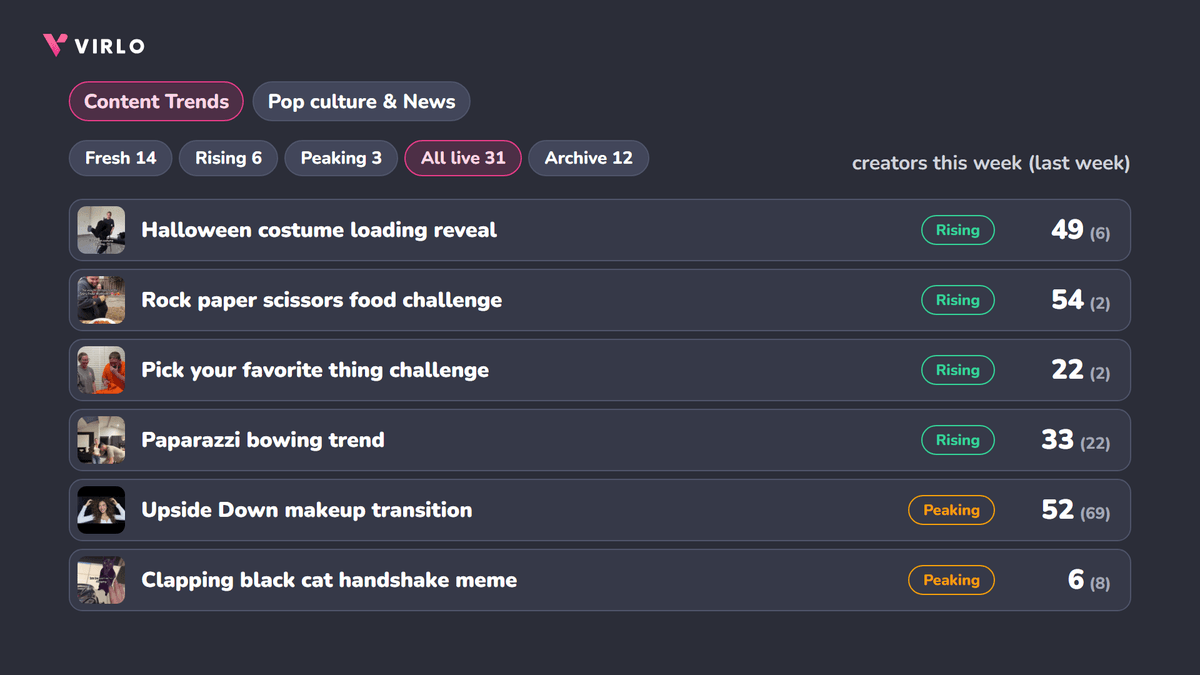
To find trends on TikTok before they peak, create your account on app.virlo.ai, click Trends in the left menu, open the Content Trends tab, and filter by stage. Fresh and Rising trends are early, Peaking means post now. Open any trend and you get the recipe, what to keep and what to make yours, how many creators posted it this week vs last week, and how a business like yours can use it.
Scrolling your For You page is the slowest way to find a trend, because by the time a trend reaches your feed, hundreds of creators have already posted it. Virlo counts how many creators post each trend every day across TikTok, Instagram Reels and YouTube Shorts, out of a database of 20M+ viral videos, and a person on our team approves each trend before it shows up.
Just want this week's list? It's on one page, updated weekly: current TikTok trends. This guide shows you how to get the same data on demand, for your own niche.
Step 1: Create your Virlo account
Go to app.virlo.ai and click Create one (under the Sign In button). Sign up with Google, Apple or GitHub, or with your email and a password, then click Create Account.
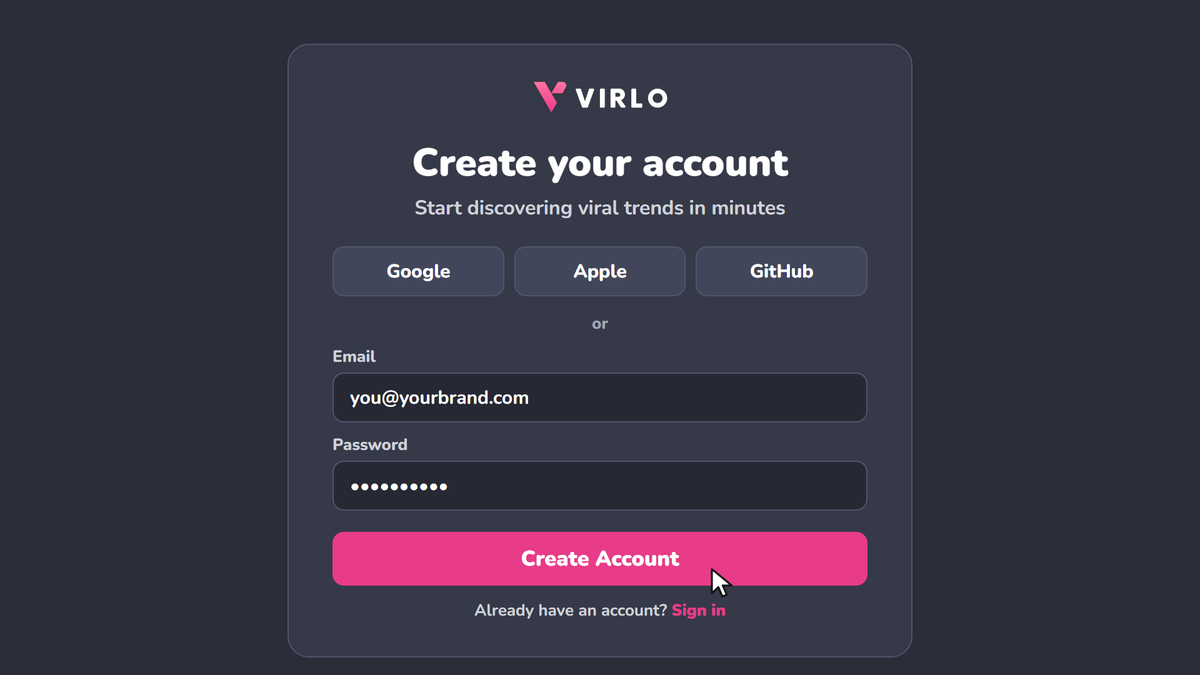
Virlo then asks for your niche and sets up your first marketing agent, which starts pulling the outlier videos in your niche straight away. You start on a 7-day free trial, and you aren't charged on day one. Reading trends doesn't use any credits.
Step 2: Open Trends, then Content Trends
In the left menu, click Trends. You land on the Content Trends tab: the video formats creators are copying right now on TikTok, Reels and Shorts, with real examples and where each one is in its life.
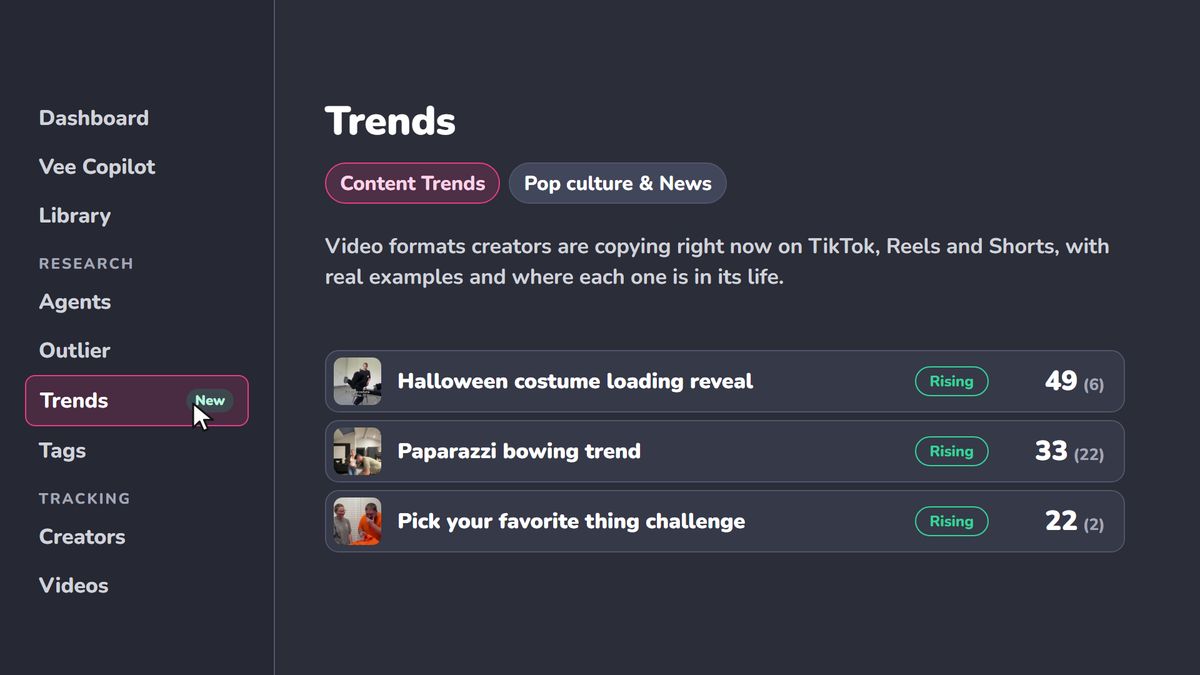
Two things on this page are worth knowing:
Freshly spotted (on the left) lists the trends spotted in the last 7 days. That's where new ones show up first.
The leaderboard ranks the trends matched to what you research and your business, so the ones most likely to fit you sit at the top.
The Pop culture & News tab next to it covers the topics people are talking about, if you want news to react to rather than a format to copy.
Step 3: Filter by stage
Use the tabs at the top of the list to filter by stage:
Fresh: just spotted. The earliest you can be.
Rising: the count is going up. This is the window you want.
Peaking: at its busiest week. Post now, or skip it.
All live: everything on the list right now, including the ones that are fading.
Archive: trends that have finished.
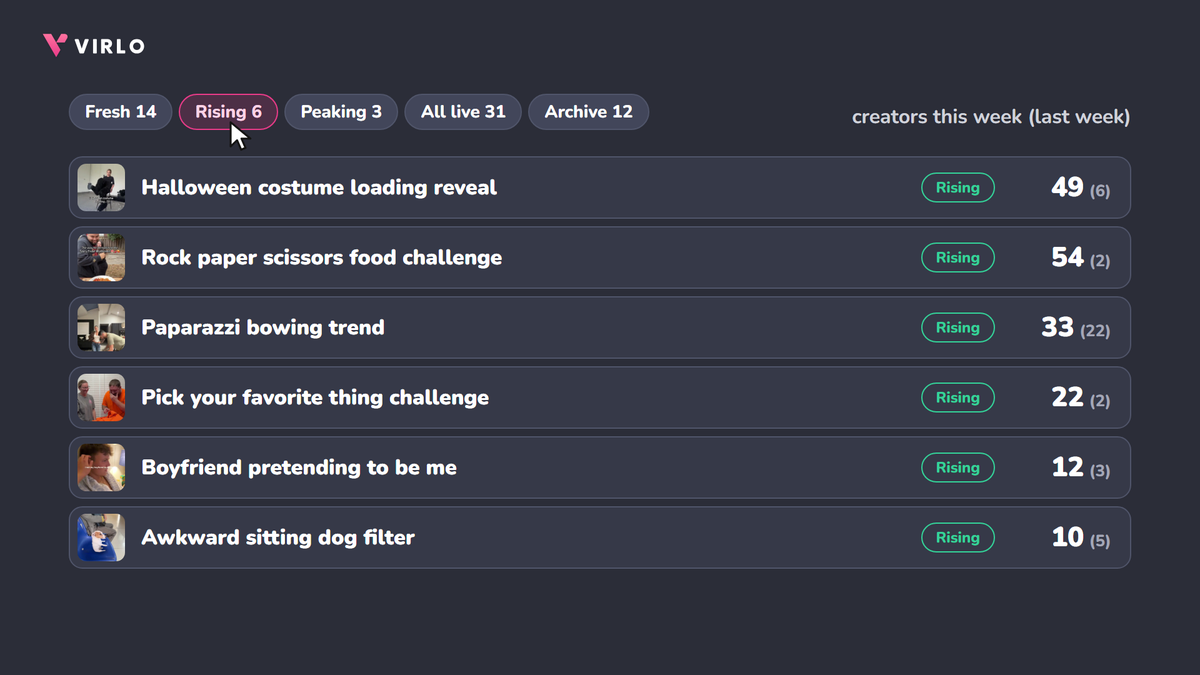
Every row shows creators this week, with last week in brackets. A jump like 49 (6) means you're early. A drop like 57 (270) means you're late, even if the trend still has millions of views.
Step 4: Open a trend and click How to do it
Click How to do it on any trend to open its full breakdown:
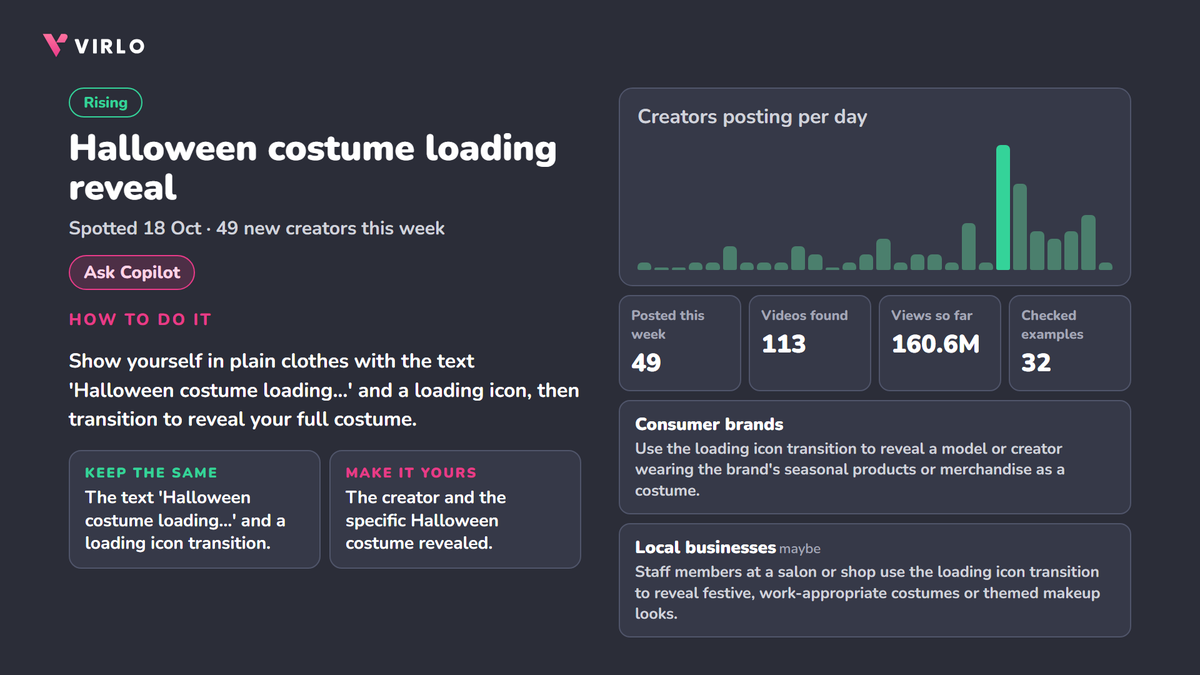
How to do it: the recipe in one or two sentences.
Keep the same / Make it yours: the part everyone copies, and the part you swap in (your product, your team, your shop).
Creators posting per day: the last 30 days, so you can see if it's climbing or dying. The last few days are still being counted, so judge the direction, not the final bar.
Posted this week, Videos found, Views so far, Checked examples: how big it is and how many example videos a person checked.
Who it works for: one line for each type of business it fits (consumer brands, local businesses, B2B / SaaS, clinics), so you know if it fits before you film.
Then click Ask Copilot (the chat inside Virlo) and tell it what you sell, so it can help you write your version of the trend.
Step 5: Get the best trends by email every week
Click Get these by email at the top of the Trends page, pick how often and which day, and click Email me.
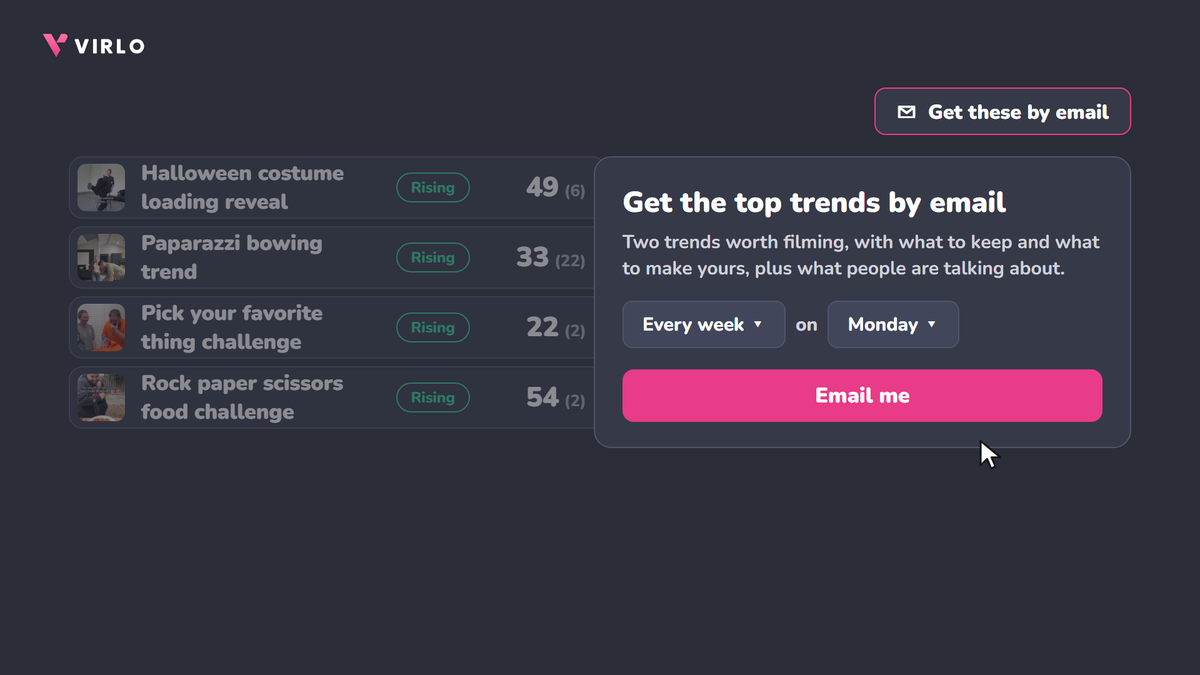
You get two trends worth filming, with what to keep and what to make yours, plus what people are talking about. So you never have to remember to check.
How do you pick the right trend?
Go by the count, not the views. A trend can have 400M views and already be over. Creators this week vs last week tells you where it is in its life.
Pick a recipe you can swap your product into. The best trends for brands let you keep the format and change the subject: your product, your team, your shop.
Check "Who it works for". If your kind of business isn't a yes or a maybe, skip it.
Pick low effort when you're short on time. If you can film it on a phone in one afternoon, you can still catch it while it's early.
See how this looks with this week's numbers on current TikTok trends.
FAQ
What's the best way to find trends on TikTok?
Use a trend tracker that counts how many creators post each trend every day, then pick the ones where that count is rising. Scrolling the For You page only shows you trends after they've spread.
How do I know if a TikTok trend is too late?
If the number of creators posting it this week is half (or less) of last week, it's fading. In Virlo, check the stage tag and the creators-per-day chart before you film.
Can I find TikTok trends for my type of business?
Yes. Every trend in Virlo shows which types of business it fits (consumer brands, local businesses, B2B / SaaS, clinics), with one line on how to use it. Ask Copilot can then help you write your version.
Does it cost anything?
Virlo starts with a 7-day free trial, and you aren't charged on day one. Reading trends doesn't use credits.
Can I get these trends in Claude instead?
Yes. Here's how to set up Claude for social media trends in about 5 minutes.
Key takeaways
Create your account on app.virlo.ai, then click Trends and the Content Trends tab.
Filter by stage: Fresh and Rising are early, Peaking is post now.
Judge a trend by creators this week vs last week, not by views.
Open How to do it for the recipe, then Ask Copilot for your version.
Turn on Get these by email so the best two arrive every week.
Create your Virlo account and see every trend, or check this week's current TikTok trends first.
See What's Trending Right Now
- Social listening for TikTok, Reels & Shorts
- Spot viral trends before they peak
- Turn insights into ads, scripts & briefs
The Signal Newsletter
Weekly trend breakdowns, creator insights, and social listening tips — straight to your inbox.
Subscribe FreeSee Virlo in action

See What's Trending Right Now
- Social listening for TikTok, Reels & Shorts
- Spot viral trends before they peak
- Turn insights into ads, scripts & briefs
The Signal Newsletter
Weekly trend breakdowns, creator insights, and social listening tips — straight to your inbox.
Subscribe FreeRelated Articles

20 Tips on How to Make a Video Go Viral on TikTok
Learn 20 practical tips on how to make a video go viral on TikTok. Boost views, engage your audience, and create trending content with ease!
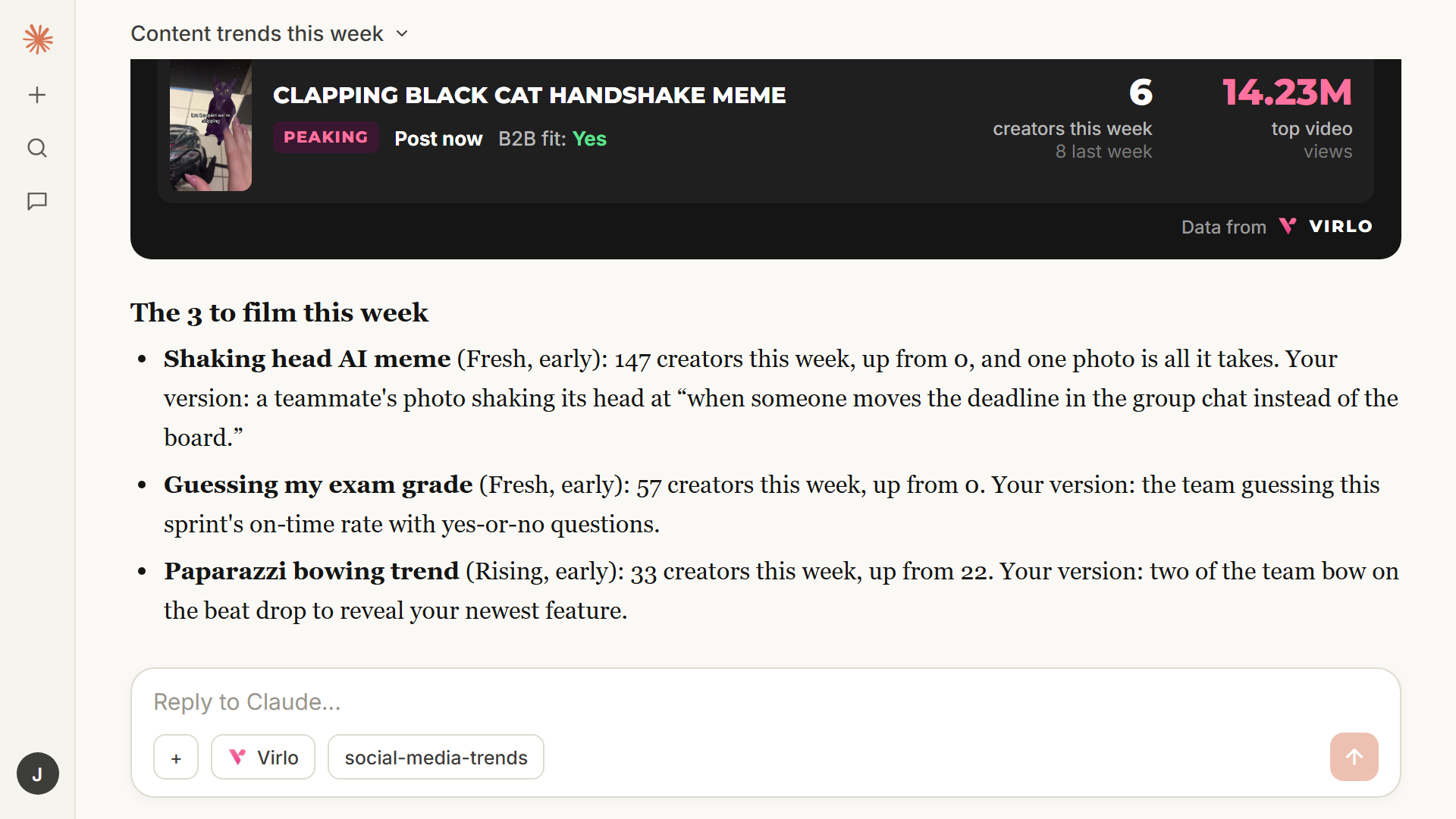
How to Set Up Claude for Social Media: Find the TikTok Trends Worth Copying This Week
Claude can't see what's trending on TikTok by itself. This 5-minute setup connects it to Virlo's database of 20M+ viral videos and a free trends skill, so it tells you which content trends to copy this week, early or late, and your version of each.

How to Use AI Video Generation for Marketing in 2026 (9 Strategies That Actually Work)
AI video tools just hit a tipping point. The cost of producing a video collapsed 91%. Here's how marketers are actually winning with AI video in 2026 — and the one thing every guru is missing.
Put this into practice with Virlo
Turn what you just read into real research. These are the tools creators, agencies, and brands use to find what's working on short-form video.
Content Research Agent
Run your short-form research on autopilot — outliers, creators, and sounds across TikTok, Reels, and Shorts.
Tracking Center
Monitor breakout creators, videos, and competitors with daily snapshots and deep AI analysis.
Free Data
Explore free viral hooks, trending niches, breakout products, and more — no account required.
Get The Signal
Join creators, marketers, and agencies getting weekly trend breakdowns and social listening insights delivered free.
Subscribe to the Newsletter
Stop Guessing. Start Knowing.
Join thousands of digital entrepreneurs using data to take the guesswork out of capitalizing on trends.