Use ChatGPT agent mode to research TikTok and Instagram
Updated
Virlo is social listening for TikTok and Instagram Reels. ChatGPT agent can browse, run code and build files, but the open web does not tell it which TikTok and Instagram videos beat their creators' usual views this week. Give agent mode the Virlo app and it can finish a whole research job, from trends and hooks to a spreadsheet or deck, using a database of 23.1M viral videos. ChatGPT agent is the agent mode inside ChatGPT that carries out multi-step tasks on its own virtual computer with a browser, a terminal and your connected apps.
- Hand off a full research task, not a single question
- Comes back with a spreadsheet, doc or slide deck
- Same Virlo app you use in normal chats
Part of Virlo's AI assistant guides. Just want answers in a chat? See ChatGPT. Want something that keeps watching between sessions? See ChatGPT dots.
How do I give ChatGPT agent access to Virlo?
Agent mode uses the apps on your ChatGPT account, so you connect Virlo once and then start an agent task.
Step 1: Create your Virlo account for free
Step 2: Add Virlo as an app in developer mode
In ChatGPT on the web, go to Settings, then Apps, then Advanced settings and switch on Developer mode. Back on Apps, choose Create, name the app Virlo, paste this URL and pick OAuth.
MCP server URLhttps://dev.virlo.ai/api/mcp/mcpStep 3: Approve the Virlo sign-in
A Virlo window asks you to approve access. Once you accept, the app is linked to your account and agent tasks can call it without a key.
Step 4: Switch the composer to agent mode
Open a new chat, pick Agent mode from the tools menu or type
/agent, then make sure Virlo is selected among the apps for this task.Composer/agentStep 5: Describe the deliverable
Agent mode works best when you name the finished file. It plans the steps, calls Virlo where it needs data and checks in before anything sensitive.
Your first promptUsing Virlo, research the TikTok and Instagram trends to copy in [your niche] this week. Build a spreadsheet with one row per trend: name, creators posting, what to keep, what to change for [your brand], and an example video link. Then add a 5-slide summary deck.
On Business and Enterprise workspaces, an admin turns on developer mode and can publish the Virlo app so every member can use it in agent tasks.
ChatGPT chat vs ChatGPT agent mode with Virlo: which job goes where?
| Job | Normal ChatGPT chat | ChatGPT agent mode |
|---|---|---|
| Quick trend check | Ask once, read the answer | More than you need: stay in a chat |
| Weekly trend report | You copy answers into a doc yourself | Agent pulls trends, hooks and sounds, then writes the report file |
| Competitor teardown | One account at a time, by hand | Agent loops through a list of rivals and builds a comparison sheet |
| Outlier spreadsheet | A table in the chat | A downloadable spreadsheet ranked by Virality Score |
| Pitch or planning deck | Bullet points to paste elsewhere | Editable slides built from the research |
| Recurring research | Start again each week | Set a finished task to repeat on a schedule |
Both modes use the same Virlo app. Agent mode adds planning, files and the ability to chain many calls without you steering each one.
What would a ChatGPT agent trend report start from?
Each trend to copy arrives with the part to keep and the part to make yours, which agent mode can lay straight into spreadsheet columns.
In Virlo's data, the trend to copy with the most creators this week is "My moon my man couple montage": 659 creators posted it in the last 7 days, as of November 19, 2026.
As of November 19, 2026 at 13:07 UTC
| Trend | Keep the same | Make it yours | Creators this week |
|---|---|---|---|
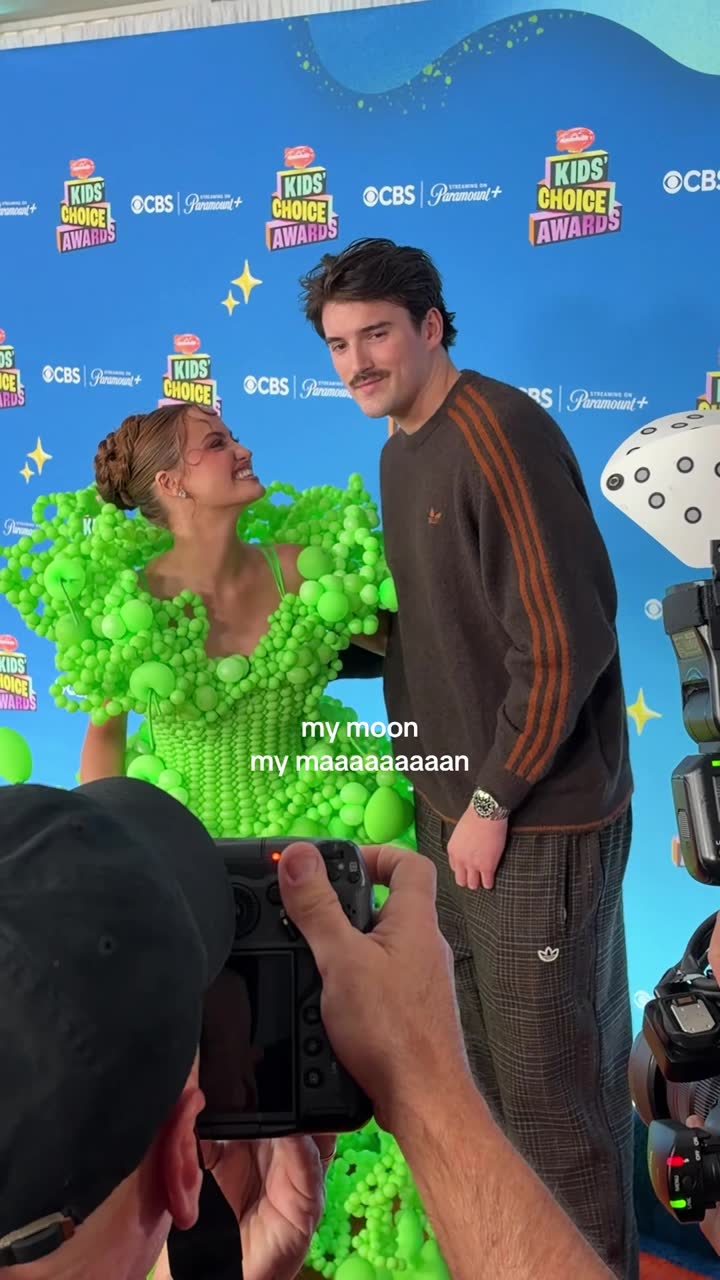 My moon my man couple montage | The song 'My Moon My Man' by Feist (often a specific remix or cover) and the theme of showing a romantic partner. | The specific person or couple being shown and the setting of the clips. | 659 |
 While they're out partying btw | The on-screen text 'While they're out partying btw' and the rhythmic breathing audio. | The activity being performed, such as gaming, working at a fast-food restaurant, or training. | 346 |
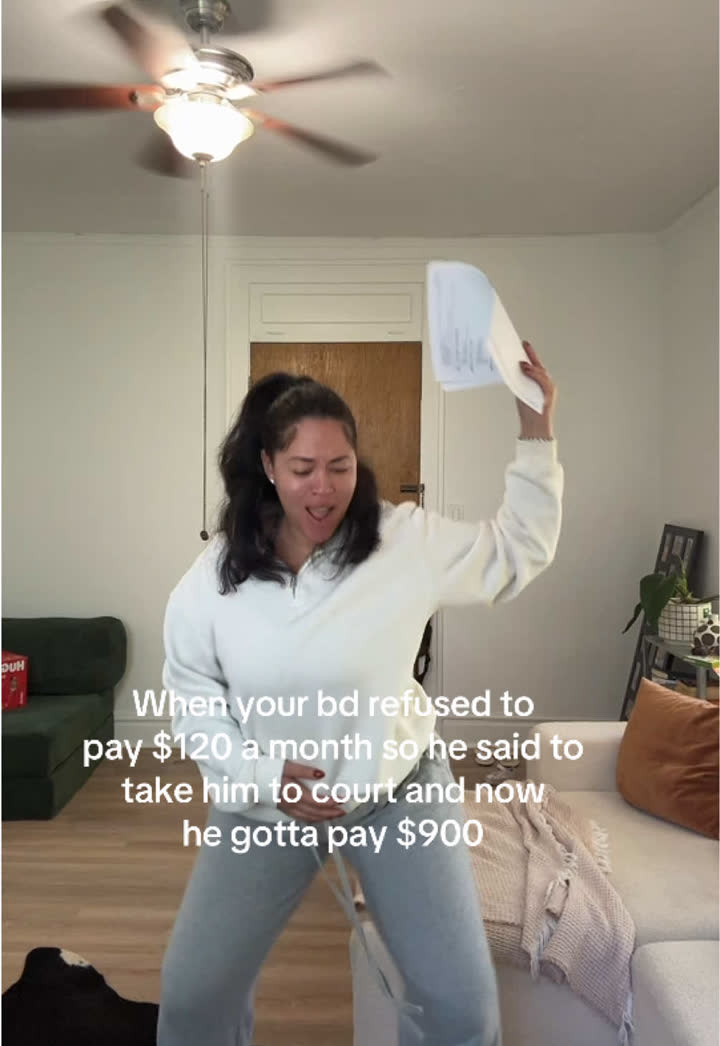 He wanna pay full price SNL trend | The audio 'He wanna pay full price' from an SNL skit featuring Druski. | The relatable situation described in the on-screen text, such as child support, birthdays, or family vacations. | 175 |
 But you're not a Buddhist trend | Audio of Bobby and Peggy Hill: "But you're not a Buddhist." "Yes, I am, mom." "Honey, you're not from China." | The specific hypocritical or contradictory situation described in the on-screen text. | 158 |
 Shoulder carry mirror selfie trend | Carrying someone over one shoulder while taking a mirror selfie to the same audio. | The couple, their outfits, and the room where the selfie is taken. | 158 |
See the recipe for all 39 trends to copy
Every trend with its example videos, 30-day chart and client fit is in the Virlo app.
Open Trends to copyHow this sample is made
- Source
- Virlo's Trends to copy: formats found by Virlo's trend detector and published only after the team checks each one.
- Window
- Creators who posted each trend in the last 7 days, counted from TikTok and Instagram videos only. Trends made with an AI tool are left out.
- Method
- Ranked by creators posting this week. Stages: Fresh, Rising, Peaking, Fading.
- As of
- November 19, 2026 at 13:07 UTC. Refreshes every hour.
- Made by
- Numbers are pulled automatically from Virlo's data every hour; the text around them is written by the Virlo team.
Suggested citation: Source: Virlo, “Use ChatGPT agent mode to research TikTok and Instagram”, virlo.ai/chatgpt-agent
What reports can ChatGPT agent build from Virlo data?
Think of agent mode as a researcher who also handles the formatting. These are the jobs marketers hand it most often:
- A trend board: every trend to copy in your niche, with creators posting and an example video, as a spreadsheet.
- An outlier sheet: 30 TikTok and Instagram videos that beat their creator's normal views, sorted by Virality Score, with hook text.
- A competitor deck: one slide per rival account showing which recent videos broke out and what they share.
- A hook library doc: hooks grouped by type, each rewritten for your offer.
- A sound plan: breakout sounds on TikTok and Reels matched to the week's planned posts.
- A creator shortlist: smaller accounts in your niche whose videos outperform their follower count, with links.
When a run comes out right, ask agent mode to repeat that task on a schedule, such as every Monday morning, so the report rebuilds itself with fresh Virlo data.
What tasks can I give ChatGPT agent with Virlo?
Paste into a chat in agent mode with Virlo selected. Replace the brackets.
Trend workbook
Pull every TikTok trend to copy in [your niche] this week from Virlo and build a spreadsheet with creators posting, stage and an example link for each.
Rival deck
For @[competitor 1], @[competitor 2] and @[competitor 3], find the TikTok and Instagram videos that beat their usual views this month and make one slide per account.
Outlier export
Collect 30 Instagram Reels about [topic] with a Virality Score of 18 or more and export them to a spreadsheet with hook text and views.
Hook doc
Gather 25 hooks from top [your niche] TikToks, group them by hook type and write a doc with a rewrite for [your offer] under each.
Campaign brief
Research the trends, sounds and hooks working for [product category] right now and write a one-page campaign brief for [your brand] with sources.
Client report
Build a 6-slide report for [client] showing what is trending in their niche this week and three video ideas drawn from it.
Creator list
Find 15 creators under [N] followers in [your niche] whose recent videos beat their follower count and put them in a sheet with handles and standout links.
Repeating task
Every Monday, refresh last week's trend workbook for [your niche] with new Virlo data and highlight what is new.
ChatGPT agent vs ChatGPT vs ChatGPT dots vs Codex: which do I need?
OpenAI has several ways to work with Virlo. This page is about agent mode inside ChatGPT.
ChatGPT agent (this page)
Agent mode in the ChatGPT composer. It runs a multi-step task on its own computer and hands back files. Start it from the tools menu or with /agent.
ChatGPT
The normal chat. Turn on the Virlo app and ask one question at a time.
ChatGPT dots
Always-on helpers that keep working on a goal between chats and tell you what changed.
OpenAI Codex
OpenAI's coding agent for the terminal and IDE, connected with codex mcp add.
OpenAI Operator
OpenAI's earlier browser agent. Its abilities now live inside ChatGPT agent, so this guide covers what Operator users are looking for.
What are the limits?
- Virlo is read-only: agent mode can research public TikTok and Instagram data with it but cannot publish, comment or reach your social accounts through the app.
- Agent mode only calls apps selected for the task; if Virlo is unticked, the agent falls back to browsing the open web.
- Developer mode is controlled per account, and on Business or Enterprise plans by the workspace admin.
- Agent tasks see Trends to copy as of their last hourly refresh, after the Virlo team has reviewed each one.
- Plan details are on Virlo pricing.
Frequently asked questions
What is ChatGPT agent mode?
A mode in ChatGPT that takes on multi-step tasks by itself. It works on a virtual computer with a browser, a terminal and your connected apps, asks before sensitive actions, and can deliver files like spreadsheets and slide decks. Start it from the tools menu or type /agent.
Can ChatGPT agent use connectors and apps?
Yes. Agent mode can call the apps on your account during a task, including custom MCP apps added in developer mode. Add Virlo once with its server URL and OAuth, select it when you start the task, and the agent pulls TikTok and Instagram data as it works.
How do I start ChatGPT agent mode?
Open a chat, choose Agent mode from the tools menu in the composer, or type /agent at the start of your message. Describe the finished result you want, such as a spreadsheet or deck, and the agent plans and runs the steps.
Can ChatGPT agent research TikTok trends?
With Virlo it can. On its own the agent browses web pages, which rarely show real performance numbers. With the Virlo app selected it reads this week's trends to copy, outlier videos ranked by Virality Score, hooks and sounds, then builds the report you asked for.
What happened to OpenAI Operator?
OpenAI folded Operator's browser skills into ChatGPT agent, which adds a terminal, file creation and connected apps on top. Anyone who used Operator for web research can do the same in agent mode, and with Virlo selected the research includes real TikTok and Instagram data.
Can ChatGPT agent make a spreadsheet from TikTok data?
Yes. Ask for the file by name, for example a spreadsheet of trends with creators posting and example links, and agent mode builds it from Virlo results. It can also turn the same research into an editable slide deck or a written brief.
Can I schedule a ChatGPT agent task?
Yes. After a task finishes, you can set it to repeat, such as a weekly trend report every Monday. Each run calls Virlo again, so the file reflects that week's TikTok and Instagram data rather than a copy of the last one.
Is ChatGPT agent different from the ChatGPT app?
It lives inside the same app. A normal chat answers one message at a time; agent mode keeps working through a plan, uses tools and returns files. Both read from the same Virlo app, and the ChatGPT guide covers everyday chat use.
Hand ChatGPT agent your research to-do list
Connect Virlo once, switch to agent mode and get the finished report back.
More AI assistant guides
- AI assistant guides
- Claude
- Claude Code
- Cursor
- MCP server
- TikTok MCP server
- Instagram MCP server
- ChatGPT
- ChatGPT dots
- OpenAI Codex
- Gemini CLI
- Grok Build
- Claude Cowork
- n8n
- Zapier
- Grok Bot
- Muse
- Claude Duet
- Hermes Agent
- Kimi K3
- Cue
- Manus
- Perplexity Computer
- Paperclip
- OpenClaw
- NanoClaw
- DeepSeek
- AI agents CLI
- Perplexity
- Microsoft Copilot
- Le Chat
- Notion
- Slack
- Discord
- Telegram
- Google Sheets
- Windsurf
- VS Code
- GitHub Copilot
- Cline
- JetBrains
- Kiro
- Google Antigravity
- goose
- Warp
- OpenCode
- Zed
- Amp
- Factory Droid
- Raycast
- Lovable
- Replit
- Bolt.new
- v0
- Ollama
- LM Studio
- Open WebUI
- LibreChat
- Make
- Pipedream
- Gumloop
- Lindy
- Relevance AI
- Airtable
- ClickUp
- Dify
- Flowise
- LangChain
- CrewAI
- OpenAI Agents SDK
- Mastra
- Vercel AI SDK
- Claude Agent SDK