Google Sheets MCP and Apps Script for TikTok and Instagram data
Updated
Virlo is social listening for TikTok and Instagram Reels. Google Sheets can sort, chart and share anything, but it has no feed of which TikToks or Reels are performing right now. Connect Virlo and a sheet fills with trends, sounds, hooks and outlier videos from a database of 23.1M viral videos, through a no-code ledger, a short Apps Script on a timer, or an AI agent with Sheets access. Google Sheets is Google's online spreadsheet app, and Apps Script is its built-in JavaScript platform for automating Sheets and calling outside APIs.
- No code: Virlo Automations keep a Google Sheets ledger
- Apps Script: UrlFetchApp plus a time-driven trigger
- AI agents: a Sheets MCP server beside Virlo in your assistant
Part of Virlo's AI assistant guides. Building the flow without code? See Zapier. Prefer a database-style base? See Airtable.
How do I pull TikTok data into Google Sheets with Apps Script?
Five steps in a spreadsheet you own. The script runs on Google's servers, so the sheet keeps filling while your laptop is closed.
Step 1: Create your Virlo account for free
Step 2: Copy a Virlo API key
In the Virlo developer dashboard, create a key. It starts with
virlo_tkn_and will live in Script Properties, not in the code.Step 3: Store the key in Script Properties
In your sheet, add a tab named Trends, then open Extensions, Apps Script. Click Project Settings (the gear), scroll to Script Properties, choose Add script property, and save
VIRLO_API_KEYwith your key as the value.Step 4: Paste the fetch function
Back in the editor, replace the contents of Code.gs with this function, save, and click Run once. Approve the permissions Google asks for, and new rows appear in the Trends tab.
Code.gsfunction pullVirloTrends() { const key = PropertiesService.getScriptProperties().getProperty('VIRLO_API_KEY'); const res = UrlFetchApp.fetch('https://api.virlo.ai/v1/content-trends?platform=tiktok&limit=10', { headers: { Authorization: 'Bearer ' + key }, muteHttpExceptions: true, }); const trends = JSON.parse(res.getContentText()).data; const sheet = SpreadsheetApp.getActive().getSheetByName('Trends'); trends.forEach(function (t) { sheet.appendRow([new Date(), t.name, t.lifecycle, t.creators_7d, t.constant_part, t.swapped_part]); }); }Step 5: Run it on a timer
Open Triggers (the clock icon), click Add Trigger, choose
pullVirloTrends, set the event source to Time-driven and pick a day timer such as every Monday morning.Step 6: Ask Gemini about the rows
With fresh rows in the sheet, open Gemini in Sheets from the side panel and ask it to read the data. It works on what the script just logged.
Your first promptLook at the Trends tab. Which 3 trends gained the most creators since last week, and what would [your brand] keep and change in each?
Prefer no code at all? In Virlo, Automations can log every report to a Google Sheets ledger, and Exports have an Open in Google Sheets button that sends a table straight to a new sheet.
Automations ledger vs Apps Script vs Sheets MCP: which Google Sheets route?
| Route | How rows get there | Pick it when |
|---|---|---|
| Virlo Automations ledger | Each scheduled report also appends to a Google Sheets ledger | You want a running log with no code |
| Exports, Open in Google Sheets | A one-off table from Virlo goes straight to a new sheet, with the columns you chose | You need today's data for a deck or client |
| Apps Script with UrlFetchApp | UrlFetchApp.fetch calls api.virlo.ai/v1 on a time-driven trigger and writes rows | You want exact columns, your own formulas and a fixed schedule |
| Sheets MCP server plus Virlo MCP in an assistant | An AI agent researches with Virlo and writes cells through a Google Sheets MCP server | You want to ask in plain English and have the agent fill the sheet |
All routes read the same Virlo data. The ledger is fastest to start; Apps Script gives the most control.
Which Virlo fields make useful Sheets columns?
| Column | Virlo field | Use in the sheet |
|---|---|---|
| Trend | name | The row label for filters and charts |
| Stage | lifecycle | Filter for new or rising trends only |
| Creators this week | creators_7d | Sort to see which trend is spreading fastest |
| What to keep | constant_part | The repeatable core of the format |
| What to change | swapped_part | Where your brand goes in |
What would the Apps Script write into your sheet today?
The content-trends call in the script returns live TikTok trends like these. Each one becomes a dated row in the Trends tab.
In Virlo's tracking of 39 live trends to copy, "My moon my man couple montage" leads TikTok this week with 659 creators posting it as of November 19, 2026.
As of November 19, 2026 at 13:07 UTC
| Trend | Stage | Creators this week | Creators last week |
|---|---|---|---|
 My moon my man couple montage | Fresh | 659 | new this week |
 While they're out partying btw | Rising | 346 | 115 |
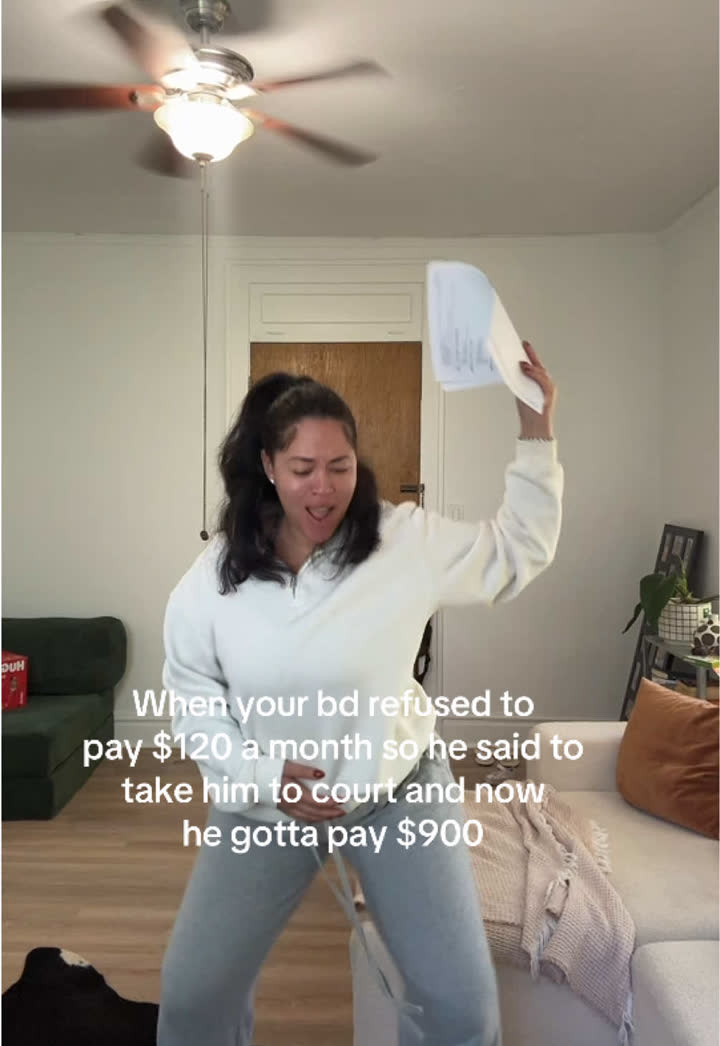 He wanna pay full price SNL trend | Fresh | 175 | new this week |
 But you're not a Buddhist trend | Fresh | 158 | 33 |
 Shoulder carry mirror selfie trend | Fresh | 158 | new this week |
See all 39 trends to copy
Recipes, 30-day charts, client fit and every example video are in the Virlo app.
Open Trends to copyHow this sample is made
- Source
- Virlo's Trends to copy: formats found by Virlo's trend detector and published only after the team checks each one.
- Window
- Creators who posted each trend in the last 7 days, counted from TikTok and Instagram videos only. Trends made with an AI tool are left out.
- Method
- Ranked by creators posting this week. Stages: Fresh, Rising, Peaking, Fading.
- As of
- November 19, 2026 at 13:07 UTC. Refreshes every hour.
- Made by
- Numbers are pulled automatically from Virlo's data every hour; the text around them is written by the Virlo team.
Suggested citation: Source: Virlo, “Google Sheets MCP and Apps Script for TikTok and Instagram data”, virlo.ai/google-sheets
How do AI agents use a Google Sheets MCP server with Virlo?
A Google Sheets MCP server gives an assistant tools to read ranges, append rows and update cells in your spreadsheets. On its own it only knows what is already in the sheet. Add Virlo's server to the same assistant, such as Claude, Cursor or the Gemini CLI, and one instruction can research and record in a single pass.
Example: "Use Virlo to find the 10 Reels about [topic] with the highest Virality Score this month, then append them to the Outliers tab of [spreadsheet name] with link, hook and score." The agent calls Virlo for the data and the Sheets server for the write.
A weekly Google Sheets workflow for marketers
Once the script or ledger is running, the sheet becomes the team's single source for social research:
- Monday: the trigger appends this week's trends to the Trends tab.
- Add a filter view showing only rows where Stage is new, sorted by Creators this week.
- Use the =AI() function or the Gemini side panel to draft a hook beside each trend for [your brand].
- Copy the script into a second function with
platform=instagramto log Reels trends on their own tab. - Share the sheet with clients or teammates as view-only, so the research travels without new logins.
How do I extend the Apps Script for more Virlo data?
The same pattern works for any read endpoint in Virlo's API: build the URL, fetch it with the bearer header, parse data, append rows. Give each dataset its own function and tab so the triggers stay independent and one failed run never blocks the others.
Add a header row once by hand, freeze it, and the tabs turn into ready-made sources for charts and pivot tables. If you also want a heads-up when a tracked creator breaks out, register a Virlo webhook to a small web app deployed from the same Apps Script project with a doPost function, and log each event as a new row.
What can I ask Gemini or an AI agent about the sheet?
Use these with Gemini in Sheets, or in an assistant that has both Virlo and a Sheets MCP server. Replace the brackets.
Trend summary
Summarise the Trends tab: which 3 trends gained the most creators this week and what [your brand] would change in each.
Append outliers
Use Virlo to find the 10 TikTok videos about [topic] with the highest Virality Score this month and append them to the Outliers tab with link and hook.
Sound log
Add this week's breakout TikTok and Instagram Reels sounds to the Sounds tab with platform and uses in the last 7 days.
Hook column
For each row in the Trends tab, write a hook for [your product] in column G that keeps the trend's structure.
Competitor tracker
Look up @[competitor] on TikTok and Instagram with Virlo and log each video from the past month that beat their usual views in the Competitors tab.
Formula help
Write a formula that flags rows in the Trends tab where Creators this week more than doubled versus the previous row for the same trend.
Client report
Build a summary tab for [client] with the top 5 trends to copy and top 5 outlier videos in [client niche] this month, ready to share.
Creator list
Find 10 creators under [N] followers in [your niche] whose videos beat their follower count and add them to the Creators tab with their best video.
Google Sheets MCP vs Gemini in Sheets vs Apps Script: which one do I need?
Each one connects Sheets to AI or data in a different way.
Apps Script (this page's main route)
Google's scripting platform inside Sheets. UrlFetchApp calls Virlo's API and a time-driven trigger keeps rows coming.
Gemini in Sheets
Google's assistant in the Sheets side panel plus the =AI() function. It analyses rows already in the sheet; Virlo supplies the rows.
Google Sheets MCP server
A server that lets outside AI assistants read and write your spreadsheets. Use it next to Virlo's MCP so an agent can research and record together.
Zapier
A no-code alternative for moving Virlo data into Sheets, covered in our Zapier guide.
What are the limits?
- Virlo reads public TikTok and Instagram data. Your sheet can log and analyse it, but nothing here posts to or logs in to social accounts.
- Keep the API key in Script Properties. Anyone with edit access to the script project can read it, so share the sheet view-only where possible.
- Apps Script has its own daily quotas for URL fetches and trigger run time; a weekly or daily trigger stays well inside them.
- Trends to copy refresh hourly after a Virlo team check, so running the trigger more than hourly only repeats rows.
- For what each Virlo plan includes, see pricing.
Frequently asked questions
What is a Google Sheets MCP server?
An MCP server that gives AI assistants tools to read ranges, append rows and edit cells in your spreadsheets. Run one in an assistant such as Claude next to Virlo's MCP server, and the assistant can research TikTok and Instagram and write the results into a sheet.
How do I call an API from Google Apps Script?
Use UrlFetchApp.fetch with the URL and an options object. For Virlo, fetch https://api.virlo.ai/v1/content-trends with headers set to an Authorization bearer value read from Script Properties, then parse the response with JSON.parse and write rows with appendRow.
How do I get TikTok data into Google Sheets?
Three ways: let Virlo Automations keep a Google Sheets ledger, use Open in Google Sheets on any Virlo export, or run an Apps Script that calls Virlo's API on a time-driven trigger. Each brings in public TikTok trends, outlier videos, sounds and creators.
Can Google Sheets track Instagram Reels trends?
Yes. Change the script's platform parameter to instagram and point it at its own tab, or let a Virlo Automation log Reels reports to the ledger. You get Reels trends, sounds and outlier videos as dated rows you can chart week to week.
Where do I store an API key in Apps Script?
In Script Properties. Open Project Settings in the Apps Script editor, scroll to Script Properties, add VIRLO_API_KEY with your key, and read it in code with PropertiesService.getScriptProperties().getProperty. That keeps the key out of the visible code.
How do I run Apps Script on a schedule?
Add a time-driven trigger. In the editor open Triggers, click Add Trigger, choose the function, set the event source to Time-driven and pick a minute, hour, day or week timer. Google then runs it automatically.
Can Gemini in Sheets see TikTok trends?
Not directly. Gemini works on the data in your spreadsheet. Once Virlo rows land there through the ledger or a script, Gemini can summarise them, write formulas and draft hooks from them.
Is there a no-code way to send Virlo data to Sheets?
Yes. Virlo Automations can append each report to a Google Sheets ledger, and the Exports page sends any table straight to Sheets. For more control without code, the Zapier guide shows a Zap that writes Virlo data to a sheet.
Can a Google Sheets script post to TikTok through Virlo?
No. Virlo is read-only and never connects to social accounts. The sheet holds research and drafts, and posting happens in your usual tools.
Give your spreadsheet a social media brain
Paste one Apps Script function and watch this week's TikTok trends fill your sheet.
More AI assistant guides
- AI assistant guides
- Claude
- Claude Code
- Cursor
- MCP server
- TikTok MCP server
- Instagram MCP server
- ChatGPT
- ChatGPT dots
- OpenAI Codex
- Gemini CLI
- Grok Build
- Claude Cowork
- n8n
- Zapier
- Grok Bot
- Muse
- Claude Duet
- Hermes Agent
- Kimi K3
- Cue
- Manus
- Perplexity Computer
- Paperclip
- OpenClaw
- NanoClaw
- DeepSeek
- AI agents CLI
- ChatGPT agent
- Perplexity
- Microsoft Copilot
- Le Chat
- Notion
- Slack
- Discord
- Telegram
- Windsurf
- VS Code
- GitHub Copilot
- Cline
- JetBrains
- Kiro
- Google Antigravity
- goose
- Warp
- OpenCode
- Zed
- Amp
- Factory Droid
- Raycast
- Lovable
- Replit
- Bolt.new
- v0
- Ollama
- LM Studio
- Open WebUI
- LibreChat
- Make
- Pipedream
- Gumloop
- Lindy
- Relevance AI
- Airtable
- ClickUp
- Dify
- Flowise
- LangChain
- CrewAI
- OpenAI Agents SDK
- Mastra
- Vercel AI SDK
- Claude Agent SDK