Give Make AI Agents live TikTok and Instagram data with MCP
Updated
Virlo is social listening for TikTok and Instagram Reels. A Make AI agent can reason through a scenario and route results to thousands of apps, yet it has no window into which short videos are winning this week. Attach Virlo's MCP server to the agent and every run can read trends, hooks, sounds and outlier videos from a database of 23.1M viral videos. Make is a visual automation platform where you build scenarios from app modules and run AI agents inside them.
- Add MCP in Make AI Agents: paste one server URL and your key
- HTTP "Make a request" module for the same endpoint on every run
- Custom webhook trigger so Virlo can start a scenario by itself
Part of Virlo's AI assistant guides. Comparing builders? See the n8n guide or the Zapier guide.
How do I connect Virlo to Make AI Agents?
Six steps in the Make web app, one of them optional. At the end you have an AI agent that researches your niche on TikTok and Instagram whenever its scenario runs.
Step 1: Create your Virlo account for free
Step 2: Copy a Virlo API key for the Make connection
Open API Keys in the Virlo developer dashboard and create a key for Make. It begins with virlo_tkn_, and Make keeps it inside the connection rather than in any module field.
Step 3: Add Virlo to your agent with Add MCP
In Make AI Agents (New), open the agent and click Add MCP. Choose to create a connection, click + New MCP Server, paste the URL below, put your Virlo key in the API Key / Access token field and click Save.
MCP server URLhttps://dev.virlo.ai/api/mcp/mcpStep 4: Put the agent in a scheduled scenario
Build a scenario with the agent module in the middle, set the scenario schedule (for example, every Monday at 08:00) and add a Slack, Gmail or Google Sheets module after the agent to carry its answer.
Agent instructionsEvery run: use Virlo to find the 3 trends to copy with the most creators this week in [your niche], then write a 5-line summary with one example video link per trend.Step 5: Optional: let Virlo start the scenario
Make a second scenario that opens with Webhooks, Custom webhook. Copy the hook address, swap it into the request below with your key, and run it once from a terminal or an HTTP module set to POST.
Register the Custom webhookcurl -X POST https://api.virlo.ai/v1/webhooks \ -H "Authorization: Bearer virlo_tkn_YOUR_KEY" \ -H "Content-Type: application/json" \ -d '{ "url": "https://hook.eu2.make.com/YOUR_CUSTOM_WEBHOOK", "description": "Make scenario", "enabled_events": ["content_research_agent.run.completed"] }'Step 6: Run it once and ask your first question
Click Run once. The agent picks Virlo tools from the instructions or the message you send it, and its run log lists each tool call so you can check what it pulled.
Your first promptWhich Instagram Reels about [topic] beat their creators' usual views by the widest margin this month? Rank the top 8 by Virality Score and say what each one opens with.
Not sure the connection works? Drop the MCP Client app's Call a tool module into a test scenario first: pick the Virlo connection, choose a tool and run it on its own before handing the tools to an agent.
Add MCP vs HTTP module vs Custom webhook: which Make route fits?
| Make route | What happens with Virlo | Use it when |
|---|---|---|
| Add MCP on a Make AI agent | The agent reads Virlo's research tools and decides which ones a task needs | The job is written in plain English and changes from run to run |
| MCP Client app: Call a tool | One named Virlo tool runs with the arguments you map, no model involved | You want a fixed lookup and predictable output fields |
| HTTP: Make a request | A GET to an endpoint such as https://api.virlo.ai/v1/content-trends with your key in the Authorization header | A sheet, Airtable base or database needs the same rows every week |
| Webhooks: Custom webhook | Virlo posts an event to the hook address the moment it happens | A finished agent run or a tracked outlier should kick off the scenario |
Every route uses the same Virlo account. Scenarios can chain them: a Custom webhook can start the agent that then researches over MCP.
Which trends would a Make AI agent report this week?
Ask a Make agent for the formats creators are copying and it reads the same Trends to copy list shown here, with creator counts it can drop straight into a Slack or email module.
In Virlo's data, 659 creators posted "My moon my man couple montage" in the last 7 days, the most of any trend to copy as of November 19, 2026.
As of November 19, 2026 at 13:07 UTC
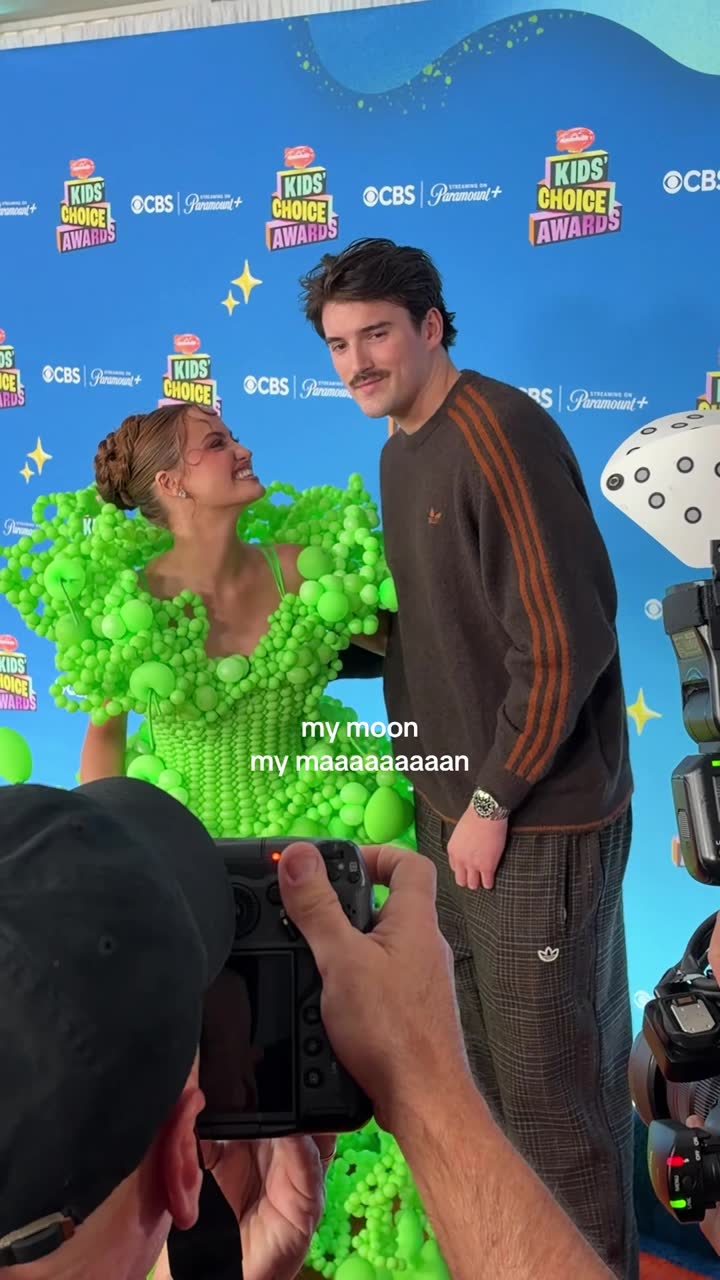
1. My moon my man couple montage
Fresh · 659 creators this week

2. While they're out partying btw
Rising · 346 creators this week
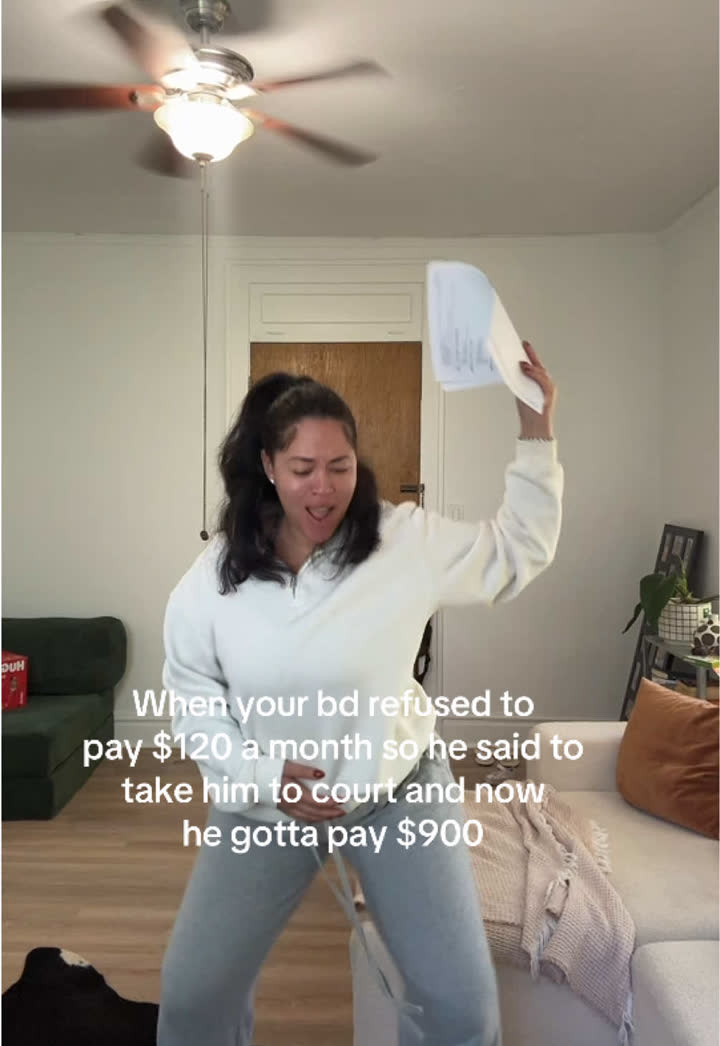
3. He wanna pay full price SNL trend
Fresh · 175 creators this week

4. But you're not a Buddhist trend
Fresh · 158 creators this week

5. Shoulder carry mirror selfie trend
Fresh · 158 creators this week
| Trend | Stage | Creators this week | Creators last week |
|---|---|---|---|
| My moon my man couple montage | Fresh | 659 | new this week |
| While they're out partying btw | Rising | 346 | 115 |
| He wanna pay full price SNL trend | Fresh | 175 | new this week |
| But you're not a Buddhist trend | Fresh | 158 | 33 |
| Shoulder carry mirror selfie trend | Fresh | 158 | new this week |
See all 39 trends to copy
Recipes, 30-day charts, client fit and every example video are in the Virlo app.
Open Trends to copyHow this sample is made
- Source
- Virlo's Trends to copy: formats found by Virlo's trend detector and published only after the team checks each one.
- Window
- Creators who posted each trend in the last 7 days, counted from TikTok and Instagram videos only. Trends made with an AI tool are left out.
- Method
- Ranked by creators posting this week. Stages: Fresh, Rising, Peaking, Fading.
- As of
- November 19, 2026 at 13:07 UTC. Refreshes every hour.
- Made by
- Numbers are pulled automatically from Virlo's data every hour; the text around them is written by the Virlo team.
Suggested citation: Source: Virlo, “Give Make AI Agents live TikTok and Instagram data with MCP”, virlo.ai/make
How do I start a Make scenario from a Virlo webhook?
Make scenarios usually run on a timer, but research jobs finish on their own clock. Let Virlo tell Make when there is something to act on.
- Add the Webhooks app as the first module, choose Custom webhook, click Add and copy the address Make shows you.
- Register that address with Virlo through
POST /v1/webhooks, listing the events this scenario should hear (step 5 shows the request). - Click Run once in Make so the Custom webhook learns the payload shape from the first event Virlo delivers.
- Add a Router after the webhook if one event type should go to Slack and another to a client report in Google Docs.
- Skip repeats by checking the event
id, because Virlo reuses it when it retries a delivery.
| Event | What starts the scenario |
|---|---|
content_research_agent.run.completed | One of your marketing agents finished a run (check data.status for success) |
tracking.outlier_video.detected | A creator you track posted a video at over 3 times their median views |
content_research_agent.event.detected | A recurring marketing agent spotted a breaking story in its topic |
satellite.lookup.completed | A creator, sound, hashtag or video lookup you started is ready |
A Router branch per event type keeps one hook from turning into a tangle of filters.
What can a Make AI agent do with Virlo?
Paste one into the agent instructions or a message module. Fill in the brackets.
Monday trend brief
Pull the 5 trends to copy with the most creators this week in [your niche]. For each, give the part to keep, the part to change for [your brand] and one example video.
Webhook explainer
A tracked creator just posted an outlier: [mapped webhook data]. Explain in 3 bullets why it beat their usual views and draft one version for [your product].
Reels sound picks
List the breakout sounds on Instagram Reels this week and pick the 3 that suit a [tone] video about [topic].
Hook bank row
Find 15 proven TikTok hooks in [your niche] and return each as one line: hook text, hook type, source video link.
Competitor scan
Check @[competitor] on TikTok and Instagram. Which videos from the last 30 days beat their normal views, and what do they share?
Client recap
Write a short monthly note for [client] on what changed in [client niche] on TikTok and Instagram, with 4 example links.
Creator shortlist
Find 10 creators under [N] followers in [your niche] whose recent videos keep outperforming their follower count.
Make AI Agents vs MCP Client vs Make MCP server: which one connects Virlo?
Make uses the letters MCP in two directions, and only one of them brings Virlo in.
Make AI Agents (this page)
Agents that run inside scenarios. Add MCP gives an agent Virlo's research tools alongside your Make apps.
MCP Client app
The app behind those connections. Its Call a tool and Execute an action with AI modules use a remote server such as Virlo without building a full agent.
Make MCP server
The reverse direction: it exposes your Make scenarios to outside assistants like Claude. You do not need it to use Virlo inside Make.
n8n
A different automation tool with its own AI Agent node and MCP Client Tool. The n8n guide covers that setup.
What are the limits?
- Virlo only reads public TikTok and Instagram data, so a Make agent can research and report with it but cannot publish a post through it.
- The Virlo key lives in the MCP Client connection. Anyone in the Make team who can edit that connection can reuse it in other scenarios.
- A new marketing agent can take minutes to finish its first run; let the run-completed webhook restart the scenario instead of holding one execution open.
- Virlo allows 5 active webhooks per team, so send several event types to one Custom webhook and split them with a Router.
- Plan details for Virlo: pricing.
Frequently asked questions
How do I add an MCP server to Make AI Agents?
Open the agent in Make AI Agents (New) and click Add MCP. Create a connection, choose + New MCP Server, paste the server URL (for Virlo, https://dev.virlo.ai/api/mcp/mcp), fill in the API Key / Access token field and save. The agent can then call that server's tools during any scenario run.
Does Make.com support MCP?
Yes, in both directions. The MCP Client app and the Add MCP button let scenarios and AI agents use tools on remote servers such as Virlo. Separately, the Make MCP server lets assistants like Claude trigger your scenarios. For TikTok and Instagram research you only need the client side.
Can Make.com get TikTok data?
Yes, through Virlo. An AI agent with Virlo added over MCP can look up TikTok trends to copy, outlier videos, hooks, sounds, hashtags and transcripts. For fixed pulls, an HTTP "Make a request" module can call api.virlo.ai/v1 endpoints with your bearer key on every run.
What is the Make MCP Client module?
It is the Make app that talks to remote MCP servers. Call a tool runs one tool with arguments you map, and Execute an action with AI lets a model pick tools for a task you describe. Both use the same Virlo connection you create for an agent.
How do I call the Virlo API with the Make HTTP module?
Add HTTP, Make a request. Set the method to GET and the URL to an endpoint such as https://api.virlo.ai/v1/content-trends?platform=tiktok&limit=5. Store your key as a credential and send it as an Authorization header with the value Bearer plus the key. Then map the data array into later modules.
Can Virlo trigger a Make scenario?
Yes. Start the scenario with Webhooks, Custom webhook, copy its address and register it with POST /v1/webhooks on the Virlo API. Pick events such as tracking.outlier_video.detected or content_research_agent.run.completed, and each one starts the scenario within seconds of happening. Use a Router after the hook to split event types.
Can a Make AI agent research Instagram Reels?
Yes. With Virlo connected, the agent can rank Reels on a topic by Virality Score, list trending and breakout Reels sounds, check Instagram hashtags and look up a creator. Add a Google Sheets module after it to keep a running log of what it finds each week.
Should I build a marketing agent in Make or n8n?
Both reach Virlo the same way: an MCP connection for agent research, an HTTP module for fixed calls and a webhook trigger for events. Pick Make for its visual scenario builder and app catalogue, or n8n if you prefer self-hosting. The n8n guide walks through that build.
Can Make post to TikTok through Virlo?
No. Virlo is read-only research and never signs in to social accounts. A scenario can pass Virlo findings to whatever publishing module or tool your team already uses, but the posting step happens outside Virlo. Keep Virlo for the research half of the scenario: it decides what is worth making, and your publishing module handles the rest.
Put live social data inside every Make scenario
Add Virlo with Add MCP and let your agent bring this week's TikTok and Instagram winners to the next module.
More AI assistant guides
- AI assistant guides
- Claude
- Claude Code
- Cursor
- MCP server
- TikTok MCP server
- Instagram MCP server
- ChatGPT
- ChatGPT dots
- OpenAI Codex
- Gemini CLI
- Grok Build
- Claude Cowork
- n8n
- Zapier
- Grok Bot
- Muse
- Claude Duet
- Hermes Agent
- Kimi K3
- Cue
- Manus
- Perplexity Computer
- Paperclip
- OpenClaw
- NanoClaw
- DeepSeek
- AI agents CLI
- ChatGPT agent
- Perplexity
- Microsoft Copilot
- Le Chat
- Notion
- Slack
- Discord
- Telegram
- Google Sheets
- Windsurf
- VS Code
- GitHub Copilot
- Cline
- JetBrains
- Kiro
- Google Antigravity
- goose
- Warp
- OpenCode
- Zed
- Amp
- Factory Droid
- Raycast
- Lovable
- Replit
- Bolt.new
- v0
- Ollama
- LM Studio
- Open WebUI
- LibreChat
- Pipedream
- Gumloop
- Lindy
- Relevance AI
- Airtable
- ClickUp
- Dify
- Flowise
- LangChain
- CrewAI
- OpenAI Agents SDK
- Mastra
- Vercel AI SDK
- Claude Agent SDK