Use ClickUp MCP with live TikTok and Instagram data
Updated
Virlo is social listening for TikTok and Instagram Reels. ClickUp Brain knows every task, Doc and comment in your Workspace, but nothing in it shows which TikToks and Reels are outperforming this week. Connect Virlo as an MCP server and Brain or a Super Agent can pull trends to copy, hooks, sounds and outlier videos from a database of 23.1M viral videos, then turn them into tasks. ClickUp is a work management app for tasks, Docs, Chat and goals, with ClickUp Brain as its built-in AI.
- App Center, MCP Servers: add Virlo for Brain and Super Agents
- ClickUp MCP plus Virlo MCP in Claude for research that lands as tasks
- Virlo webhooks into ClickUp through a Chat Automation or your automation tool
Part of Virlo's AI assistant guides. Planning in a different workspace? See Notion. Routing events with a no-code tool? See Make.
How do I connect Virlo to ClickUp Brain?
Five steps in the ClickUp browser app, which is where external MCP servers are connected today. Brain and your Super Agents can use Virlo as soon as you finish.
Step 1: Create your Virlo account for free
Step 2: Open App Center, then MCP Servers
In ClickUp on the web, open App Center and go to MCP Servers. Choose to add a custom MCP server and paste the Virlo URL below.
MCP server URLhttps://dev.virlo.ai/api/mcp/mcpStep 3: Authorize Virlo
Pick OAuth and approve access on Virlo's sign-in page. If your Workspace prefers keys, choose API key authentication and paste a key from API Keys instead.
Step 4: Choose a personal or Workspace connection
A personal connection lets only you use Virlo in Brain and Super Agents. A Workspace connection shares it with everyone and can only be switched on by a Workspace owner or admin.
Step 5: Ask Brain to research and plan
Open Brain or a Super Agent and ask for Virlo research together with the ClickUp work it should produce.
Your first promptUse Virlo to find the 5 TikTok trends to copy in [your niche] with the most creators this week. Create a task for each in the [list name] List with the part to keep, the part to change and one example video in the description.
Prefer to work from Claude? Run the two commands in the ClickUp MCP section below and the same request works there, with ClickUp creating the tasks through its own server.
Virlo in ClickUp Brain vs ClickUp MCP in Claude vs webhooks: which route fits?
| Route | Where you work | What happens |
|---|---|---|
| Virlo added under App Center, MCP Servers | ClickUp Brain and Super Agents | Brain calls Virlo's research tools and writes the results into tasks, Docs or Chat |
| ClickUp MCP server + Virlo MCP server | Claude, Cursor or another MCP app | The assistant researches with Virlo, then creates and updates ClickUp tasks over OAuth |
| Chat Automation: Webhook received | A ClickUp Chat channel | A Virlo event such as a tracked outlier arrives and starts the Chat Automation |
| Make, n8n or Zapier in between | Your automation tool | Virlo posts the event, the tool creates a ClickUp task with the video link and numbers |
ClickUp's own MCP server accepts OAuth only. Virlo accepts OAuth or a bearer key, so every route above can use whichever your team prefers on the Virlo side.
What would one Virlo trend look like as a ClickUp task?
This is this week's top trend to copy, field by field. Ask Brain to create a task from it and each field becomes the title, a description line or a custom field.
In Virlo's data this week, "My moon my man couple montage" is the trend to copy with the most creators: 659 in the last 7 days, as of November 19, 2026.
As of November 19, 2026 at 13:07 UTC
| Field | Value |
|---|---|
| Name | My moon my man couple montage |
| Stage | Fresh |
| Creators this week | 659 |
| Creators last week | new this week |
| Keep the same | The song 'My Moon My Man' by Feist (often a specific remix or cover) and the theme of showing a romantic partner. |
| Make it yours | The specific person or couple being shown and the setting of the clips. |
| Example video | 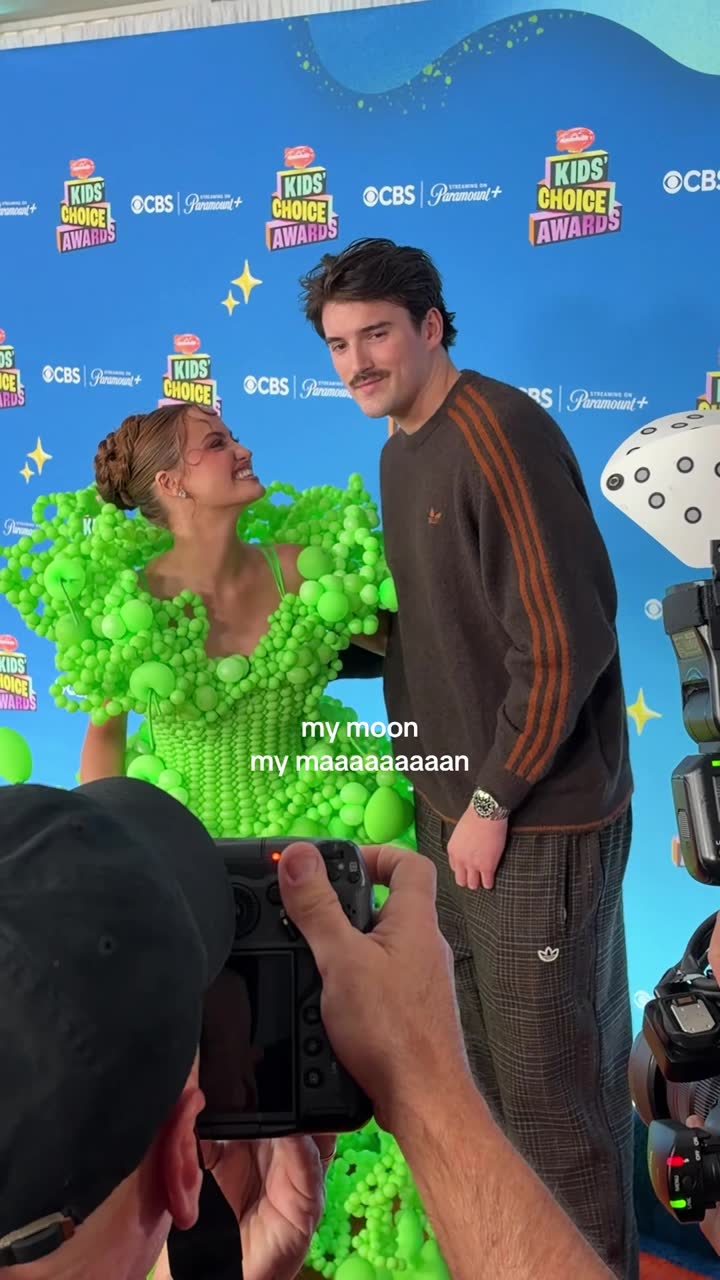 @haleyybaylee |
38 more trends to copy
The full list, with history and every example, is in the Virlo app and over the MCP server.
Open Trends to copyHow this sample is made
- Source
- Virlo's Trends to copy: formats found by Virlo's trend detector and published only after the team checks each one.
- Window
- Creators who posted each trend in the last 7 days, counted from TikTok and Instagram videos only. Trends made with an AI tool are left out.
- Method
- Ranked by creators posting this week. Stages: Fresh, Rising, Peaking, Fading.
- As of
- November 19, 2026 at 13:07 UTC. Refreshes every hour.
- Made by
- Numbers are pulled automatically from Virlo's data every hour; the text around them is written by the Virlo team.
Suggested citation: Source: Virlo, “Use ClickUp MCP with live TikTok and Instagram data”, virlo.ai/clickup
How do I use the ClickUp MCP server and Virlo together in Claude?
ClickUp hosts an MCP server at mcp.clickup.com/mcp that lets assistants search a Workspace and manage tasks, comments, Docs, time tracking and Chat. It signs in with OAuth only, and what the assistant can change follows your own ClickUp permissions.
Add it next to Virlo and one chat covers the whole loop: Virlo supplies what is working on TikTok and Instagram, and ClickUp turns it into assigned work. In Claude Code the pairing is two commands:
- Add ClickUp:
claude mcp add --transport http clickup https://mcp.clickup.com/mcp - Add Virlo:
claude mcp add --transport http virlo https://dev.virlo.ai/api/mcp/mcp - Run /mcp and approve both servers in the browser.
- Ask for research and a ClickUp destination in one request, such as a List name and an assignee.
Claude, ChatGPT and Cursor take the same two URLs as custom connectors. See the Claude guide for where connectors live in Claude.
How do Virlo webhooks reach ClickUp?
Register a receiving URL with POST /v1/webhooks on the Virlo API and pick events like tracking.outlier_video.detected or content_research_agent.run.completed.
To land the event in a ClickUp Chat channel, use a Chat Automation with the Webhook received trigger and register its URL. To turn each event into a task, send it to a Make, n8n or Zapier webhook first and add a ClickUp create-task step there.
What can I ask ClickUp Brain once Virlo is connected?
Prompts for Brain, a Super Agent or Claude with both servers. Replace the brackets.
Trend tasks
Pull this week's top 5 trends to copy in [your niche] from Virlo and create one task per trend in [List name], assigned to [teammate], due [day].
Sprint of hooks
Find 10 proven TikTok hooks in [your niche] with Virlo and add them as subtasks under [task name], each with its source link.
Content Doc
Write a ClickUp Doc called [Doc title] summarising what is working on Instagram Reels in [your niche] this week, using Virlo, with 5 example links.
Sound pick for a task
For the task [task name], suggest 2 breakout TikTok sounds from Virlo that fit a [tone] video and add them as a comment.
Competitor watch
Look up @[competitor] on TikTok and Instagram with Virlo and post their best 3 videos of the week in the [Chat channel] channel.
Client report task
Create a task in [client List] with a monthly summary of TikTok and Instagram changes in [client niche] from Virlo, and attach the top 5 links.
Creator outreach list
Find 10 creators under [N] followers in [your niche] who keep beating their follower count, and create a task per creator in [Outreach List].
ClickUp MCP server vs ClickUp Brain vs Virlo MCP: what does each one do?
Two MCP directions meet in ClickUp, and Brain sits between them.
ClickUp MCP server
ClickUp's hosted server at mcp.clickup.com/mcp. It lets outside assistants like Claude read and change your ClickUp work, using OAuth.
ClickUp Brain and Super Agents
The AI inside ClickUp. External servers added from App Center, MCP Servers, such as Virlo, give it tools beyond your Workspace.
Virlo's MCP server (covered here)
The source of social video data: TikTok and Instagram trends, hooks, sounds and outlier videos for Brain or any assistant to use.
Notion
Plan content in Notion instead? The Notion guide covers connecting Virlo to a Notion workspace.
What are the limits?
- Public TikTok and Instagram data is all Virlo reads. Brain can plan and assign work from it, but nothing is published through Virlo.
- External MCP servers are connected from the ClickUp browser app, and Workspaces with custom roles can turn off personal or Workspace connections.
- Brain reaches external servers from changing cloud IP addresses, so IP allowlisting is not part of the setup; Virlo does not need it.
- Trends to copy refresh every hour after a team check, so a task created on Monday still matches what creators are posting that week.
- Virlo plans: pricing.
Frequently asked questions
What is the ClickUp MCP server?
ClickUp's hosted MCP server at mcp.clickup.com/mcp. It lets AI assistants such as Claude, ChatGPT and Cursor search a Workspace and manage tasks, comments, Docs, time tracking and Chat. It uses OAuth only, and access follows the connected user's ClickUp permissions.
How do I add an MCP server to ClickUp Brain?
In the ClickUp browser app, open App Center, go to MCP Servers and add a custom server with its URL (for Virlo, https://dev.virlo.ai/api/mcp/mcp). Authorize with OAuth or an API key, then pick a personal or Workspace connection. Brain and Super Agents can then use its tools.
Can ClickUp Brain see TikTok trends?
Not from your Workspace alone. With Virlo connected as an MCP server, Brain can pull TikTok trends to copy, viral videos ranked by Virality Score, hooks, sounds and creators, and write them straight into tasks, Docs or Chat messages. Each item keeps its source video link.
How do I connect ClickUp to Claude?
Add https://mcp.clickup.com/mcp as a custom connector in Claude, or run claude mcp add --transport http clickup https://mcp.clickup.com/mcp in Claude Code, and sign in with OAuth. Add Virlo the same way to research TikTok and Instagram in the same chat. The ClickUp server signs in with OAuth only and does not accept API keys.
Can ClickUp Super Agents use Virlo?
Yes. Once Virlo is added under App Center, MCP Servers, its tools are available to your Super Agents. A Workspace connection makes them available to every agent and teammate, while a personal one keeps them to agents you run. Admins can disable either type with custom roles.
Can Virlo send events to ClickUp?
Yes. Register a receiving URL with POST /v1/webhooks on the Virlo API. A ClickUp Chat Automation with the Webhook received trigger can take the event into a channel, or a Make, n8n or Zapier webhook can turn it into a task.
Can I plan Instagram Reels in ClickUp with Virlo?
Yes. Ask Brain for trending and breakout Reels sounds, Reels on your topic ranked by Virality Score or a creator lookup, and have it create tasks or a content Doc. Each item keeps its source link so the editor sees the original.
Is ClickUp better than Notion for a Virlo content calendar?
ClickUp suits teams that assign, schedule and track content as tasks with owners and due dates. Notion suits teams that plan in databases and Docs. Both pair with Virlo over MCP; the Notion guide shows that setup. Plenty of teams research in one and execute in the other.
Can ClickUp post to TikTok through Virlo?
No. Virlo never logs in to social accounts and only reads public data. ClickUp can hold the brief, script and schedule, and the post goes out from your publishing tool. Brain can still prepare everything around the post, from the researched brief to the subtasks for filming, editing and review, all linked back to the source videos.
Turn this week's trends into ClickUp tasks
Add Virlo under App Center, MCP Servers and ask Brain to plan your next posts from real data.
More AI assistant guides
- AI assistant guides
- Claude
- Claude Code
- Cursor
- MCP server
- TikTok MCP server
- Instagram MCP server
- ChatGPT
- ChatGPT dots
- OpenAI Codex
- Gemini CLI
- Grok Build
- Claude Cowork
- n8n
- Zapier
- Grok Bot
- Muse
- Claude Duet
- Hermes Agent
- Kimi K3
- Cue
- Manus
- Perplexity Computer
- Paperclip
- OpenClaw
- NanoClaw
- DeepSeek
- AI agents CLI
- ChatGPT agent
- Perplexity
- Microsoft Copilot
- Le Chat
- Notion
- Slack
- Discord
- Telegram
- Google Sheets
- Windsurf
- VS Code
- GitHub Copilot
- Cline
- JetBrains
- Kiro
- Google Antigravity
- goose
- Warp
- OpenCode
- Zed
- Amp
- Factory Droid
- Raycast
- Lovable
- Replit
- Bolt.new
- v0
- Ollama
- LM Studio
- Open WebUI
- LibreChat
- Make
- Pipedream
- Gumloop
- Lindy
- Relevance AI
- Airtable
- Dify
- Flowise
- LangChain
- CrewAI
- OpenAI Agents SDK
- Mastra
- Vercel AI SDK
- Claude Agent SDK